Shipped projects. 1 engineer.

Client deliveries and personal builds — studies, experiments, and internal tools. From Flutter and React Native apps to B2B SaaS platforms, ANAF e-Invoice integrations, and WordPress plugins.

11 projects

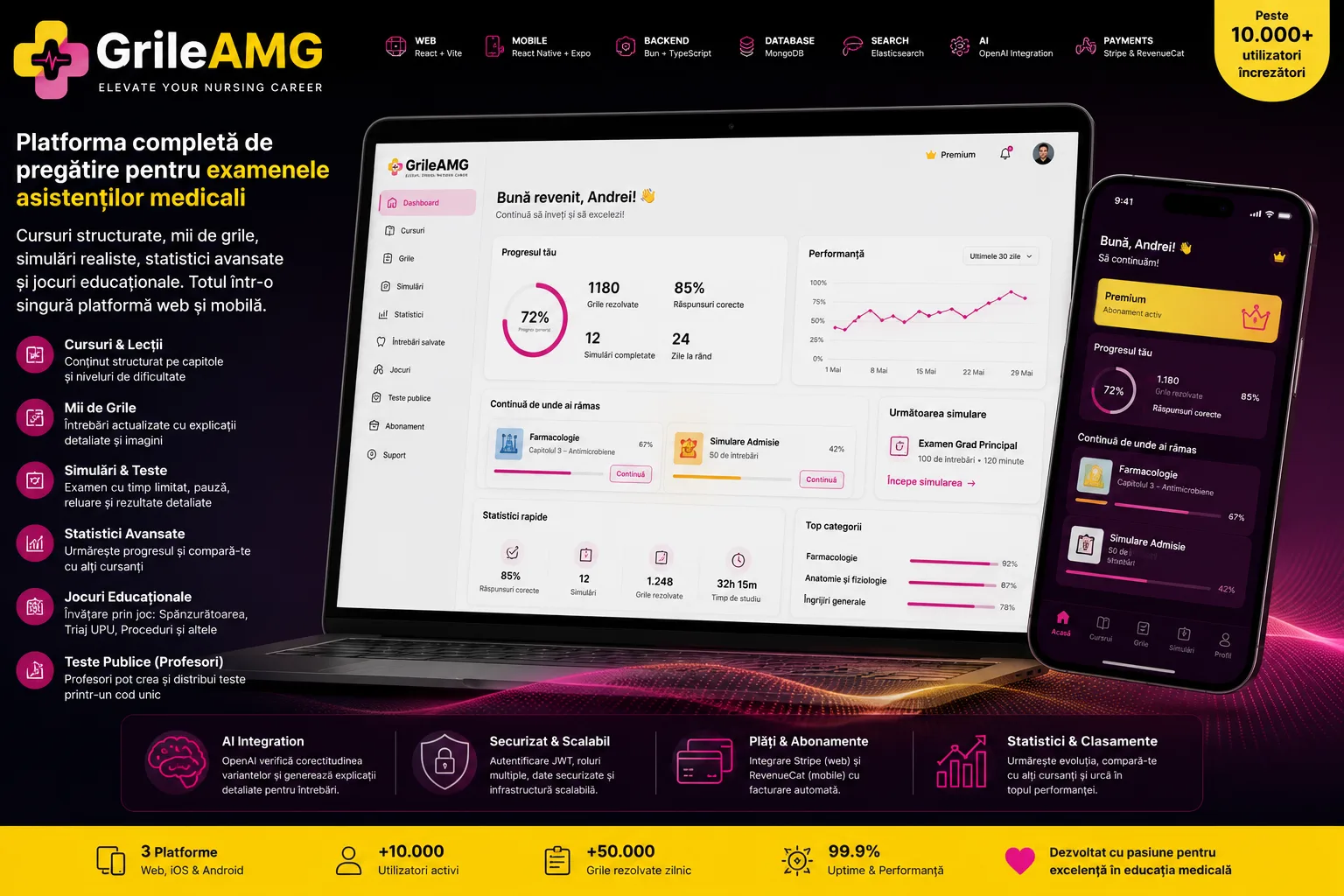
GrileAMG
Client work

GrileAMG

A training ecosystem for nursing assistants: courses, multiple-choice questions, exam simulations, statistics, and tests distributed by teachers, across web, iOS, and Android, with subscriptions, AI, and editorial administration.

TypeScript
Bun
Express
MongoDB
+32 more

GrileAMG turns a large library of medical content into a complete digital product for nursing assistants preparing for admission exams, principal grade certification, re-attestation, or competitions. Users can go through courses structured into chapters and lessons, practice single- and multiple-choice questions, generate configurable exam simulations, and track their progress across specializations, courses, categories, and lessons. The product is not a single interface but an ecosystem made up of a shared backend, a responsive web application, and a native mobile app distributed for iOS and Android. The same account and the same content base power the learning experiences, statistics, saved questions, notifications, support, and premium access. In parallel, administrators get their own studio for courses, lessons, and the question bank, while teachers can build tests from existing content and distribute them via a short code, without participants needing an account. The architecture was chosen around the product's data types and behavior. TypeScript is used end-to-end for consistency across the API, web, and mobile; Bun and Express keep the backend fast and lean; MongoDB naturally models courses with nested lessons and sections, while also offering aggregations for statistics and scoring. Elasticsearch is used separately for fuzzy search and highlighting across titles, lessons, and course content — a case where plain MongoDB queries would not provide the same relevance or speed. Monetization is adapted per channel: Stripe manages web subscriptions and the billing portal, RevenueCat manages in-app purchases from the iOS flow and premium entitlement, and the backend unifies subscription state through webhooks and caching. SmartBill automates invoicing and fiscal reconciliation. For content, OpenAI is integrated into a two-stage flow: it validates the answers of a medical multiple-choice question and detects conflicts, then generates a short explanation, with a fallback model and concurrency limiting to control cost and stability. Delivery is automated separately for each surface. The web app and API are published via GitHub Actions and SSH on every accepted change to main, while the mobile app has a dedicated workflow for OTA updates, version bumps, local EAS builds on Linux/macOS runners, AAB/IPA artifacts, and submission to Google Play and App Store Connect.

Risa Time
Client work

Risa Time

A digital ecosystem for picking up a customer's car, transporting it to a partner car wash, and returning it safely, coordinated through separate customer and driver apps, an operations panel, and real-time tracking.

TypeScript
Node.js
Express 5
PostgreSQL
+35 more

Risa Time turns car washing into a complete logistics service: the customer configures pickup, chooses an eligible car wash, sets the return method, proposes a price, and pays in the app; a verified driver then claims the order, picks up the car, documents its condition, transports it to the partner, and delivers it back. The customer, the driver, and the operations team all follow the same order, but through interfaces and permissions tailored to their responsibilities. The product is split into five codebases with clear roles. The Node.js/Express API concentrates identity, payments, business rules, and the state machine. The Flutter customer app covers the account, cars, billing profile, order wizard, Stripe payment, tracking, history, invoices, ratings, disputes, and support. The Flutter driver app has its own KYC onboarding, availability, order announcements, counter-offers, active trip, photos, navigation, background tracking, earnings, and withdrawals. The SvelteKit panel provides operational visibility over orders, customers, drivers, car washes, invoices, payments, disputes, support, and routes. The Astro landing page explains the service and routes contact, partnership, and recruitment requests to the same backend. The order is controlled server-side through 11 explicit states, from AWAITING_PAYMENT and PENDING through pickup, car wash, return, COMPLETED, or CANCELLED. An order becomes visible to drivers only after payment is confirmed. Acceptance is not a manual admin assignment: the first eligible driver to complete the claim wins the order through an atomic transaction that simultaneously locks the order and the driver's availability. Sensitive transitions check the actor, the current state, photo evidence, the chosen car wash, and GPS proximity; some states, such as leaving the customer's location after pickup or completion, cannot be set arbitrarily from the app. Tracking combines REST for durable state with Socket.IO for real-time events. Coordinates, location history, and separate polylines are kept for planned versus traveled routes, across the segments to the customer, to the car wash, and back on return. For returning to the customer's current location, the customer app can transmit its live position, and the driver app starts the background location service only during movement states. Payment is designed as a recoverable flow. The Stripe PaymentIntent is created idempotently, the order stays in AWAITING_PAYMENT if payment initialization fails, and the customer can resume payment without creating a new order. The webhook confirms funding, updates the ledger, and publishes the announcement to drivers. Counter-offers can generate an off-session charged difference; when it cannot be withdrawn, the amount is moved into an owed balance and recovered later. Cancellations and refunds keep Stripe, the order, the ledger, and the driver's balance synchronized. For resilience and traceability, important data is frozen into snapshots at order time: customer, driver, car wash, billing, and the version of the legal documents. The audit log records sensitive operations, assignment logs keep the driver history, and a transactional outbox delivers web notifications to administrators with retry and recovery of events left in processing. Redis and BullMQ run cleanup of abandoned orders, balance recovery, invoice retry, cleanup of photos and tokens, plus outbox processing. Delivery is automated separately. The backend, admin, and landing page are published on push to main via GitHub Actions, SSH, and Docker/VPS, with migrations and health checks. The customer app has automatic web build and deploy, plus manual release workflows for Google Play and TestFlight; the driver app has equivalent workflows for Android and iOS, with signing, version bump, caching, and store upload.

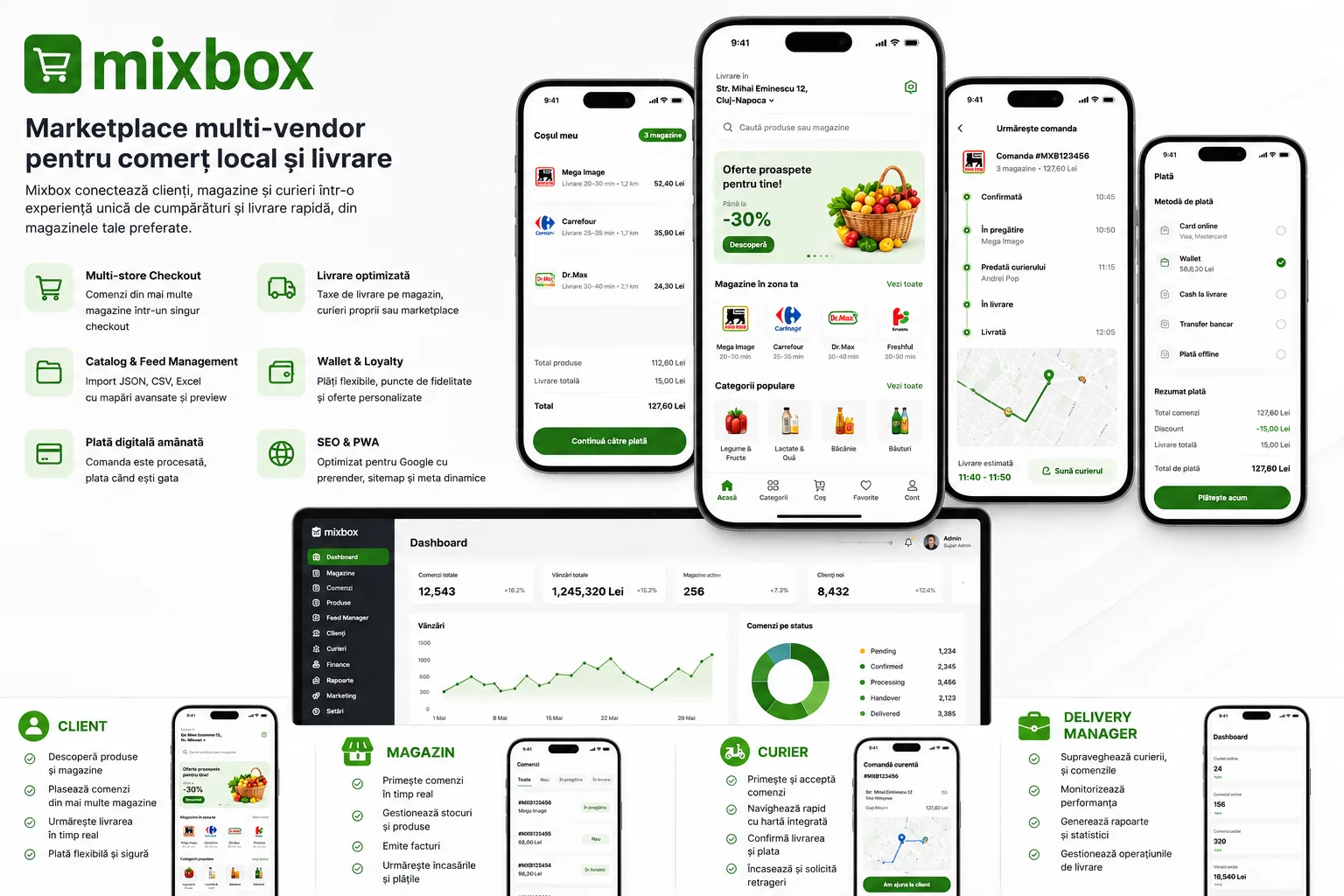
Mixbox
Client work

Mixbox

A multi-vendor marketplace for local products, with a single cart spanning multiple stores, separate apps for customer, merchant, and courier, flexible payments, and an advanced system for importing and managing supplier catalogs.

PHP 8.1
Laravel 10
Eloquent ORM
MySQL / MariaDB
+21 more

Mixbox coordinates customers, stores, couriers, delivery managers, and administrators into a single product. The customer uses a Flutter app available on mobile and web for location, discovering stores and products, favorites, cart, checkout, payments, order tracking, history, reviews, and support. The store gets its own Flutter app for orders, statuses, catalog, stock, coupons, schedule, invoices, receipts, and POS operations, and the courier has a separate app for availability, delivery requests, acceptance, navigation, location, payment proofs, cash collection, wallet, and history. The Laravel backend serves all of these experiences and includes the shared API, the admin panel, and the interface dedicated to the delivery manager. The product starts from the SixAMart commercial base, but the Mixbox code adds and extends flows that substantially change the standard behavior. Checkout allows products from multiple stores in the same cart: the backend groups line items by store, validates each store separately, and creates distinct orders, with distance and delivery fee calculated per store, coupons distributed proportionally, and split tips controlled across deliveries. For multi-store digital payment, an OrderGroup is created that allows consolidated payment of the resulting orders, without each store seeing or operating on the others' products. A major component is managing catalogs sourced from suppliers. Mixbox accepts JSON, CSV, XLS, and XLSX feeds, manual or scheduled import, preview, column normalization, batch processing, resuming from the last processed index, import logs, and updating existing products by SKU. The CategoryResolverService centralizes the same rule for both preview and import: explicit SKU mapping takes priority, followed by source-taxonomy mapping, direct matching, and, in the absence of a valid resolution, sending the product to the Uncategorized area for review. The Feed Category Manager allows simple or compound mappings, creating categories, moving existing products, ignoring sources, and synchronizing images. The implemented SKU mapping is a feed-specific or general classification rule; it is not presented in the portfolio as an automatic cross-supplier stock consolidation system, since the current code does not demonstrate that mechanism. Orders go through operational states common to the apps: pending, confirmed, accepted, processing, handover, picked_up, and delivered, with branches for cancellation, failure, and refund. The backend checks the geospatial zone, the store's schedule and availability, quantity limits, variations, stock, coupons, fees, delivery costs, vehicle, and payment-method restrictions before saving. Stock is updated in the same transaction as the order details for an individual order, and cancellation restores the quantities. Couriers can be assigned or can accept requests, transmit their location, update statuses, confirm payment, and can upload proofs; the customer and the store receive updates via Firebase and persistent notifications. Payments confirmed in the code include cash on delivery, digital payment, wallet, offline payment, bank transfer, and partial payment from the wallet. The deferred digital-payment flow allows creating the order as unpaid, showing it to the store immediately, and sending the payment request to the customer when the store moves the order into processing. After payment, the operational status is preserved and the store is notified. For digital orders spanning multiple stores, OrderGroup centralizes the amount and payment status. On web, the Flutter app dynamically sets title, description, canonical URL, and Open Graph/Twitter metadata for products, stores, categories, and brands. The backend fills in the limitations of a client-rendered app with pre-rendered pages for crawlers, robots.txt, and a cached dynamic sitemap for public slugs. Technical delivery is split across four GitHub Actions workflows: SSH deploy of the backend on push to main, build and deploy for customer web plus APK, and APK build/distribution for the store and courier apps. The current workflows automate the build and distribution to the server, but are not presented as automatic App Store or Google Play publishing, and they do not include a test suite or automatic rollback.

YouSpace
Client work

YouSpace

A platform that helps families find the right specialists for children and teenagers, and lets professionals publish their profile, articles, and events within an ecosystem featuring verification, subscriptions, and centralized administration.

PHP 8.2
Laravel 12
Eloquent ORM
Laravel Sanctum
+15 more

YouSpace connects families with psychologists, psychotherapists, psychiatrists, and other specialists who work with children and teenagers. The public experience includes presentation pages, professional profiles, filtered search, articles, reviews, and events. Search can combine name or keywords with county, online or in-person availability, gender, age, specialization, area of intervention, education, credentials, and price range, while slug-based routes and URL-serialized filters support sharing and indexing of public pages. For professionals, the product includes registration with a complete professional profile, email confirmation, administrative approval, subscriptions, profile management, education, training, professional codes, articles, and events. Sensitive profile changes can go through a separate request, approval, or rejection flow, with a reviewer and verification notes. Events are initially created as drafts, move to pending after payment is initiated, to paid after Netopia confirmation, and become public only after administrator approval; co-organizer invitations have their own invited, accepted, and declined states. Monetization is implemented through subscription packages and Netopia payments. The backend keeps an internal payment order before the provider's confirmation, processes 3D Secure and webhooks, activates or renews subscriptions, manages the one-time free bonus, deactivates competing subscriptions, and sends email notifications. There is also a queueable renewal job with a saved token and protection via the renewal_in_progress flag, but the current repository does not schedule it automatically in Laravel Scheduler; running it depends on a manual command or an external configuration not demonstrated in the code. The back office separates the user, agent, and admin roles. Agents and administrators can view and manage users, statistics, transactions, and change requests, while moderating reviews and articles, configuring packages, specializations, and conditions, and approving events remain reserved for the administrator. The frontend is built with Expo Router, React Native, and React Native Web, exported as a static PWA for web and also configured for iOS and Android. For SEO, the client app sets metadata and canonical URLs, while Laravel separately serves HTML pages for crawlers; the repository's documentation proposes a Next.js migration, but this is not yet implemented.

BCA Solution
Client work

BCA Solution

A web and PWA platform that centralizes companies, equipment, support subscriptions, technical tickets, conversations with agents, documents, and parts orders, complemented by an AI assistant grounded in each case's manuals and history.

Node.js
Express 5
Sequelize 6
MySQL
+22 more

BCA Solution digitalizes the after-sales relationship between equipment operators and the team that provides their technical support. After registration, email confirmation, and administrative approval, the customer can manage their profile, companies, and associated equipment. Each machine keeps identification data, the company and owner, images, technical manuals, and subscription history, and opening a support request is only allowed for an owned machine that has an active subscription. The support flow brings together, in a single case, the ticket number, the affected equipment, the problem description, priority, state, files, and the conversation between the customer and the technical team. The customer can track their requests in a dedicated portal, while agents and administrators use separate areas for triage, assignment, changing priority and status, reviewing documents, and managing the parts orders resulting from the intervention. Orders are linked to the ticket and the machine and can contain multiple line items, quantities, codes, and price estimates. The AI assistant is integrated into the agent's and administrator's workspace. When a case is initialized, the backend builds context from the machine's data, PDF manuals, equipment images, ticket attachments, and the conversation transcript. Manuals can be automatically reused for machines with the same brand and model. Files are uploaded to OpenAI, the conversation gets a vector store for file search, and relevant images can be included as multimodal input. Initialization state is tracked in the database, responses use the Responses API with message chaining, and are streamed incrementally to the interface via Server-Sent Events. The frontend is built with SvelteKit 2, Svelte 5, and TypeScript and offers distinct responsive interfaces for the customer, the agent, and the administrator. The app is configured as an installable PWA and includes a service worker, persistent notifications, real-time updates via Socket.IO, VAPID-based Web Push, and SMTP emails for account confirmation, password reset, and user approval. The deployment demonstrated by the repository uses a Vite build and separate PM2 processes for the frontend and API.

Aavena
Client work

Aavena

A multi-platform agricultural product that brings together map-based field delineation, crop and intervention tracking, weather data, visual plant analysis, and context-aware AI recommendations.

PHP 8.2
Laravel 12
Eloquent ORM
Laravel Sanctum
+24 more

Aavena organizes farm activity at the field level. The user can draw and edit polygons on Google Maps, and the app calculates the area and keeps the coordinates, crop, and unit of measure. Each field centralizes fertilizations, treatments and their costs, yields, and weather data, so that the operational history is no longer scattered across notes and separate apps. The product includes several AI flows, not a single generic chatbot. Field recommendations can be automatic or interactive, with an optional photo, and use the crop, area, season, geometry, weather, and work history as context. Separately, there is visual analysis for choosing a treatment based on the crop, and a dedicated flow for ornamental plants. Questions, answers, images, and recommendation context are persisted for later consultation, and chatbot conversations have their own history. The same Vue frontend serves the browser, the PWA, and the native Capacitor containers for Android and iOS. The camera, gallery, geolocation, push notifications, deep links, and local preferences are adapted for mobile. The Laravel backend provides authentication via email and password, Google/Firebase, and Apple, email verification, an administrative role, and a shared entitlement service for trial, Stripe, App Store, and free access granted from the back office. The repositories include separate deployment for the API and web, and workflows that generate Android AAB and iOS archive/IPA artifacts, without equating the build with automatic store publishing.

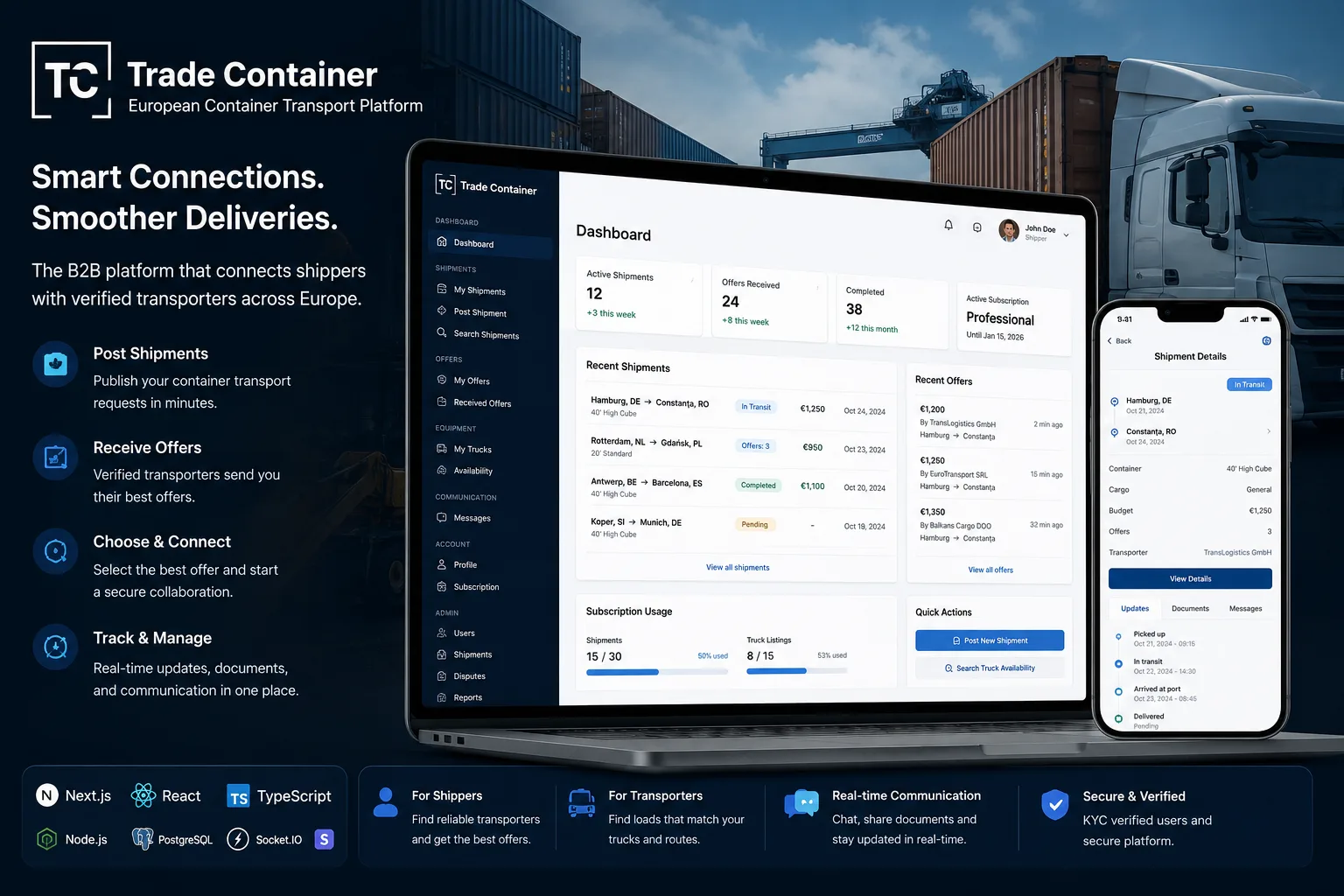
Trade Container
Client work

Trade Container

A web platform for posting shipment requests, declaring available capacity, bidding, and coordinating container trips, with KYC, subscriptions, chat, documents, and role-based administration.

Node.js
TypeScript 5.7
Express 4
PostgreSQL
+17 more

Trade Container connects companies that have containers to transport with carriers and fleet operators. The client builds a request starting from the pickup port and terminal, the destination as a port or an address, operational dates, container type and count, cargo, budget, and optional stops for customs, weighing, loading, or unloading. Carriers can publish their availability by route and period, with equipment, accepted containers, capacity, and rate, then search for shipments and place bids with price, availability, estimated duration, message, and validity term. Accepting a bid associates the carrier with the shipment, moves the trip into the confirmed state, rejects the alternatives that are still pending, and initializes the dedicated conversation. The client is directed to the chat, and participants can communicate in real time and track the trip through the pending, offer_received, confirmed, picked_up, in_transit, delivered, completed, disputed, or cancelled states. The interfaces bring together the route, cargo, accepted bid, uploaded documents, notifications, and the post-completion review, and disputes can be reviewed by an administrator. Business rules are applied differently by role. The client needs approved KYC and an active or trial subscription to post shipments, while the carrier needs approved KYC to submit bids. Stripe is used for the platform subscription — checkout, billing portal, and webhook synchronization — while transport payment is negotiated and settled directly between companies; the current flow does not implement escrow or payouts. For client plans, the shipment quota is atomically claimed before insertion and refunded if saving the request fails. The product starts from a Next.js/Supabase base that was extended and migrated to a proprietary Express and PostgreSQL backend. The current implementation handles JWT authentication, hashed refresh tokens and per-device sessions, API contracts validated with Zod, Socket.IO, local files, SMTP emails with a Resend fallback, and node-cron jobs for expirations and reminders. The Next.js frontend uses httpOnly cookies and a shared store that coordinates session refresh between HTTP requests and the realtime connection. The demonstrated deployment runs the frontend and backend as separate PM2 processes.

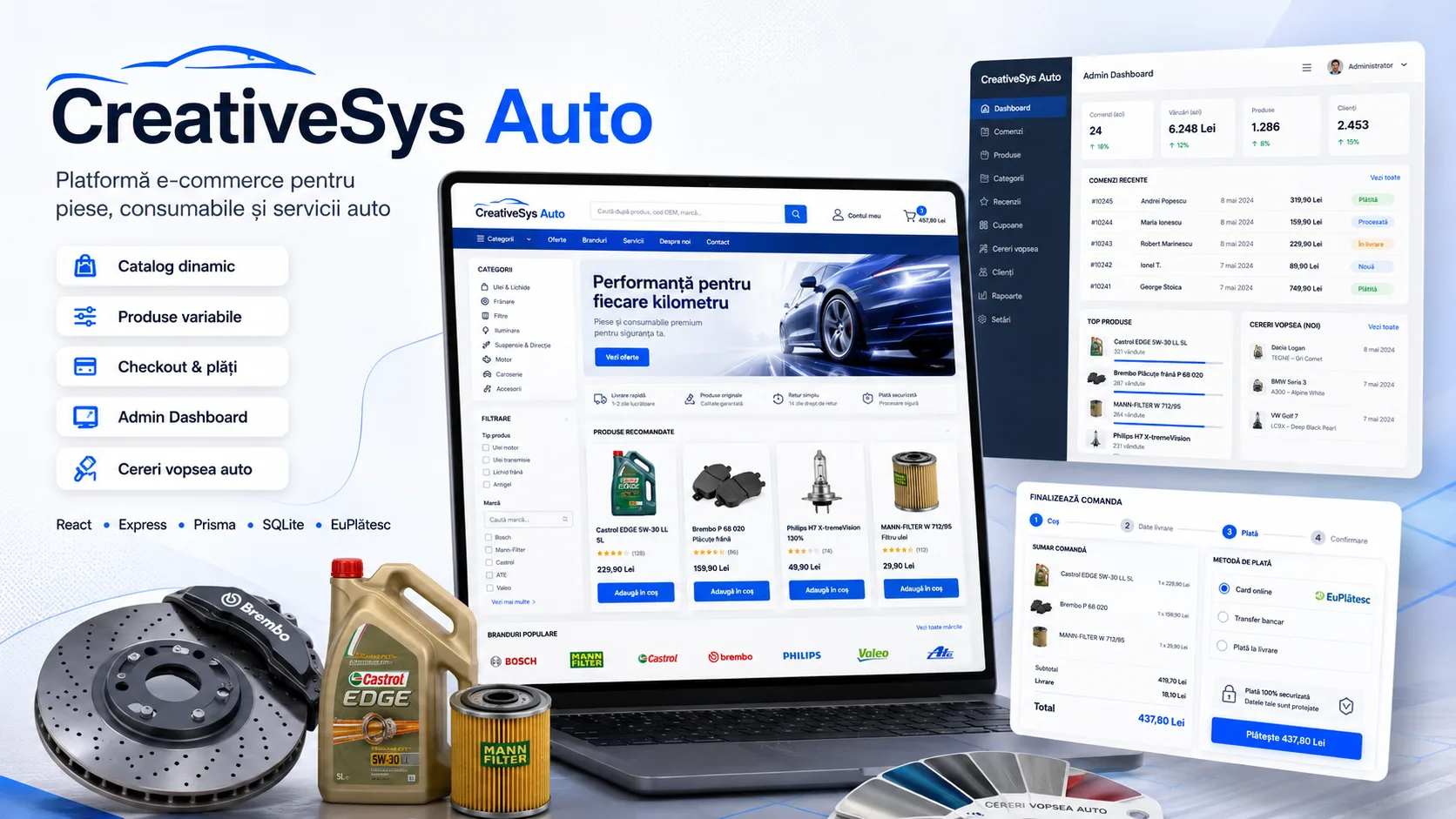
CreativeSys Auto
Client work

CreativeSys Auto

A custom online store with simple and variable products, a dynamic catalog and filters, checkout, EuPlătesc payments, commercial documents, full administration, and a separate quoting flow for car paint.

React 19
TypeScript
Vite
React Router
+22 more

CreativeSys Auto digitalizes the sale of auto parts and consumables through a manageable catalog, with recursive category hierarchies, brands, simple products, and products with variations. Each variation can have its own SKU, price, image, and stock, and the catalog supports search, contextual filtering by category, brand, price, availability, and attributes, sorting, and pagination. Filters are kept in the URL for navigation and shareable links, and the product page adapts the gallery, price, stock, and SKU to the selected variant. The commercial flow includes a local cart and a persistent cart for authenticated users, resolving conflicts between the two at login, a wishlist, comparison, recently viewed products, saved addresses, and checkout for individuals or companies. The backend re-reads the products and variations, validates stock and active methods, recalculates prices, shipping, coupons, and VIP discounts, and saves snapshots of the products and customer data on the order. The customer can track order history, upload bank-transfer proof, cancel eligible orders, and access issued documents. Online payment is integrated directly with EuPlătesc. The implementation generates the checkout session, signs the data with HMAC, verifies IPNs, interprets the sec_status anti-fraud state, and keeps transactions in pending, paid, failed, or refunded. Delivery of card-paid orders is blocked until the gateway confirms, and a scheduled job reconciles orders left pending if a callback does not arrive. The administrator can verify payment, process capture, reversal, or refund, and manage the order's operational states. The platform also includes a separate flow for preparing car paint. The customer submits the vehicle, year, chassis series, paint code, quantity, and address, and the administrator reviews the request, sets the quote, generates and sends the proforma, selects the payment method, and updates the status. Invoices, receipts, and proformas are generated from the order data, and email notifications cover orders, payments, status changes, reviews, and products coming back in stock. The admin dashboard brings together products, variations, attributes, brands, categories, orders, customers, coupons, reviews, testimonials, hero slides, paint requests, site settings, and checkout configuration. For acquisition and organic distribution, the app generates a sitemap, robots.txt, structured data, Open Graph also served from the backend for crawlers, and an XML feed for Google Merchant Center. The React frontend is built with Vite and served as an SPA, and the backend selectively injects SEO metadata into the HTML; deployment runs on a VPS via Bash scripts with build, Prisma migrations, frontend backup, and smoke tests.

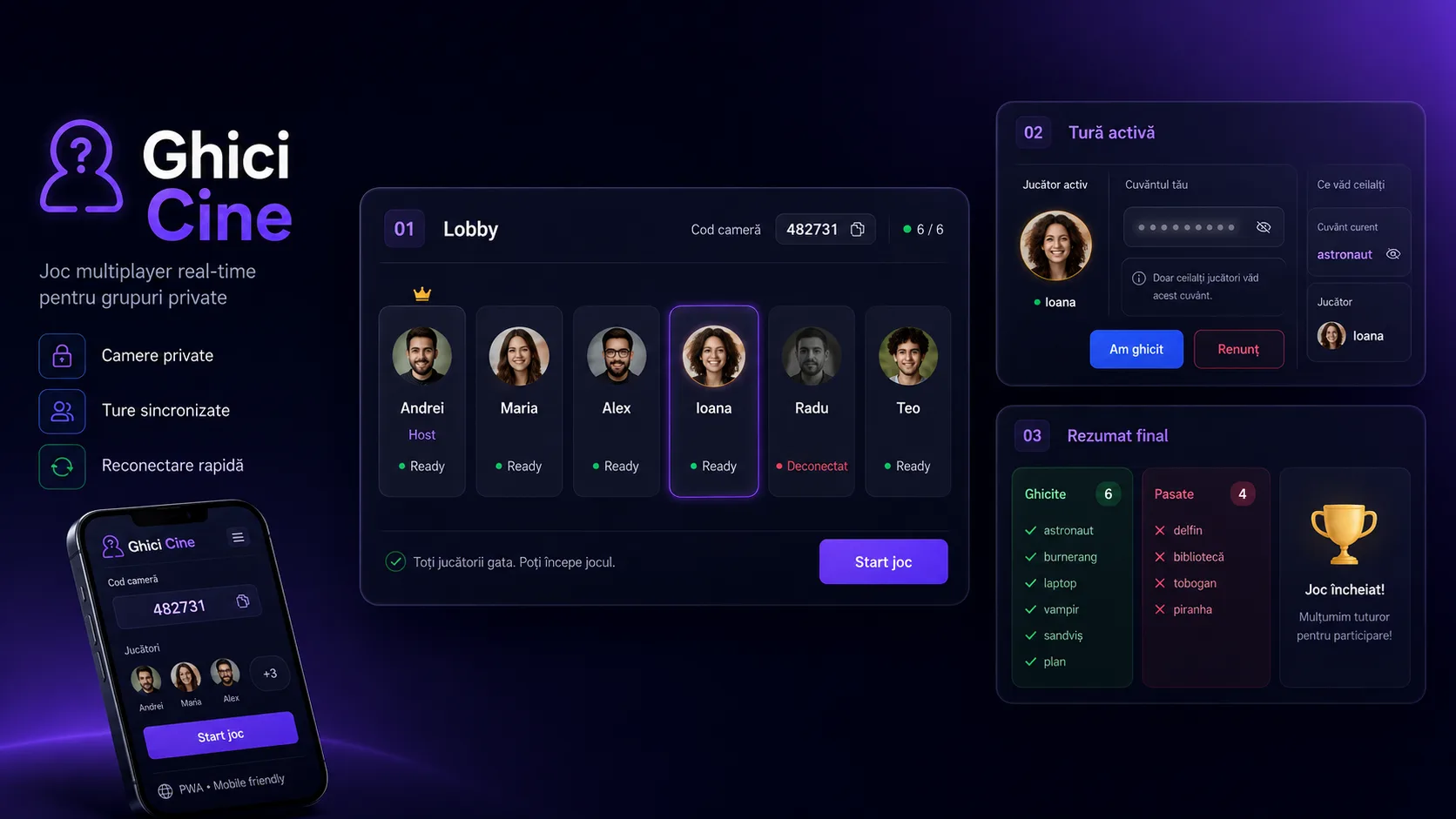
Ghici Cine (Guess Who)
Study / personal

Ghici Cine (Guess Who)

A multiplayer browser party game with private rooms, words submitted by participants, real-time synchronized turns, per-player filtered state, and reconnection to the active session.

React 19
TypeScript 6
Vite 8
Tailwind CSS 3
+9 more

Ghici Cine digitalizes a social game in which participants try to guess a word that everyone else can see. A player creates a room, sets the number of words per participant, and shares the numeric access code. Each person joins from their own browser, submits their word list, and the game starts automatically once all eligible players are ready. The backend keeps the authoritative state of each room in memory and coordinates the game via Socket.IO events. Words are gathered into a shared pool, shuffled, and allocated per turn, avoiding, when possible, the words submitted by the active player. For every update, the server builds a different state per participant: the person whose turn it is does not receive the current word, while everyone else sees it and can follow the rotation, the number of remaining words, and connection status. The player's temporary identity is UUID-based and kept locally in the browser for reconnection. On return, the new socket is associated with the same session, and the word and turn are restored without exposing the active player's information. The host can manage disconnected participants and skip a blocked turn, and the end of the match summarizes the words guessed and abandoned. The React frontend is responsive and configured as a PWA, and the backend includes a health check, graceful shutdown, and PM2 configuration for running on a VPS.

Stoc Manager (Inventory Manager)
Client work

Stoc Manager (Inventory Manager)

An operational application for managing a construction-materials warehouse, with stock tracked in square meters and units, multi-product receiving, a responsive POS, orders, snapshot-based traceability, QR codes, and real-time synchronization.

PHP 8.2+
Laravel 12
Eloquent ORM
Laravel Fortify
+20 more

Stoc Manager centralizes the catalog, stock, and sales of a business that sells tiling and finishing materials. Products are organized by category and have a unique SKU, photo, dimensions, color, price per square meter, and current stock. From width and length, the app automatically calculates the estimated equivalent in units, so the same records can be used both in the warehouse and in the sales interface. The app uses three operational roles — Administrator, Agent, and Salesperson — for navigation and separating the main work areas. The administrator manages the catalog, categories, users, the dashboard, and QR labels, and the receiving flow allows entering multiple products in a single operation, with the quantity in square meters and the associated reason or document. Movement history can be filtered by product, user, type, reason, and period. The POS interface is optimized for desktop, tablet, and mobile. Available products are shown visually with photo, SKU, dimensions, color, price, and stock, and the user can search quickly, add quantities to the cart, and see the calculated value before checkout. Carts are persisted server-side, and completing an order creates the sales line items and the outbound movements, updating stock in the same SQL transaction. To preserve historical context, receiving and sales operations create immutable ProductSnapshots with the product's data at the time of the operation. Order items and stock movements reference these snapshots, so history can use the name, SKU, category, dimensions, price, and image that existed at the time of the transaction, instead of depending solely on the product's current version. Laravel Reverb and Echo propagate stock updates between POS instances and synchronize the cart on a private per-user channel. The administrator can generate A4 PDF documents with QR codes for selected products; scanning the QR code opens the product directly in the flow appropriate to the role. The app is installable as a PWA and runs on VPS infrastructure, with Nginx for HTTPS and WebSocket proxying, Apache/PHP-FPM for Laravel, and a deployment script that runs dependency installation, the Vite build, migrations, and the framework's caches.

BTSO
Client work

BTSO

Vue 3 + Laravel platform for patients, anamnesis, configurable optometric tests, scoring, visual evaluation, documented consent, and PDF reports, in a multi-company model with roles and localization.

PHP 8.2
Laravel 10
Eloquent ORM
Laravel Sanctum
+18 more

BTSO is a B2B web application for organizing and executing an optometric screening and evaluation workflow. The domain links the patient to evaluation sessions (Treatment), anamnesis and strabismus questions, an ordered battery of tests, measurement methods, and measurable properties. The interface offers both a guided step-by-step journey and a fast sequence that concentrates the anamnesis, refraction data, and main tests into a single workspace. Clinical tests are configured in the database and cover distance visual acuity, stereopsis, accommodation amplitude, near point of convergence, distance/near phoria, and monocular accommodative facility. Methods can change the set of properties attached to a test; the user can save their preferred method and test order, and a new evaluation can reuse baseline optometric data from the previous session. The final evaluation aggregates much more than the raw answers. The backend computes Z-scores based on the configured formulas, the difference between distance and near phoria, and, for compatible methods, the AC/A ratio. The API builds an anamnesis profile with ok/suspicious/skipped states, prepares the series for the chart, and adds system notes for methods where the values are not treated as evidence-based. The frontend renders the result in a Chart.js chart with normative zones and in a table of measured values. Reporting is hybrid. The frontend captures the chart visualization and sends it as a PNG, and Laravel/mPDF generates the final report on the server with the patient's data, the optometric parameters for the right and left eye, the evaluation chart, contextual documentation, the input values, and the clinician's observations. Consent for data processing has a separate flow: the backend generates a PDF template with a QR code linked to the patient's UUID, and the signed document can be uploaded as JPG, PNG, or PDF. The file is normalized with Imagick when needed, the QR code is read and verified against the patient, and the status and the user who processed the document are persisted. The backend uses Laravel 10 / PHP 8.2, REST controllers, Form Requests, Resources, Services, Repositories, Eloquent, and Policies. Isolation of clinical resources is done by company_id, the main model is Patient → Treatment → TreatmentTest/TreatmentQuestion → Property, and the treatment creation and method-change operations are transactional. MySQL holds the operational data, and a secondary MySQL connection periodically receives a pseudonymized dataset. The frontend is a Vue 3 SPA in JavaScript, built with Vite, Vue Router, Vuex, Axios, and Tailwind CSS. Authentication uses Laravel Sanctum sessions and a CSRF cookie, with optional email-based 2FA at the company level. The UI includes a patient registry, a collapsible side navigation, screens dedicated to clinical stages, a fast sequence, embedded PDF documentation, user administration, settings, and localization into multiple languages. Operationally, Laravel Scheduler starts jobs for cleaning up unfinished evaluations, notifying and deleting expired trials, and syncing the pseudonymized dataset. The sync jobs process data in chunks, but the repository's default configuration remains queue=sync unless the environment overrides it. The Git history clearly shows that the application was not built entirely from scratch in the HthePaul2 repository: the initial commits from 2022 belong to another developer, and there are later merges and migrations from GitLab/FLZSFL. HthePaul2's verifiable contribution in 2024–2025 includes PDF branding updates, fixes in the clinical documentation flowchart, localization of the final report and of classes/methods/properties, as well as an extensive modification of TestEvaluationView aimed at the final evaluation's performance issue. The snapshot audit also highlights hardening technical debt: legacy web routes for running and displaying anonymization data have no authentication middleware in the analyzed file, logging can capture headers, bodies, SQL queries, and authentication data, and persisted formulas are evaluated via eval. The analyzed repositories contain no GitHub Actions or Docker and only have the example Laravel tests, so securing these areas and introducing a test suite/CI are the natural next steps.

Project archive

43 projects

Camin Felix Donations Software
Client work

Camin Felix Donations Software

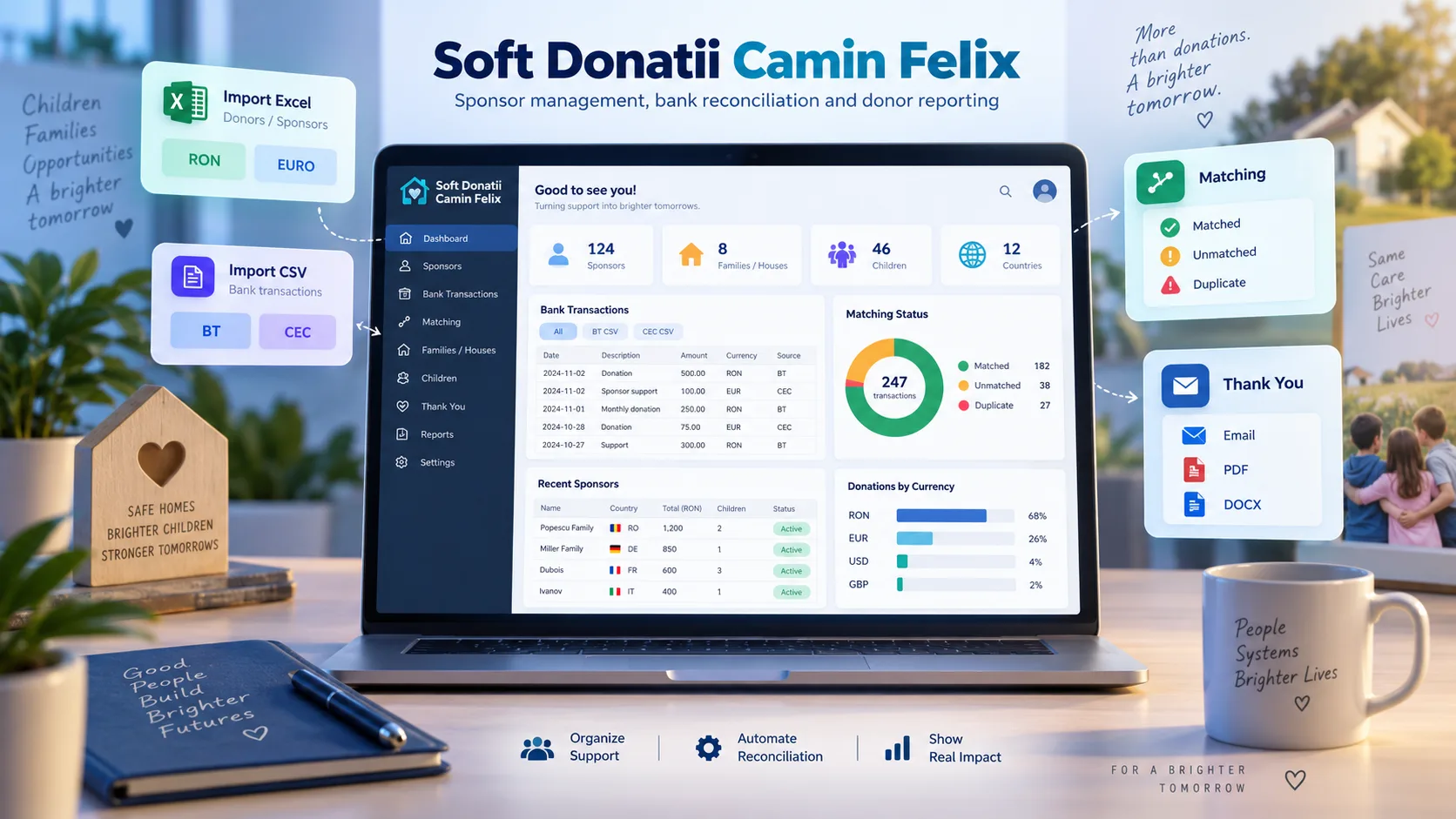
A back office for managing sponsors and donations, with Excel imports and BT/CEC bank statements, transaction matching and deduplication, manual reconciliation, statistics, and thank-you communications via email, PDF, and Word.

PHP 8.2
Laravel 12
Eloquent ORM
Livewire 3
+13 more

Camin Felix Donations Software centralizes an organization's internal activity around sponsors and donations. Sponsors are managed together with contact details, country, usual currency, associated family or house, sponsored children, active status, and the operational GDPR indicator. Historical data can be imported from separate Excel files for RON and EURO, and the process even honors existing conventions from the organization's documents: cell formatting is used to identify inactive sponsors and GDPR-flagged records. The main flow processes CSV bank statements from Banca Transilvania and CEC Bank. For BT, the app locates the actual header of the export, reconstructs CSV rows that may contain commas within descriptions, normalizes amounts in local formats such as 1,234.56 or 1.234,56, keeps only incoming payments, and can detect RON or EUR currency from the statement. For CEC there is a separate parser that filters out fees, interest, currency exchanges, and internal transfers, and extracts the payer from the bank's text fields. Before saving, the user gets a preview with matched, unmatched, and duplicate transactions. Sponsor matching is built as a deterministic pipeline. Names are normalized by removing diacritics and special characters, then compared exactly or as a token set for cases where the name order differs. If direct matching fails, the app searches for the name within the description and uses the history of already-matched transactions. For known intermediaries, such as postal services or organizations through which payment may arrive, matching uses significant terms from the description and historical associations. Bank references are checked in batch and further protected by a unique index in the database, and the operator can manually match, unmatch, or correct transactions that remain ambiguous. The dashboard and reports track active sponsors, records without GDPR, donations by currency, unallocated transactions, and aggregates across sponsors, families, children, and countries. For donor relations, the app builds a thank-you report filterable by period, country, and family. Donors with an email can be sent messages individually or in bulk, and for those without email, personalized letters and envelopes are generated in PDF or DOCX, individually or into a ZIP archive for printing. A separate Artisan command allows reconciling BT amounts by bank reference in dry-run mode and applying corrections in a controlled way.

ERP/Accounting for a Butcher Shop
Client work

ERP/Accounting for a Butcher Shop

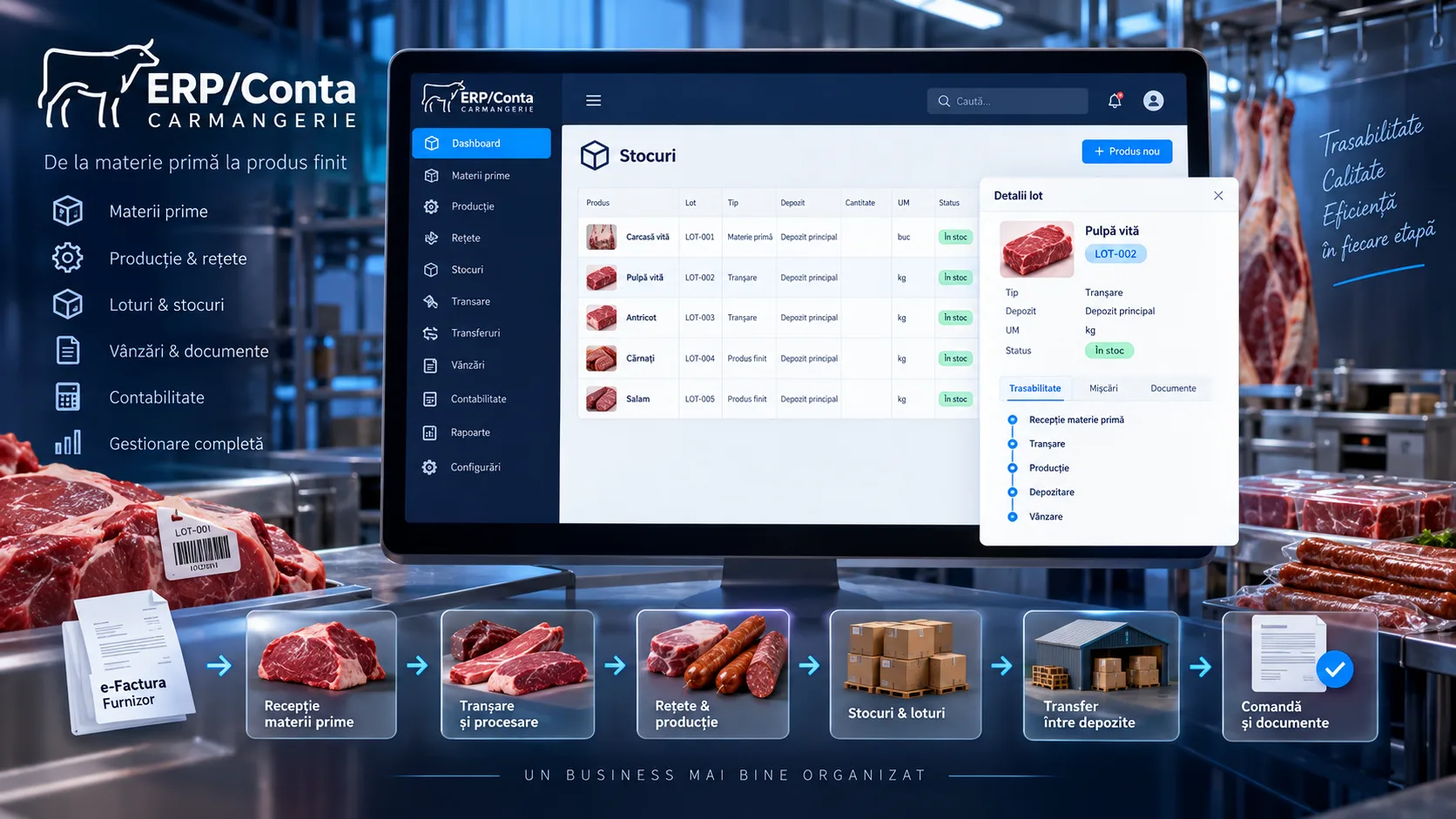
An ERP for a butcher shop, built around stock batches and movements: receiving from invoices, recipes and production, carcass cutting, transfers between warehouses, orders, sales, PDF documents, and pulling supplier invoices via e-Factura.

PHP 8.1+
Laravel 10
Eloquent ORM
Blade
+15 more

ERP/Accounting for a Butcher Shop centralizes, in a single web application, the flows between procurement, warehouse, production, and sales. The product model keeps quantity, unit of measure, internal batch and supplier batch, warehouse, prices, VAT, markup, manufacturing date, expiration, temperature, and the accounting account, so goods can be tracked as a stock variant by batch and warehouse. Receiving can start from an invoice entered into the app or from supplier invoices pulled via the iApp/e-Factura API. Imported invoices are mapped to suppliers, services, or products, and for stock products, links are created to the invoice, the warehouse entry, and the product's source. The same provenance tracking is used for production, cutting, and transfers, so inbound and outbound movements can be reported by the process that generated them. In production, recipes define the required products and the source warehouses, and an operation consumes the selected stock, records the outbound movements, and creates the resulting product in the destination warehouse. The butcher shop's specific flow has a separate cutting module: a carcass is consumed from stock, the resulting pieces become products with an internal batch and a warehouse, and the system keeps the differences between the processed weight/value and the resulting total. Standard pieces can be configured based on the carcass type. Internal transfers move a specific product variant between two warehouses, preserving the batch and price characteristics. If the same variant exists at the destination, the quantity is accumulated; otherwise the product is cloned for the new warehouse. Orders check the stock of the selected variant and include a business rule that does not allow selling at a price lower than or equal to the purchase price. The app generates PDF documents for invoices, cuttings, and transfers, and provides inbound and outbound registers built from the provenance of each movement. The architecture is a Laravel 10 monolith with Blade and browser JavaScript, MySQL via Eloquent, and SQL transactions in flows that modify multiple entities. The fiscal integration is isolated in a client for the iApp API, and documents are rendered server-side with DomPDF. The code represents a product customization on top of the Laravel skeleton and an admin interface, with domain logic implemented in controllers, models, services, and module-specific scripts.

Form 230
Client work

Form 230

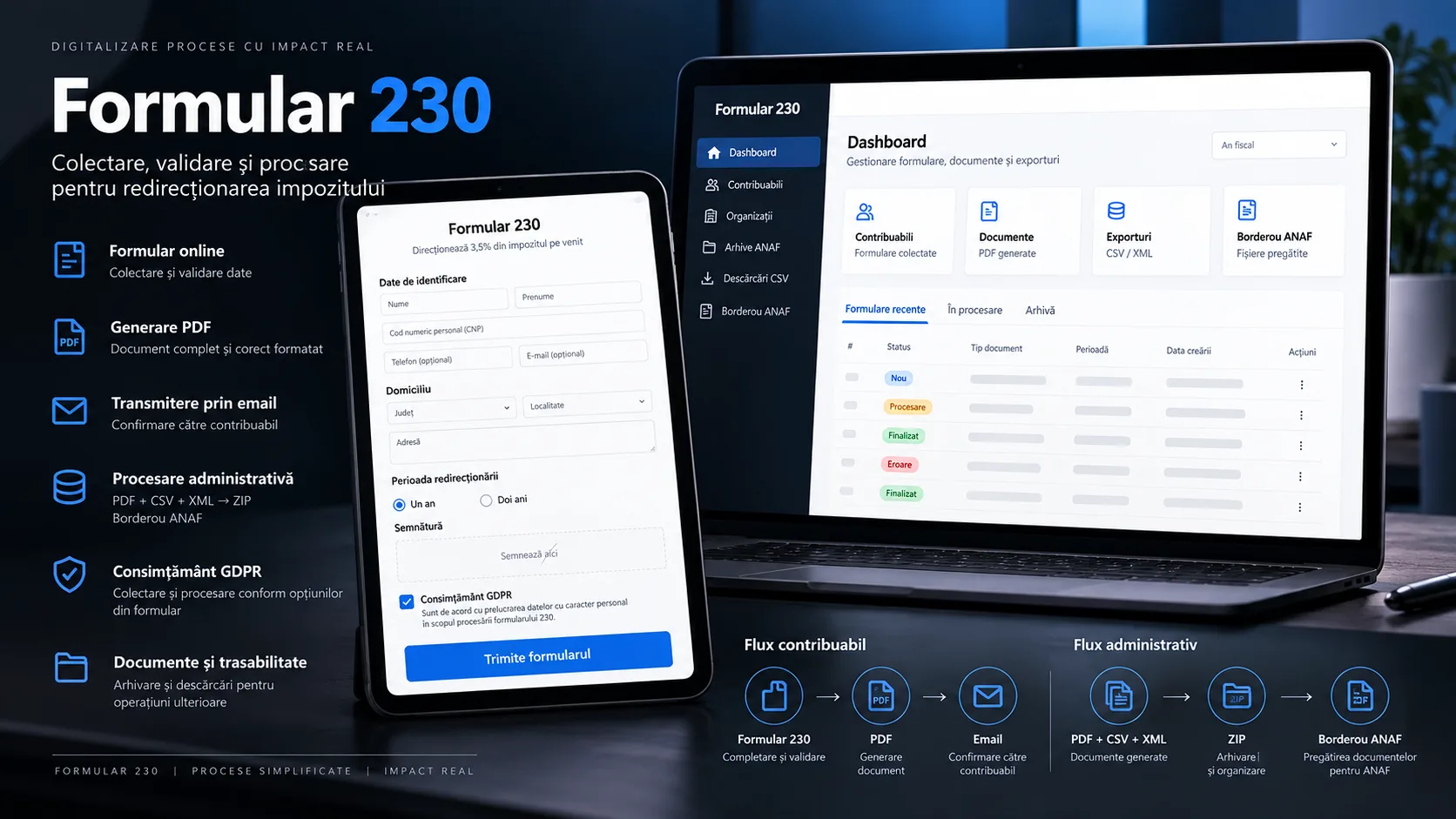
A web platform for collecting Form 230 declarations through an embeddable public form, a handwritten signature, GDPR consent, and back-office processing via PDF, CSV, XML, ZIP archives, and ANAF batch registers.

PHP 8.2+
Laravel 12
Eloquent ORM
Livewire 3
+16 more

Form 230 digitalizes the path between the person filling out the declaration for the 3.5% redirection and the organization's team preparing the documents for processing. Each organization has its own legal and banking data, can receive a public form URL embeddable via iframe, and can keep taxpayers separate through association_id. The form collects identification and address data, the one-year or two-year option, a signature drawn in the browser, and consent for data processing. On submission, the backend validates the fields, checks the uniqueness of the national ID (CNP) within the organization, and uses an external service for additional CNP validation. The record is then persisted as a signed form, and a queue job generates the PDF declaration over an official template, fills in the taxpayer's and the organization's data, inserts the signature, and can email the resulting document to the taxpayer. The Laravel Livewire back office offers a dashboard, organization selection, statistics for signed forms and the redirection period, tracking the source from which the iframe was loaded, a paginated and filtered taxpayer list, plus organization and user administration. The user, super_user, and admin roles and the many-to-many relationship between users and organizations model operational access, and the interface synchronizes the selected organization across Livewire components. Administrative processing is moved into queue jobs. The app can generate CSV exports, XML files with the structure used for Form 230, ZIP archives bundling the documents for a batch, and XML batch registers. For the batch register, an Artisan command runs DUKIntegrator via Java, keeps the PDF result when it is produced, and saves validation errors for review in the interface. A separate flag allows manually marking the batch register as included in e-Guvernare; the code does not demonstrate a direct API integration with the filing platform. The app uses Laravel storage for the generated documents, temporary cache for PDF job status, and a queue worker managed via PM2. The repository includes a manually triggered GitHub Actions workflow that connects to the server via SSH, runs migrations, builds Vite, restarts the worker, and runs Laravel optimizations.

PCUTB
Client work

PCUTB

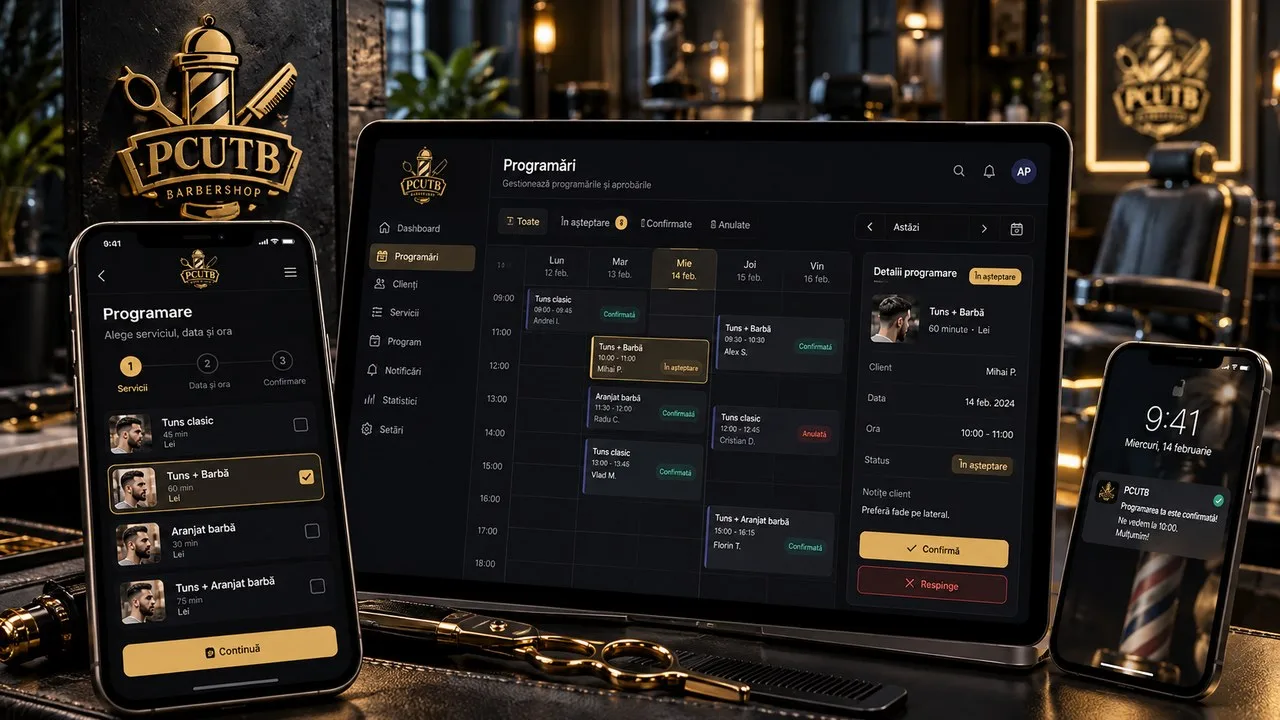
A web and mobile ecosystem for a barber shop, with appointments booked into slots calculated from services and schedule, administrative approval, push reminders, customer and service management, statistics, and loyalty mechanisms.

Node.js
TypeScript
Express 5
Sequelize
+22 more

PCUTB is an operational product built around the relationship between the customer and the salon. The customer can register, verify their email, and create an appointment by choosing the service, day, and time. Duration and price come from the salon's managed catalog, and the backend calculates the final time slot, applies the weekly schedule, special days, and breaks, and rejects slots that overlap with existing appointments. Appointments created by customers enter a pending state, and the admin area offers a calendar, daily occupancy, filters, manual creation, editing, confirmation, rejection, and marking no-shows. The administrator can manage services, the recurring schedule, calendar exceptions, users, notifications, reviews, and app versions. Rules include customer cancellation only more than 24 hours in advance, protection against booking in the past, and overlap checks against breaks and existing bookings. Notifications are handled across multiple channels. Events such as a new appointment, confirmation, rejection, modification, or cancellation create persistent notifications and can trigger Expo Push for mobile apps and Web Push for the browser. A cron job periodically checks confirmed appointments and sends reminders in the 24-hour and one-hour windows, using persistent flags to avoid re-sending the same reminder. The product has three main surfaces over the same API: the SvelteKit site for customers and administration, the React Native/Expo customer app, and the React Native/Expo app dedicated to the administrator. On web, the session uses HttpOnly cookies and a refresh token; on mobile, tokens are persisted in SecureStore, and the HTTP interceptor serializes the refresh when multiple requests receive a 401 simultaneously. The visual theme is shared, with a dark/light palette and a configurable golden accent. Besides booking, the backend includes operational statistics and a loyalty layer based on points, transactions, and mini-games. Jobs award points for completed appointments and manage the monthly reset and the leaderboard. The site is public at pcutb.ro, the customer app is published in the App Store, and the repositories include automatic deployment for the backend and web plus an EAS pipeline for build, OTA update, and submitting the administrative app.

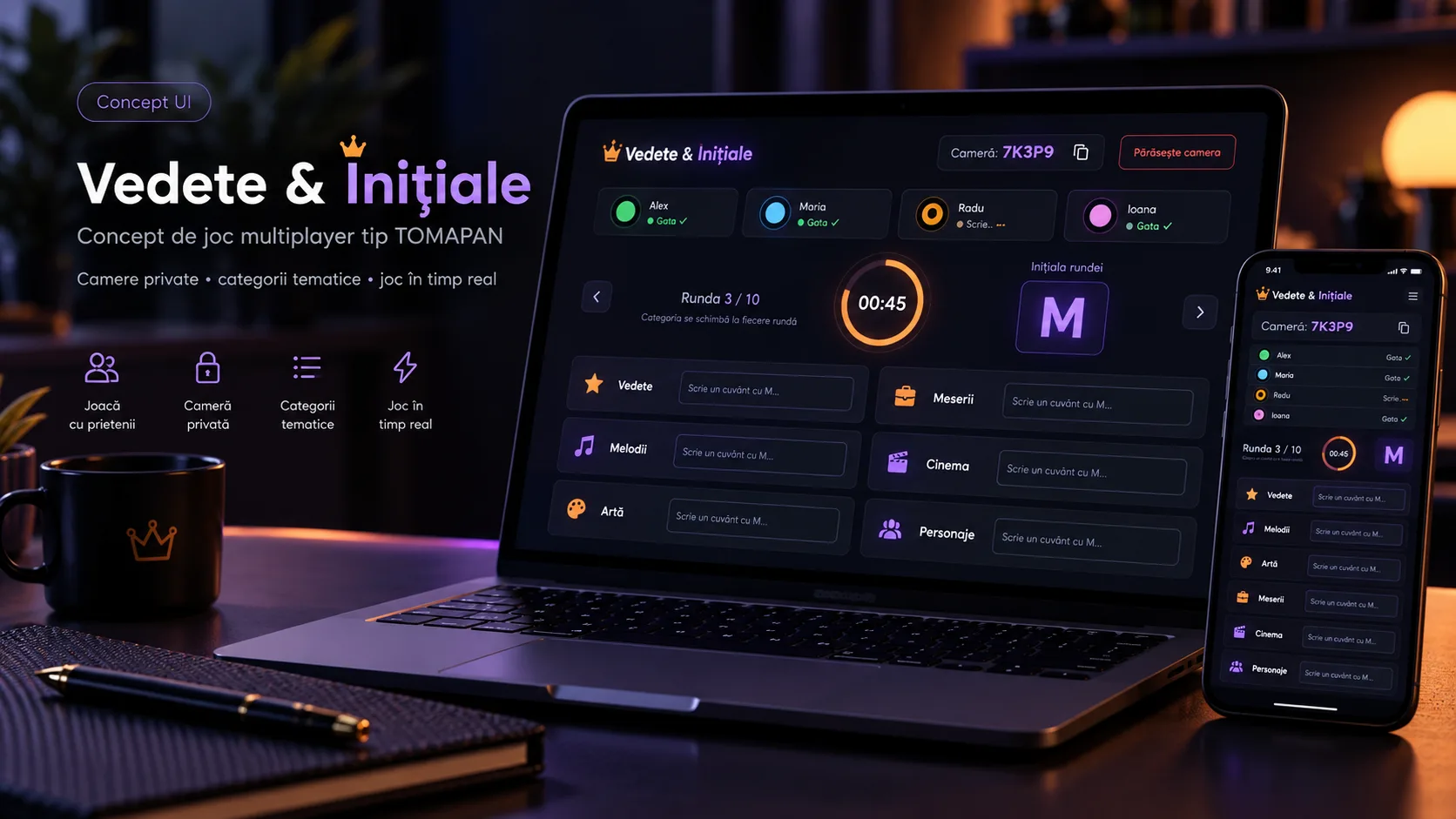
Vedete & Inițiale (Celebrities & Initials)
Study / personal

Vedete & Inițiale (Celebrities & Initials)

A multiplayer web app for TOMAPAN (categories/initial-letter) rounds in private rooms, with an access code, configurable categories, a shared letter, a timer, scoring for unique or duplicate answers, and real-time synchronization between players.

PHP 8.2+
Laravel 12
Eloquent ORM
Laravel Breeze
+13 more

Vedete & Inițiale is the portfolio project associated with a multiplayer experiment built on top of the TOMAPAN game. Authenticated users can create a room, choose the number of rounds and the categories used, then share a unique six-character code with other participants. Players join the same room, mark their availability, and watch the group's presence in real time. When the match starts, the backend becomes the source of truth for the game state: it moves the room from waiting to active, creates the first round, randomly picks a letter from the configured set, and persists the start time. Each round uses the same categories selected when the room was created — countries, cities, mountains, bodies of water, plants, animals, and names — and the interface starts a configurable timer. When time runs out or on manual submission, the answers reach the backend and are persisted per round, user, and category. The current validation is deliberately simple: the server checks whether the answer starts with the round's letter, without an external dictionary or semantic verification that the word actually exists. Once all remaining players have submitted, valid answers are grouped by category and normalized to lowercase for scoring: a unique answer earns 10 points, and the same answer given by multiple participants earns 5. The cumulative score is kept on the relationship between the game and the player, then the backend closes the round and either creates the next round or marks the game finished. Synchronization uses Laravel Broadcasting, Echo, and Pusher. The game room is a presence channel authorized server-side only for users who belong to the game, and events transmit the match starting, state changes, and the ready status. The project separately includes a real-time chat for authenticated users, with presence, broadcast messages, and whisper events for the typing indicator; messages are not persisted to the database. The frontend is built with Vue 3, TypeScript, Inertia, and Tailwind and runs within the same Laravel monolith. Authentication, the profile, and standard account flows come from the Laravel Breeze scaffolding, while the lobby, the game room, the domain models, scoring, and the real-time integration represent the project-specific logic. The available repository is a backup imported as a single commit, so the Git history does not allow chronological reconstruction of the contribution or the implementation stages.

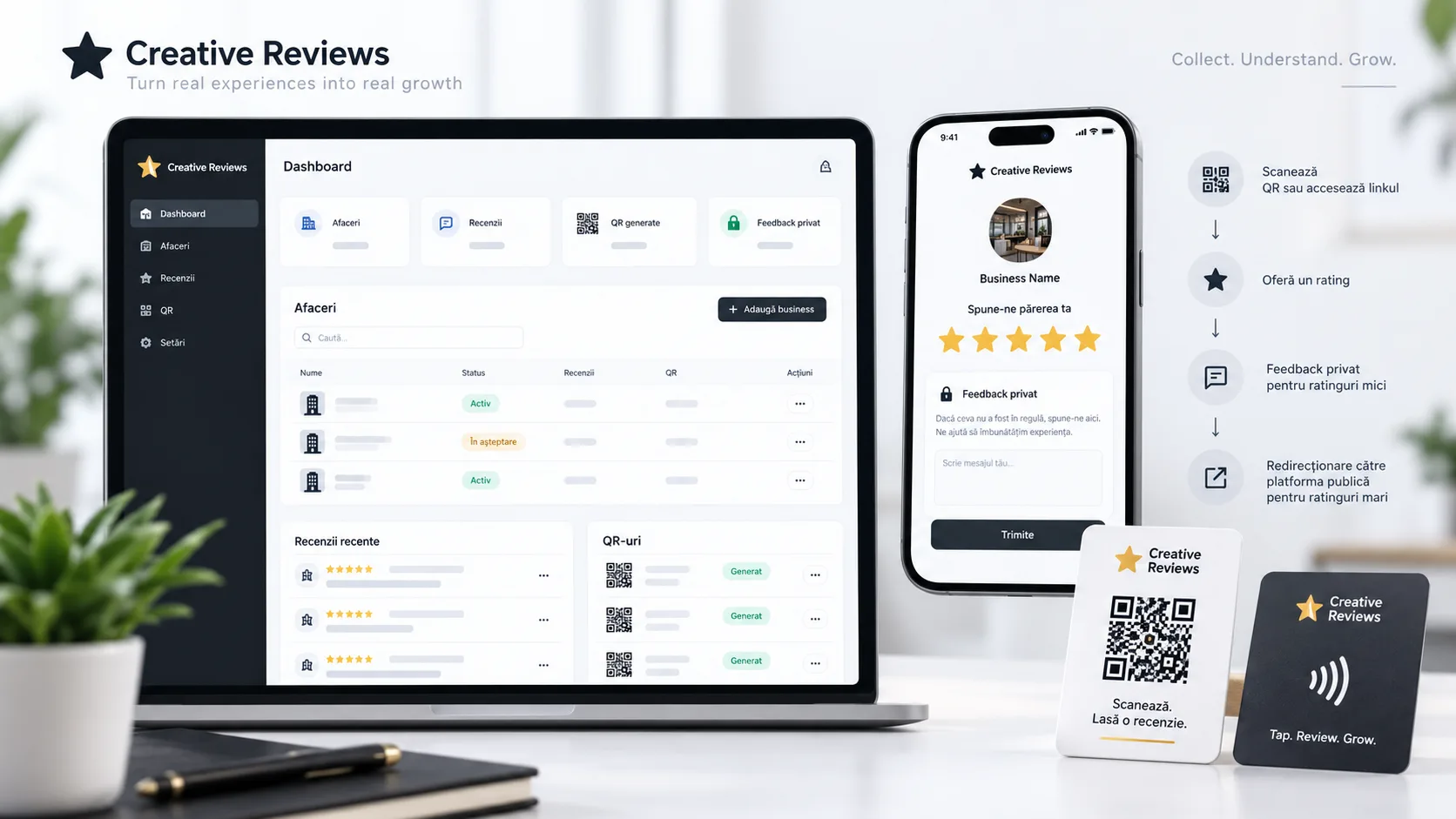
Creative Reviews
Client work

Creative Reviews

A review-management platform for businesses, with UUID-based links and QR codes per location or employee, private feedback for poor experiences, redirection to Google for positive ratings, and separate dashboards for administrators and owners.

PHP 8.2
Laravel 12
Eloquent ORM
Laravel Breeze
+11 more

Creative Reviews centralizes the flow through which a business requests feedback after interacting with a customer. Each business gets a stable UUID and can have employees with their own UUID, so the same review mechanism can attribute the experience either to the business or to a specific person. Public links are suited for physical QR codes and do not depend on the commercial slug; old slug-based URLs are permanently redirected to the UUID route. The public flow explicitly separates two cases. For 1–3 stars, the interface opens an internal feedback form, with a comment required in the UI and optional contact details; the backend persists the review together with the business, the optional employee, the IP address, and the user agent. For 4–5 stars, the app records a ReviewIntent and shows the thank-you page that redirects to the configured Google Review link. A business can also be configured in direct_redirect mode, in which case accessing the link is recorded as an intent with a null rating and the visitor is sent straight to Google. The authenticated area has two roles. The administrator manages owners, businesses, employees, manually entered reviews, business status, and the allocation of pre-generated links. The owner sees only their own businesses, manages their operational data and employees, and tracks internal feedback, positive intents, volumes, and aggregated ratings. The dashboards and detail pages use Eloquent relationships and separate counters for internal reviews and review intents. An important operational flow allows pre-generating up to 500 draft businesses with a UUID before the final beneficiary is known. These identifiers can be turned into QR codes and printed in advance; later, an administrator allocates the draft to an owner, sets the name and the Google link, and activates it without changing the UUID used on the physical material. For batch operations, the administrator can filter and select businesses, export the PNG QR codes into a ZIP archive, or generate an XLSX file with the name, review link, status, and owner. The app is a Laravel 12 monolith with Inertia.js 2 and Vue 3/TypeScript, which keeps validation and business rules in the backend while providing reactive interfaces without a separate REST API. Laravel Breeze provides the authentication/profile base, while the Business, Employee, Review, and ReviewIntent models, the roles, the dashboards, the public flow, the UUIDs, QR provisioning, and the exports represent the product-specific logic. The repository contains no CI/CD workflows or a reproducible deployment configuration, and the domain mentioned in the internal documentation was not treated as a verified public URL.

Autoservice App
Client work

Autoservice App

An operational application for centralizing customers, vehicles, appointments, service orders, work items, RCA/CASCO insurance files, documents, invoices, payments, and reimbursements.

React 19
TypeScript
Vite 7
Tailwind CSS 4
+4 more

Autoservice App brings the daily workflows of an auto shop into a single interface: customer and vehicle records, appointments, intake sheets, work orders, labor and parts, documents, insurance claim files, invoicing, payments, reimbursements, and reporting. Navigation links entities together, so a customer can be traced to their vehicles, orders, claim files, and documents, and a confirmed appointment can be converted directly into a service order. The service flow uses statuses from a new order through to vehicle handover, priority, mileage, findings, and work lines for services, labor, parts, and consumables. Line costs include quantity, unit price, discount, and VAT, and estimated versus actual time can be tracked separately. The handover rule prevents moving an order to "Handed over" before it has reached a finalized or invoiced state. The RCA/CASCO module models the insurance claim file separately from the service order. It keeps the insurer, the policy, the incident data, the inspector, the financial values, and a detailed operational status. The claim number is checked for uniqueness per insurer, and closing can be blocked if the estimate, the findings, or the invoice are missing, or if there is an unresolved balance. Estimates are versioned, and a new version created after an existing approval automatically enters the "requires reapproval" state. Supplements and a timeline complete the file's operational history. Documents can be uploaded in bulk for a customer, vehicle, order, or file, with type, notes, author, timestamp, and versioning for estimates and findings. The interface validates PDF/JPG/PNG/DOCX extensions and a 20 MB limit, then keeps the file as a Data URL in the browser. Invoices and payments calculate the unpaid/partial/paid status, and reimbursements for claim files track requested, approved, and paid amounts. Global search and contextual filters link the modules together, and reports aggregate operational, RCA/CASCO, and financial indicators and allow CSV export. The analyzed version is built as a React 19 + TypeScript + Vite SPA, with local persistence through a KV layer over Web Storage. Demo data is generated per domain and re-seeded in a controlled way via a dataset version. Four roles — administrator, front desk, technician, and accounting — control the visibility of modules and certain actions, including costs and document types. However, these permissions and the authentication are exclusively client-side in the current repository: the demo password is not verified, and localStorage does not represent a security barrier for real data. The Git history shows that the project started from a prototype generated with GitHub Spark and was later extended with per-module data generators, contextual navigation, document flows, role-based access rules, action auditing, and global search. The repository's documentation separately defines the contract and direction for a future server-side backend; that backend is not present in the analyzed code and is not claimed as an implemented result.

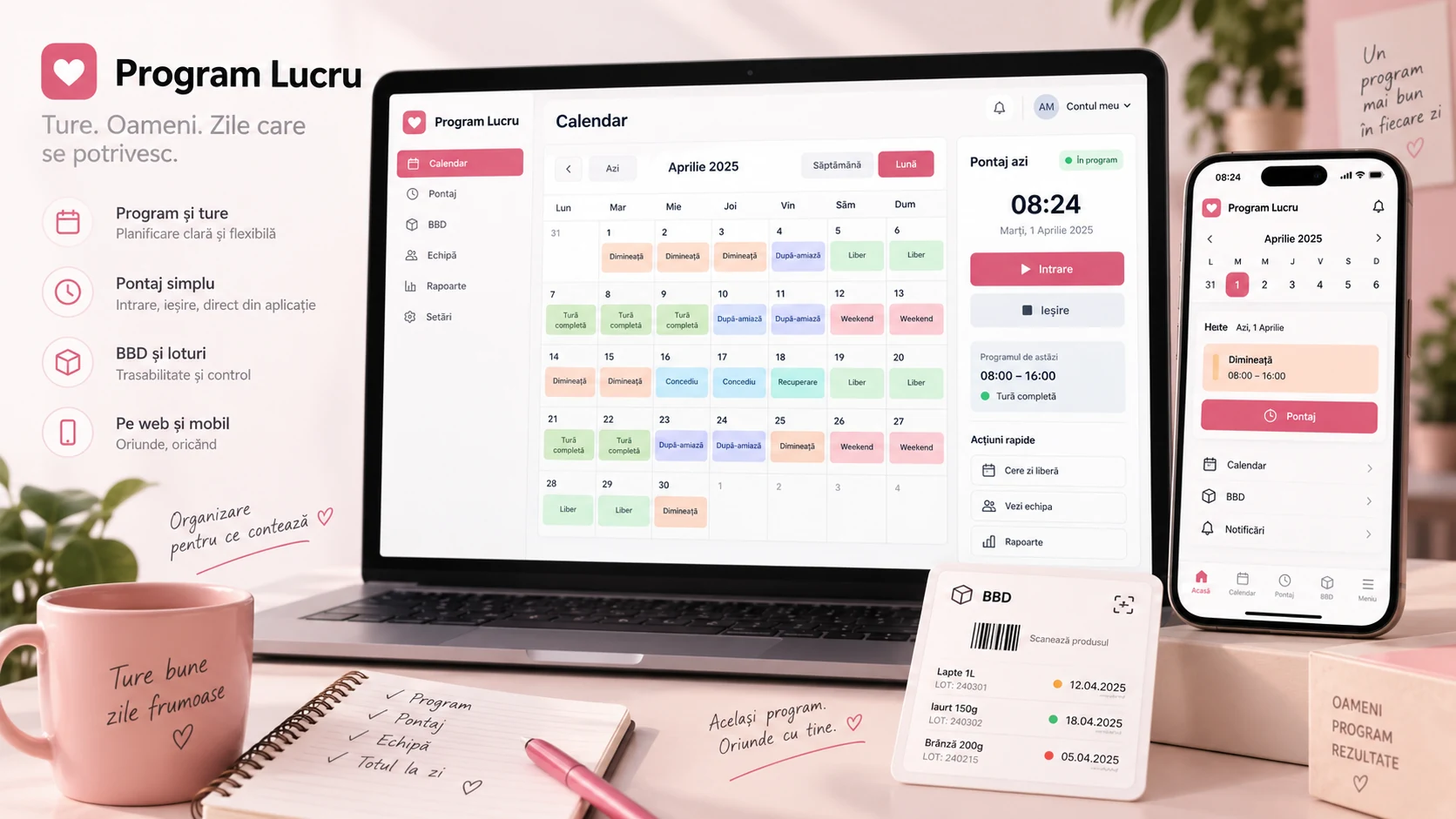
Program Lucru (Work Schedule)
Client work

Program Lucru (Work Schedule)

A platform for organizing work schedules, time tracking, time-off-in-lieu, and statistics, complemented by an offline PWA, synchronized mobile alarms, Web Push notifications, role-based administration, and a BBD module for tracking products and batches.

Node.js
TypeScript
Express
sql.js
+26 more

Program Lucru evolved from a shift viewer into a multi-user operational product. Each employee has their own calendar with work, off, or vacation days, start and end times, and notes. The schedule can be edited on a single day or in bulk for a month, is available in day, week, and month views, and feeds the monthly statistics, time tracking, and ICS calendar export. The current implementation persists shifts explicitly per day; the repository does not implement a formal recurrence rule that automatically generates the schedule. Time tracking links actual time to the planned schedule. The user can clock in and out, view monthly history, and the system calculates the estimated clock-out time and statistics such as lateness relative to the scheduled time. Manual entries are supported for corrections, with ownership control for the user and administrative access to view or operate other accounts' data. Separately, time-off-in-lieu has its own CRUD flow, with reason, number of hours, pending/resolved status, and resolution date, and the totals are included in the monthly statistics. The product has three surfaces connected to the same API. The React PWA provides the main responsive, installable interface, with a Service Worker, offline caching, and Web Push. The React Native/Expo app reproduces the essential flows on mobile and adds precise local alarms: alarm rules are kept server-side per user, and the client synchronizes the schedule for the next 14 days and schedules the alarms locally via Notifee. The backend also includes a Web Push message scheduler adapted to the shift phase or day type, plus management of messages and the target user. The confirmed roles are consultant, merch, and admin. The administrator can manage users and roles, inspect time tracking, view aggregated statistics, and temporarily enter an employee's interface through server-side controlled impersonation. Access to the BBD module is restricted to consultant and admin. BBD tracks products by brand and batches with an expiration month/year, quantity, and resolved status, offers server-side search and filtering, barcode scanning, brand-level notes, buyer history, and a grouped Excel export. The backend is an Express/TypeScript application with a SQLite database loaded via sql.js and persisted to disk. The schema went through incremental migrations for multi-user support, expiring sessions, BBD batches, and moving the resolved status to the batch level. Authentication uses cryptographically generated session tokens, bcrypt passwords, and transparent migration from old SHA-256 hashes, and login is protected with rate limiting. Web and backend deployment runs automatically on push to main via GitHub Actions and SSH to a VPS, with a Node.js build, Nginx, and PM2; the database has a separate daily backup script with a seven-day retention. The architecture is suited for an internal product with moderate volume and single-instance deployment, but the code is not presented as a horizontally scalable solution. sql.js persistence exports the database to a file after mutations, the push scheduler lives inside the API process, and some older scripts — notably the JSON importer for the single-user schema — have fallen behind the current model. These limits matter for technical evaluation and define the natural directions for evolution: transactions and stricter validation for bulk writes, conventional server-side persistence for higher concurrency, and isolating offline caches by user identity.

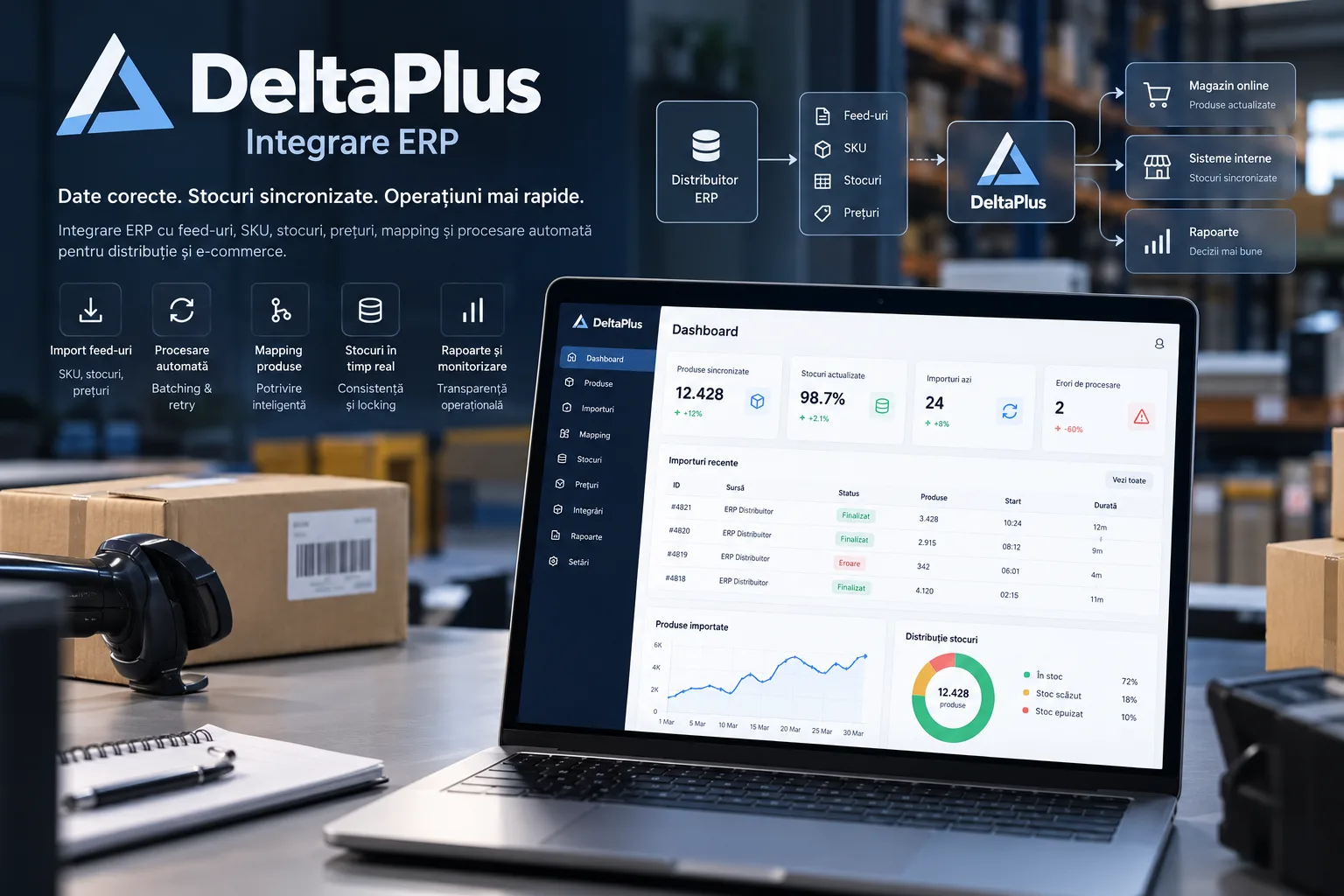
DeltaPlus ERP Integration
Client work

DeltaPlus ERP Integration

Laravel B2B portal connected to the ManFin ERP for catalog and locality synchronization, per-client differentiated pricing, XML/CSV/JSON feeds, online ordering, and asynchronous order export back into the ERP.

PHP 8.2+
Laravel 12
Laravel Sanctum
Laravel Queue
+12 more

DeltaPlus ERP Integration connects a modern B2B portal to the ManFin ERP system, which serves as the operational source of truth for products, categories, localities, and order registration. The integration does not treat the ERP as a generic API: a dedicated service uses PDO/FreeTDS and ManFin-specific stored procedures, checks a primary endpoint and a fallback one, and exposes the operations needed for catalog, technical parameters, eco-tax, customers, and orders. The local catalog is synchronized through Laravel Queue jobs. Products are fetched by CodStoc and updated together with the name, list and promo prices, stock, EAN, image, specifications, warranty, and other ERP indicators. Technical parameters are refreshed per product, category association is synchronized, and the eco-tax is resolved separately and persisted for correct order export. Categories use the hierarchical relationship from the ERP, and counties and localities are bulk-imported in batches of 500 rows to support checkout. On the client side, the application offers authentication, a dashboard, a filterable and paginated catalog, a product page, a cart, checkout, and order history. The displayed price starts from the list or promo price configured for the account and applies the client's discount or markup. Stock shown in the portal and feed is capped at 50 units, and catalog search covers name, SKU, and EAN. Checkout supports both individuals and companies, plus selection of county/locality from the data synchronized from the ERP. Orders are persisted locally before the external integration runs, and export to ManFin executes asynchronously. The job creates the ERP customer, order header, and product lines, converts prices to the VAT-exclusive value used by the ERP, splits the eco-tax into its own lines, and can add technical lines for shipping and cash-on-delivery. The export retries three times with a 60-second backoff and avoids re-running when the ERP ID has already been saved locally. However, the code does not implement a distributed idempotency or locking mechanism between creating the order in the ERP and saving the local ID, so this remains one of the important hardening directions. The application also exposes a v1 API protected with Laravel Sanctum. Authenticated users can obtain their personalized feed in XML, CSV, or JSON, and the generated feed is saved per account. There is also an internal endpoint for regenerating the CSV, additionally protected by an IP restriction. Separately, a CLI command can generate all three formats for a single user or for all accounts. Generation is correctly personalized per client price, but in the current implementation it loads the entire active catalog into memory for each user, without streaming or chunking. The Filament admin panel manages users, products, categories, and orders, and includes a dedicated ERP synchronization page. The administrator can check reachability for the primary and fallback hosts, queue synchronization of categories, localities, and products, and manually resend an order to the ERP when it does not yet have an external ID. Filament access is restricted to active accounts with an administrator flag; the portal and API login use standard authentication, but the current code does not explicitly add the is_active filter to client authentication. The repository includes a migration path from the old wpke_erp_* tables to the erp_* schema, which indicates the modernization of an existing flow rather than a project demonstrated as built entirely from scratch. At the same time, the current manifests require PHP 8.2 and Laravel 12, while the legacy Docker image starts from PHP 8.0, and the compose file labeled prod is practically identical to the local one and does not define a queue worker, scheduler, healthcheck, or CI/CD. The existing tests are only the default Laravel examples. Consequently, the seed treats the integration, data model, and B2B flows as confirmed functionality, but does not claim automated deployment, real test coverage, online payments, scheduled synchronization, email/SMS, analytics, or AI.

Events & Ticketing Portal
Client work

Events & Ticketing Portal

Event ticketing platform built on a custom PHP MVC framework, with ticket categories, checkout and payments, QR issuance, access validation, refunds, and operational reporting.

PHP
MySQL
PHP MVC custom
PDO
+6 more

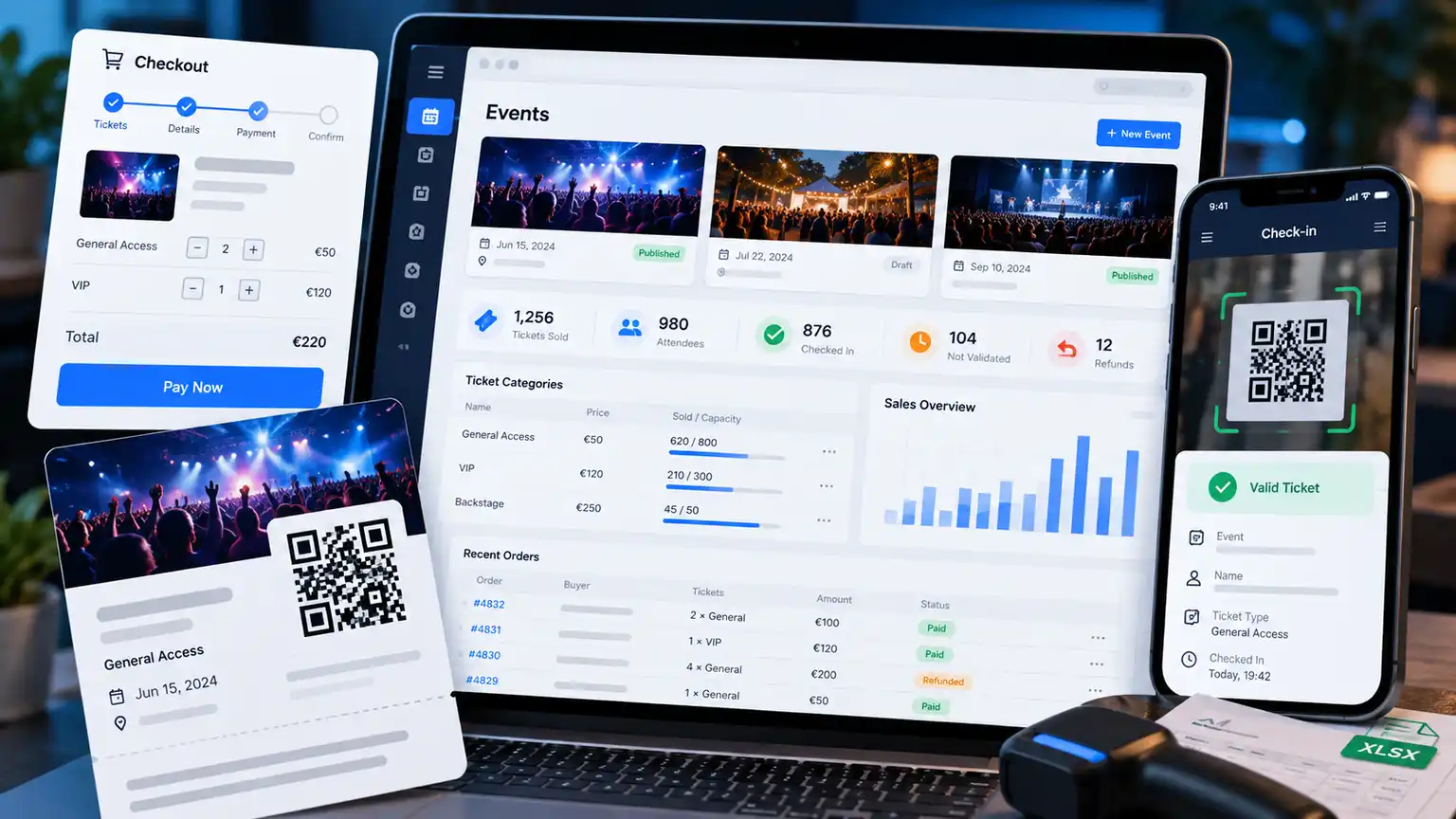
Events & Ticketing Portal is a client project built around the full lifecycle of a ticket-gated event: event and capacity configuration, ticket category definition, checkout, payment, ticket issuance, entry validation, and downstream operations such as refunds and reporting. The legacy documentation kept in the Tigidal portfolio describes the application as having been built before Laravel was adopted, on a custom PHP MVC framework under the hthepaul/ namespace. The documented architecture includes routing with URL parameters, PHP layouts and partials, MySQL access through PDO with a simplified query/ORM layer, session-based authentication, and CSRF protection. The same documentation points to a classic HTML/CSS/JavaScript frontend, Bootstrap, and jQuery. The ticketing flow allows organizing multiple events and configuring multiple ticket categories, each with its own price, quantity, and sales window. After checkout and payment confirmation, the ticket is issued with a unique QR code and can be emailed to the buyer. For access control, scanning the QR verifies the ticket token and marks it as used, so the same entry cannot be validated repeatedly. The documented operational area includes distinct roles for administration, organizing, and validation, dashboards with sales and ticket status, Excel export of attendees, and transaction modules. Legacy frontend data also mentions payouts, coupons, social, and notifications in the broader product structure. The current scope provided for the project additionally confirms capacity, refunds, and reporting as important parts of the flow. Because the original HthePaul/alex repository is not available in the GitHub installation connected in this session, these architectural details are presented as historical documentation kept within Tigidal, not as a line-by-line revalidation of the current source code. No specific payment provider, deployment, or other integrations beyond what appears in the available materials are attributed to the project.

Real Estate Scraper
Study / personal

Real Estate Scraper

Python tool for collecting and normalizing Storia listings, with parallel scraping, deduplication by listing ID, relational storage, a filterable REST API, and walking, driving, and public-transit distance calculations.

Python
Django
Django REST Framework
django-filter
+8 more

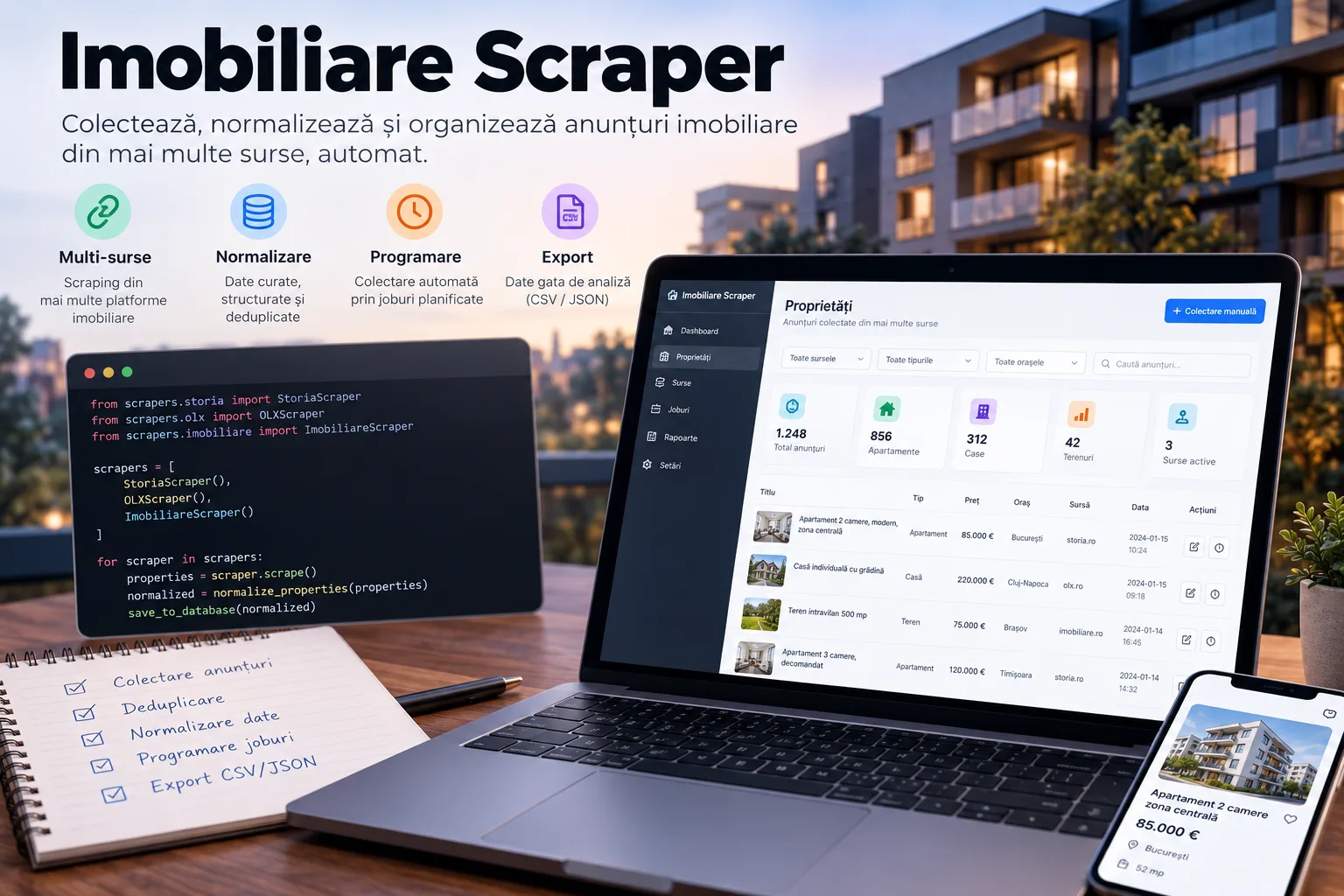
Real Estate Scraper is a study project built to turn real estate listings into a queryable dataset rather than a one-off export. The Django pipeline starts from Storia's result pages, automatically detects the number of pages from __NEXT_DATA__, extracts listing previews, and then opens the detail pages to fetch the title, description, price, surface area, floor, coordinates, neighborhood, street, the seller's public data, characteristics, amenities, images, and the timestamps supplied by the source. The scraper uses a requests session with connection pooling and retries for 429 responses and 5xx errors, short randomized delays, and a ThreadPoolExecutor with a configurable number of workers for parallel processing of detail pages. Interruption via Ctrl+C is handled explicitly in both the standalone variant and the Django command. The main persistence layer is modeled relationally in Django: Listing keeps the frequently queried fields, while Characteristic, Feature, Image, and Distance are separate tables with relationships, uniqueness constraints, and dedicated indexes. Re-scraping uses update_or_create on ad_id, so the same listing is updated instead of duplicated. Associated characteristics, amenities, and images are rebuilt and bulk-inserted to keep a coherent representation of the current state. In addition to Haversine straight-line distance, the distance service can query OSRM for walking and driving routes and, if a key is configured, Google Maps Directions for public transit. Results are persisted per listing and reference point and can be used directly in the API filters. Django REST Framework exposes paginated listing and full detail, filtering by seller type, advertiser type, neighborhood, price range, and travel durations, plus multi-select filters for amenities and characteristics. Separate endpoints return the available filter values, recalculate a listing's distances, and can manually trigger a new scraping run. This trigger runs synchronously in the API process; the repository does not contain an active Celery worker. The repository also keeps an earlier stage of the project in the base/ directory: a BeautifulSoup scraper, parallel processing, and SQLite persistence, with JSON/CSV export and a shell administration script. The script references a local web interface, but the start_web.py file is not present in the backup, and the current repository contains no frontend components. The API and filter structure suggests the intent of a home-selection tool by cost, area, amenities, and travel time, but that UI is not claimed as implemented. The analyzed version is a development project, not a production-ready configuration: the Django settings keep DEBUG on, a development secret and MySQL credentials in code, there is no authentication or authorization for POST actions, and OSRM requests disable TLS verification. These are security limitations that must be addressed before exposing the service to the internet.

Farmadati Laravel API
Client work

Farmadati Laravel API

Integration backend that pulls Farmadati nomenclatures via SOAP, downloads paginated datasets, streams XML parsing, normalizes the schema, and persists products, manufacturers, descriptions, and image metadata for API consumption.

PHP 8.2
Laravel 11
Eloquent ORM
Laravel Query Builder
+7 more

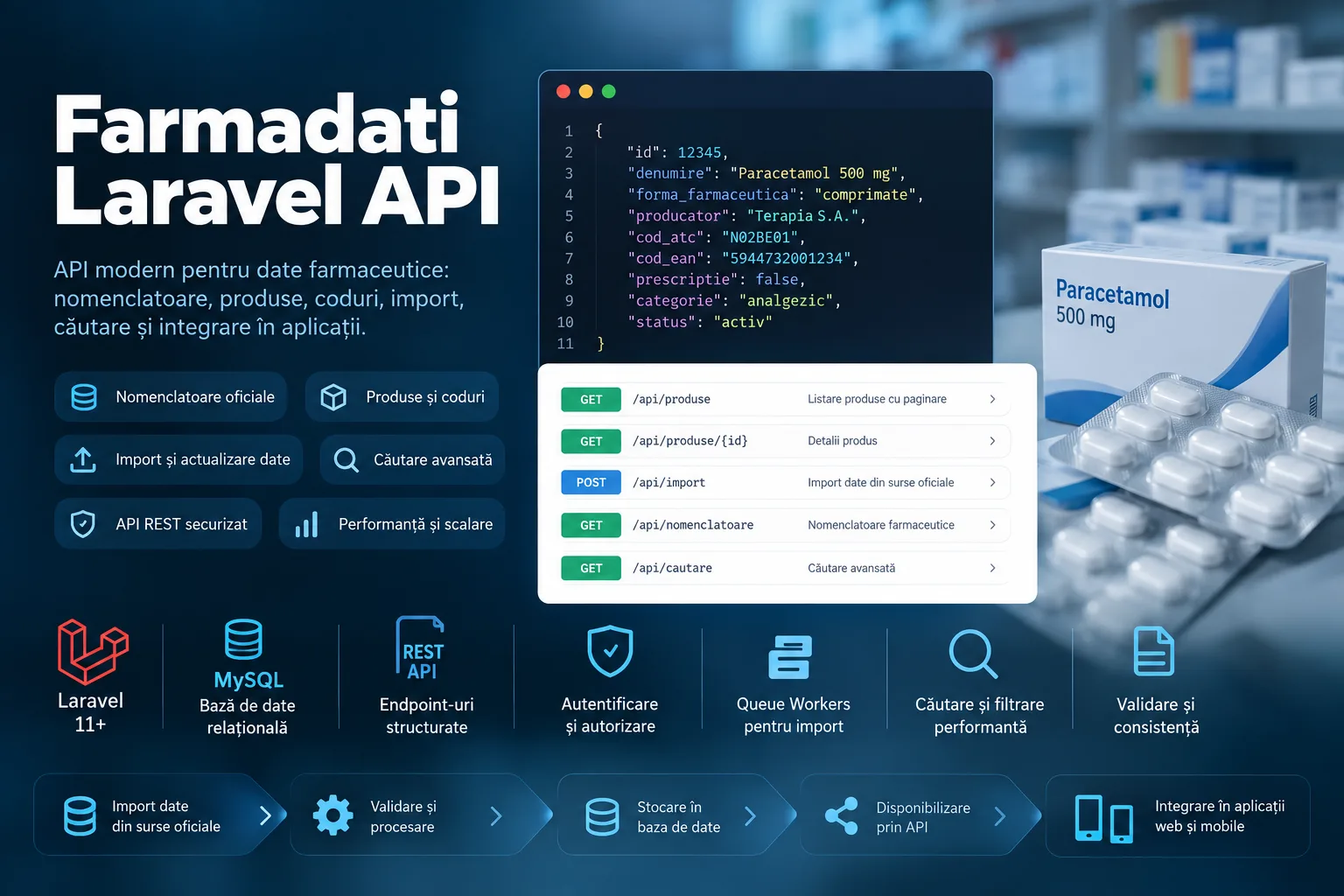
Farmadati Laravel API is a backend service built to turn Farmadati datasets into a local structure that is easier for web applications or internal services to consume. The integration starts from the Farmadati SOAP service: the application can query the enabled datasets, request a dataset's schema, and download its corresponding data pages. Provider credentials are read from the environment and are not hardcoded in the repository. The main import flow is an ETL pipeline. For each dataset, the application downloads the binary response as a ZIP archive, extracts it into storage, reads the XML with XMLReader, and maps the provider's technical keys to English names. The names are then normalized for SQL columns, and records are written in batches via upsert. Product import uses batches of 2,500 records, while long descriptions use smaller batches of 100, showing an explicit adjustment for heavier payloads. The local model separates products from manufacturers, short descriptions, long descriptions, and image metadata. Product links the long description, manufacturer, and image through keys coming from the nomenclature, and the main codes are protected by unique constraints in the migrations. The API exposes an exact lookup by product_code and a paginated listing that eager-loads the relationships used in the response. Short-description import exists and persists data separately, but the relationship is not wired into the main Product response in the analyzed snapshot. The full import sequentially orchestrates products, manufacturers, images, and both description types, and reconnects the database between stages. XML processing is streamed, and writes are bulk upserts inside transactions, avoiding both loading the entire XML file into memory and inserting row by row. On the other hand, imports run directly inside HTTP requests with an extended timeout rather than through queue workers, there is no formal retry/backoff for SOAP calls, and there is no locking against two concurrent imports. The version saved in the repository should be treated as a functional/prototype integration backend, not as a hardened public surface. The import routes, schema, and even the execution of an Artisan command are exposed in web routes without authentication or dedicated rate limiting. In addition, the SOAP client uses an HTTP endpoint, and error branches can display the SOAP request/response when trace is enabled. For production, the natural next steps are isolating administrative operations into CLI/queue, authentication and authorization, an operation allowlist, pagination parameter validation, HTTPS for the provider where available, and removing sensitive data from error output. The repository contains no CI/CD, Docker, or reproducible deployment configuration. Laravel provides the standard /up endpoint, and Vite and the welcome page exist as scaffolding, but there is no custom Farmadati frontend in the analyzed code. The available history is also a single backup commit, so the contribution can be described through the custom logic present in the service, controllers, models, migrations, and routes, rather than through a full development timeline.

Farmadati Import
Client work

Farmadati Import

WordPress module that pulls Farmadati datasets via SOAP, normalizes the XML schema, and enriches WooCommerce products with prices, descriptions, manufacturer, pharmaceutical metadata, and images.

PHP
WordPress
WooCommerce
SOAP / SoapClient
+6 more

Farmadati Import is a WordPress administration module built to integrate a Farmadati catalog into a WooCommerce store. The interface is available to administrators through a dedicated wp-admin page and allows saving Farmadati credentials, applying a numeric markup to imported prices, and manually triggering synchronization. The flow starts through the Farmadati SOAP service: the code requests the list of active datasets, downloads data with GetDataSet, and reads each dataset's schema with GetSchemaDataSet. The received files are saved as ZIP, extracted locally, and processed with XMLReader. The provider's schema is translated from Italian names into a stable internal model, so that data coming from different tables can be correlated by product or company codes. TE001 supplies the base product, and the analyzed implementation explicitly limits this stage to the first 20 records. For these products, TS067 fills in the manufacturer used as Brand, TR039 adds the short description, TE008 adds the extended description, and TE009 attaches the image document names. Auxiliary tables are streamed and correlated through associative structures indexed by code, avoiding loading them entirely into intermediate collections. Final persistence happens directly through the WooCommerce API. Existing products are looked up by the product_code meta field and updated, while new ones are created as WC_Product_Simple. The name, descriptions, prices, Farmadati codes, product type, ATC/GMP code, commercial flag, pricing dates, VAT, and manufacturer are saved. Images are downloaded from the Farmadati service through the WordPress Media API, the first image becomes the featured image, and the manufacturer is created or updated in a custom brand taxonomy and associated with the product. The code also has a few important limitations in the analyzed snapshot. Extracted XML files are reused if they already exist locally, with no cache-invalidation rule, and the import runs synchronously within the admin request, with no queue, retry, locking, or background processing. Upsert on product_code reduces duplicates across sequential runs, but there is no unique constraint or protection for concurrent imports. POST actions do not use WordPress nonces, credentials are kept in options, the SOAP WSDL is configured over HTTP, and diagnostic responses can include the SOAP request on error. The delete button operates on the pharmaceutics CPT, while the import writes WooCommerce products, and a WP_Error returned by media_sideload_image is not counted correctly in the final summary because the object is truthy. The repository contains no tests, CI/CD, or the plugin's complete bootstrap, so these elements are not claimed as demonstrated deliverables.

Sameday Orders Platform
Client work

Sameday Orders Platform

Technical concept for centralizing orders from multiple WooCommerce stores and triggering AWB generation from a single panel, reusing each store's existing courier integration instead of rebuilding it in the central backend.

WordPress
WooCommerce
PHP
JavaScript
+8 more

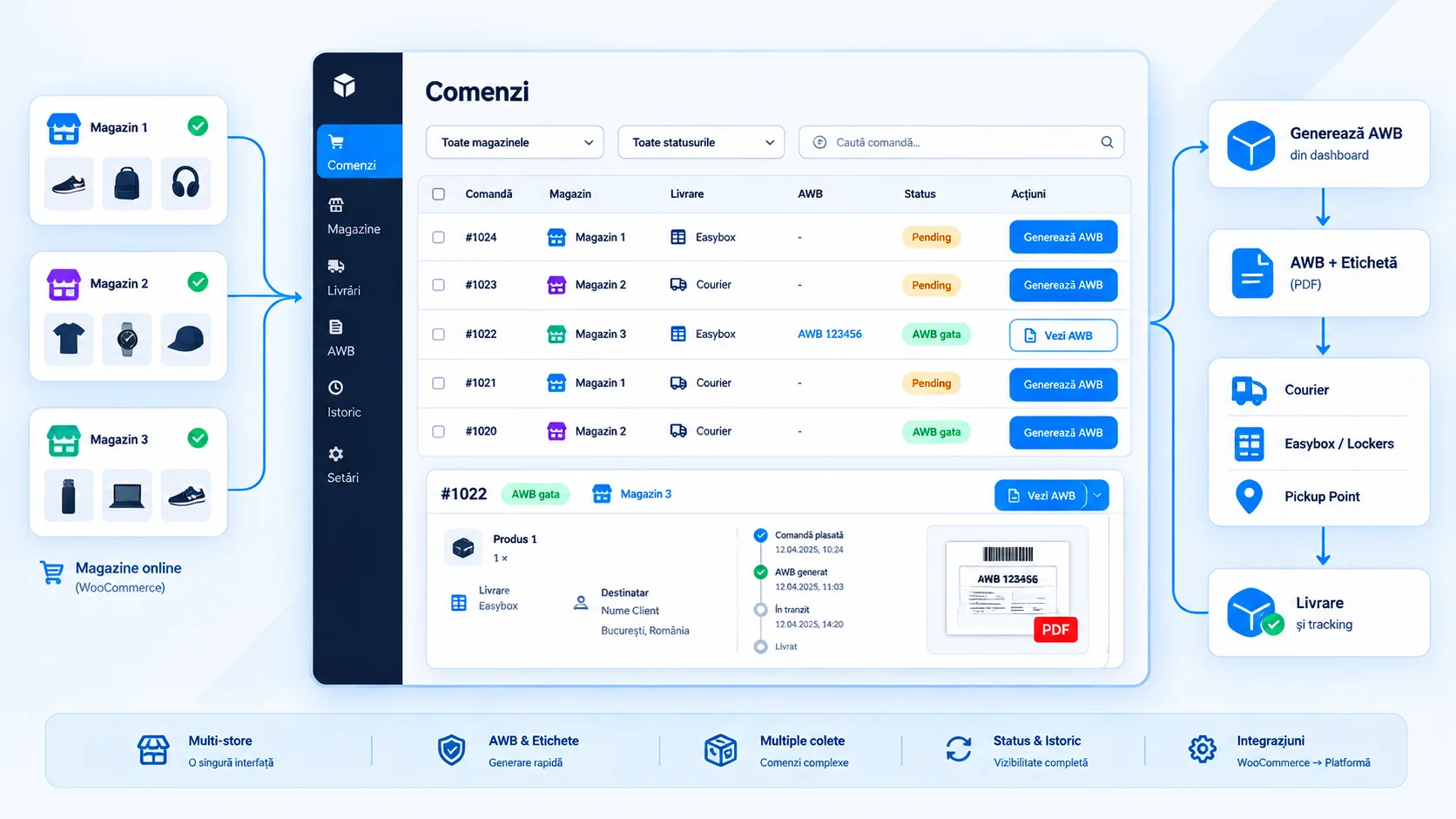
The project was designed for an operator running multiple WooCommerce stores who was losing time logging separately into each wp-admin to check orders and generate shipping documents. The direction defined in the repository is a read-only central application: orders are aggregated into a single dashboard, and the main action is "Generate AWB." The order remains the source of truth in WooCommerce, so addresses, payment method, and delivery options are not edited in the central application. The proposed architecture avoids duplicating the courier API. Each store keeps the official Sameday Courier plugin, which already knows how to authenticate the account, sync services, pickup points, lockers/easybox, estimate cost, generate and delete AWBs, produce the PDF, add parcels, and read the status history. The central application was meant to send only the order identifier to the store through a custom WordPress endpoint; the source plugin/site would rebuild the payload from WC_Order and local metadata, then execute the AWB operation within the store's own context. The repository contains two original design deliverables: a technical specification and an HTML presentation for the limited-budget variant. They describe a full flow from order to AWB, the proposed Site, Order, and Awb models, an OrderIngestService for webhook or periodic pull, an AwbService, and a simple retry policy. Authentication between the central application and WordPress is documented using HMAC-SHA256, a timestamp, and a separate key per site, with rollout planned first on a pilot store and then replicated. Important for evaluating this portfolio entry: the central Laravel + Vue/Inertia application, the custom REST endpoint, the HMAC, the ingest webhook/pull, and the retry logic are not present as implementation in the saved code. The file list in the backup commit contains the HTML prototype, the documentation, and the official Sameday plugin — not Laravel models, migrations, controllers, Vue components, or workflows for a central application. For this reason, the project is presented as an integration solution designed for a real client, not as a delivered final product. The analyzed third-party base is a mature WordPress/WooCommerce plugin. Its code uses PHP, JavaScript/jQuery, WP_List_Table, MySQL tables through wpdb, and the Sameday PHP SDK. The plugin implements AWB generation with one or more parcels, service and pickup-point selection, locker/easybox selection via list or interactive map, cost estimation, extra fees and free-shipping rules, COD/repayment, open-package, AWB PDF, AWB deletion, and parcel status history. These capabilities explain why the proposed solution reused the plugin instead of duplicating this logic in the central application. The existing original frontend is a presentation/prototype page, not the final dashboard. It uses Inter and a light-blue palette with semantic green/amber/red accents, cards, a timeline, and sections for scope, flow, deliverables, and risks. The included plugin screenshots show the inherited WordPress UI: a configuration form, a service selector, an AWB-generation modal, and a history table. For the final product, the logical direction was preserving operational clarity in a modern dashboard rather than visually copying wp-admin. From an operational standpoint, the design explicitly accepted trade-offs for the MVP: a read-only application, a synchronous call to WordPress, no queue, basic logging, and no advanced monitoring. These limits reduce cost and risk in the pilot phase, but they mean bulk operations, idempotency, locking, rate limiting, periodic reconciliation, and observability would have needed to be defined before higher-volume use. The inherited plugin has its own administrator/shop_manager role checks and nonces for sensitive operations, but the documented custom endpoint cannot be considered secure until the HMAC, anti-replay, and per-site/per-order authorization are implemented and tested.

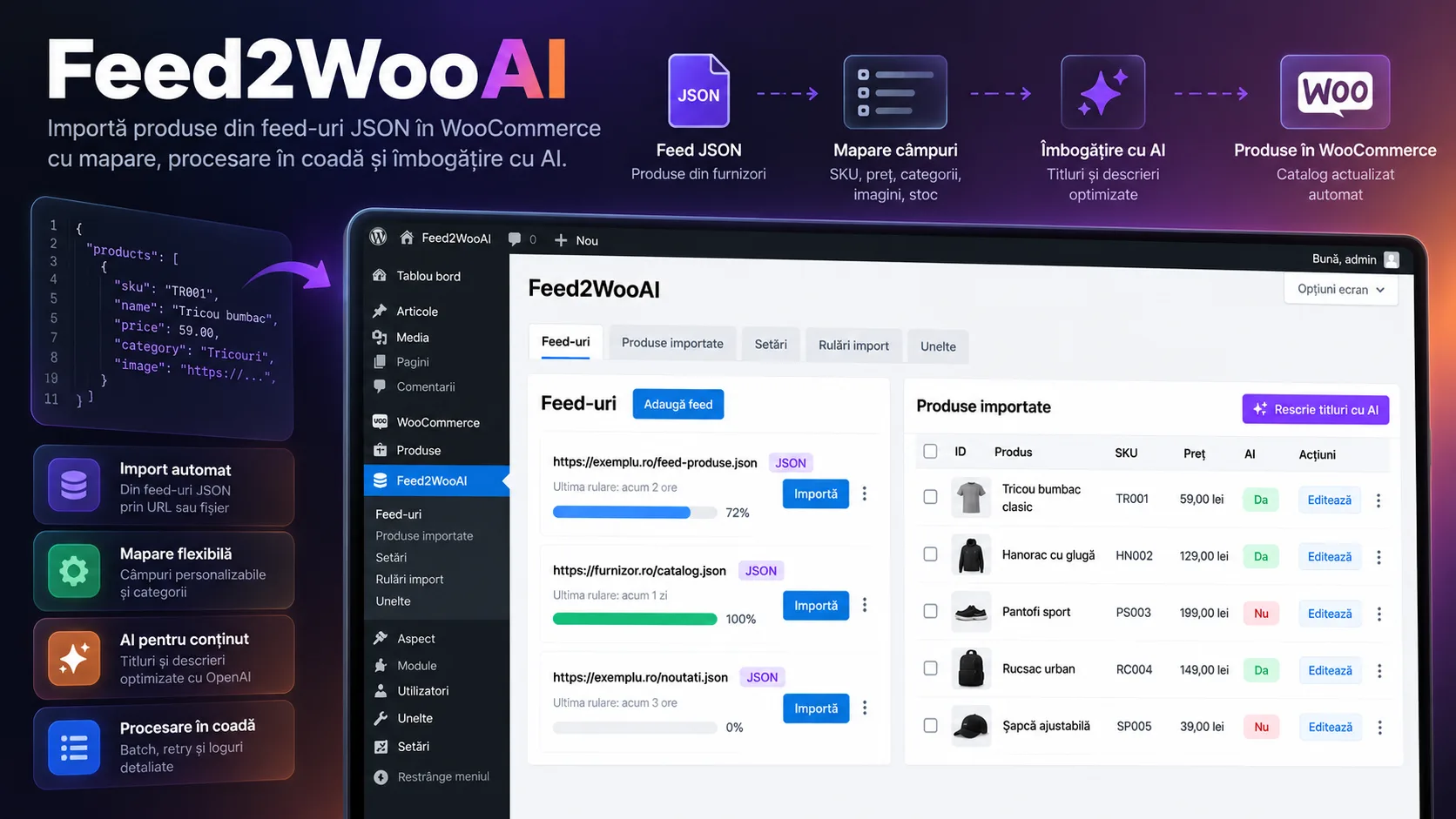
Feed2WooAI
Client work

Feed2WooAI

WordPress plugin for batch-importing products from JSON feeds into WooCommerce, updating by SKU, images, and categories, OpenAI rewriting, admin progress tracking, and automation through REST endpoints and cron scripts.

PHP
WordPress
WooCommerce
WooCommerce CRUD API
+13 more

Feed2WooAI is a WordPress plugin built for managing a WooCommerce catalog fed by external feeds. The main surface is a WordPress Admin panel where the administrator can add or remove feed URLs, start an import for a feed, track progress, search imported products by ID or SKU, and see whether a product has already been rewritten with AI. Separate pages exist for OpenAI configuration and for reviewing operational logs. The current importer consumes JSON feeds and processes the catalog in batches. For each valid entry, the SKU is the reconciliation key with WooCommerce: an existing SKU is updated instead of being duplicated, while a new SKU creates a published WC_Product_Simple. The suggested price, stock, stock status, category, main image, gallery, and extra feed fields are synchronized, with the latter persisted as meta data under a dedicated prefix. WooCommerce categories are created as needed, and the category image can be pulled from the provider's storage when the feed includes an imageId. Processing is controlled through queues persisted in the WordPress Options API. The import queue keeps track of the current feed, offset, number of new products, total, and completion state, and the AJAX interface successively requests one batch at a time and updates the progress bar. The import also uses a lock transient to avoid two simultaneous batches. This mechanism is not a distributed queue and has notable limitations: entries without a SKU do not advance the offset, a lock can remain active when the queue is missing, and automatic initialization from the REST endpoint reuses the AJAX handler that requires a nonce, which makes the REST cron dependent on an already-initialized queue or on fixing this flow. AI rewriting is implemented separately through OpenAI Chat Completions. The administrator configures the key and the prompt template, and the product sends its title and current description to the model. The response is parsed in a Title/Description format, then the WooCommerce name and description are updated and the product receives the _f2wai_ai_rewritten meta flag. Rewriting can be triggered for all imported products that don't have the flag, or individually, directly from the table. The AI queue processes one product per iteration, but has no lock of its own, limited retry, or backoff; if a rewrite fails, the offset does not advance and the same product can block progress. Images are downloaded through the WordPress Media APIs and attached to products. To reduce processing cost, the plugin disables intermediate thumbnail generation during sideloading and keeps a URL cache only within the current batch. The code renames downloaded files with a .webp extension without actually converting the format, so this area should be treated as an incomplete optimization rather than a real media-conversion pipeline. Automation is prepared through two REST endpoints — import and AI rewrite — protected by a key saved in WordPress options, plus Bash and PowerShell script generators for running from cPanel or another external cron. The repository contains Bash scripts configured for a real site, which confirms practical use of the flow, but these include a REST key in plain text and must be regenerated with the secret rotated. The endpoints use the key in the query string and a public permission_callback, so security currently depends on that secret. The plugin defines no tables of its own and uses native WordPress/WooCommerce structures: options for configuration and queues, post meta for imported flags and fields, the product_cat taxonomy for categories, and the Media Library for images. Interactive administration uses jQuery and the WordPress AJAX API with a nonce and manage_options checks for the main operations. There is no test suite, CI/CD, or GitHub workflows in the analyzed repository, and the available history is a single portfolio backup commit.

Zip Code Platform
Client work

Zip Code Platform

Platform for centralizing Romanian postal codes: background Excel import, address normalization, lookup by city, street, and number, API validation, and access-key administration.

PHP 8.2
Laravel 12
Eloquent ORM
MySQL
+11 more

Zip Code Platform is a Laravel application built to turn an operational postal-code file into a queryable database and a reusable API for e-commerce applications or other systems that need address validation and completion. The repository includes a simple public surface, user accounts, an administration panel, and a key-protected API. The data flow starts in the admin panel, where an Excel .xlsx/.xls file can be uploaded. The controller saves it locally, determines the row count, and dispatches a Laravel Job onto the database-configured queue. The import reads the file in windows of 500 rows and limits the processed columns to postal code, city/county, and street. For each row, the city and county are separated, Bucharest sectors are interpreted, and number expressions are turned into ranges or individual values. Writes happen in batches, after checking for already-existing combinations. Progress is kept temporarily in the Laravel Cache and the admin interface polls it periodically without keeping the upload request open for the entire processing duration. The API exposes four dedicated operations: postal code lookup from an address, the list of cities, validating a postal code, and normalizing an address. The lookup normalizes diacritics and county abbreviations, tries variants of the street name, and applies a sequence of fallbacks: match with number, match on street, fuzzy match, and finally city + county. Access is filtered by an API-key middleware that checks existence, active status, and expiration date. The administrative panel covers three main areas: postal codes, users, and API keys. The tables support filtering, sorting, and pagination, and the administrator can generate keys for a user, set an expiration date, and activate or deactivate them. The authenticated user has their own dashboard for account data and associated keys. The UI is server-rendered with Blade and Tailwind, with Alpine.js for navigation/modal interactions and plain JavaScript for polling the import progress. The code also contains the beginning of a commercial flow with Stripe Checkout, a webhook that would generate a temporary key after checkout, and a download route for a plugin. These areas are not complete in the analyzed snapshot: the Stripe configuration is missing from services.php, the webhook is placed in the authenticated web group, the payment form does not call the processing route, payments are not persisted by this flow, and the plugin archive does not exist in the repository. For this reason they are treated as a product direction, not as a delivered result. For production, the important next steps are hardening the API and the import: explicit request validation, per-key rate limiting, hashed key storage with one-time display, fully parameterized fuzzy fallback, unique/upsert constraints for concurrent deduplication, indexes aligned with the actual queries, and explicit retry/cleanup for the import job. The repository contains no CI/CD workflows, Docker, or reproducible deployment configuration; however, the standard Laravel /up endpoint and local scripts for build, test, and the queue worker are present.

TigidalHR
Study / personal

TigidalHR

Vue 3 concept for a self-service HR portal: employee dashboard, team work schedule, leave calendar, documents, and views for time tracking, overtime, and payroll, in a custom responsive interface.

JavaScript
Vue 3
Vue Router
Vite 5
+9 more

TigidalHR is a study project focused on the experience of an HR portal where employees and coordinators could see schedule, leave, documents, and personal indicators in a single place. The verified implementation is a Vue 3 + Vite frontend prototype, with no backend or persistence: user, schedule, leave, document, and payroll data are defined locally in components and serve as a product demonstration. The dashboard brings together a summary of days worked, documents and assignments, the employee's profile, overtime, available leave days, and a payroll table. A separate schedule view uses Chart.js for hourly ranges and also handles shifts that cross midnight, visually splitting the range between two days and adapting the chart width to the relevant hour window. The Team Schedule area models a weekly plan for multiple members. Local data is combined by employee and day, normal shifts, days off, and sick leave are distinguished, and the interface calculates the week's total hours and per-employee aggregates for the current week and month. Navigation between weeks uses date-fns with Romanian localization. The leave calendar dynamically builds the days of the month and projects leave intervals for team members, marking the start and end of continuous periods and separately highlighting the logged-in employee in the demo scenario. The documents page offers local pagination and visual states such as Sent, Pending, Ready, and Rejected; the add button emits an event, but the creation flow is not wired to persistence. Access has a dedicated login screen and a second step with a six-digit code, but validation is hardcoded in the browser and the routes have no authentication guards. It is therefore a UX demonstration of two-step authentication, not a security or 2FA implementation. Similarly, payroll and financial values are demo content, not the output of a payroll engine. The interface starts from Argon Dashboard 2 by Creative Tim, confirmed by the README, package metadata, and the original files kept in the repository. Customization is visible in the separate my-vue-project application: Vue structure, lazy-loaded routing, HR components, the Tigidal logo, custom fonts and a navy/blue-gray palette, translucent cards, and layouts adapted for narrow screens. Vite is configured for gzip and manual chunking of dependencies. The repository is a portfolio snapshot with a single backup commit, so the Git history cannot demonstrate incremental evolution or separate contributions by commit. There are no models, migrations, controllers, services, queue workers, webhooks, audit/GDPR handling, real document upload, or build/test CI for the Vue application. The end goal that emerges from the UI is a self-service HR and workforce management portal; these missing capabilities are treated as a product direction, not as features already built.

Photo Archive
Study / personal

Photo Archive

Platform for photographers and organizers that centralizes photo sessions, upload and image processing, and gives clients galleries accessible via a unique code, with an optional password and individual or ZIP download.

Node.js
Express 4
React 19
Vite 7
+16 more

Photo Archive is a web application built for the controlled delivery of event photos to clients. The administrator creates a session with a name, description, and event date, and the backend generates a unique eight-character code. The session can be activated or deactivated and can receive an additional password, stored as a bcrypt hash. The administrative interface shows the number of photos, stored volume, and recorded accesses, and allows copying the code or opening the gallery directly. Upload is handled through Multer with direct disk storage. For each accepted image, Sharp validates the format and dimensions, reads basic technical metadata, and generates two derived versions: a square 300 × 300 thumbnail for listing and a gallery image of up to 1200 × 1200, progressive JPEG at quality 85. The original is kept separately, and MySQL persists the initial name, file paths, size, resolution, and upload timestamp. Processing is done sequentially within the upload request; the code introduces no queue workers or separate asynchronous batching. The client reaches the gallery using the code received from the photographer or organizer. The page reads the session information, requests the password when the session is protected, and loads photos paginated at 20 per page. The gallery offers grid or list mode, search by filename, preview in a modal, and download of the original. A separate route builds a ZIP archive of all originals on demand using archiver and streams the response to the browser. Public accesses are logged with IP and user agent, and the same session/IP combination is not normally re-logged more than once per hour on the main gallery routes. The frontend is a React 19 + Vite 7 + Tailwind CSS 4 SPA, with a light visual identity based on a blue–indigo–purple gradient, translucent white cards, and Lucide iconography. The Express backend runs separately on Node.js, uses a MySQL pool, JWT for administration, and a separate client flow available at the API level, while the documented deployment uses PM2 and Nginx on a HestiaCP VPS. The repository contains no GitHub Actions and no automated test suite; there is only a utility script for checking upload limits. From a hardening perspective, the analyzed code has a few issues that need to be addressed before presenting the platform as a private photo repository: rate limiting is disabled on the server, there are fallbacks for the JWT secret and the admin password, and the repository contains TLS material that should not be versioned. In addition, session password protection is applied on the main paginated endpoint, but is not consistently checked across all public photo/search/recent/download endpoints. The seed presents the real functionality without turning these mechanisms into a claim of complete security.

Time Tracker
Study / personal

Time Tracker

React + Express application that centralizes imported time-tracking data, adds manual hours, applies reporting rules, and generates filters, charts, hour reports, and billing calculations for project groups.

JavaScript
React 19
React DOM 19
Vite 7
+11 more

Time Tracker is a personal project built as an internal analysis tool over already-collected time-tracking data. The React 19 frontend loads the main entry set and a separate overtime set through the API, combines them chronologically, and calculates statistics by project, language, and day. If the API is unavailable, reads fall back to the static JSON files included in the application. The reporting pipeline does not use just the raw time. For each project, except for entries marked Unknown Project, the calculation utility adds a fixed 50% overhead for testing/processing and distributes it across the project's entries, keeping the original time and the added time separate. Projects configured as excluded are then removed from statistics and reports. This is an explicit rule of the analyzed snapshot, not a UI-configurable model. The dashboard offers quick filters for today, this week, this month, last month, the last 7 or 30 days, a custom range, projects, languages, and text search. Filtered data can be exported as CSV. Recharts is used for the top projects, language distribution, and daily activity, and a sortable, paginated table component exists in the code, although it is disabled on the main screen. For financial reporting, projects can be grouped and associated with an hourly rate. The group report identifies the projects' entries, calculates the resulting hours and value, then requests the EUR exchange rate from the BNR through the backend for an indicative conversion to RON. Both the group billing report and the hours report have dedicated print layouts. The administrative area includes manual entry addition, CRUD for project groups, bulk JSON import that replaces the main dataset, management of excluded projects, and editing or deleting overtime hours. Some of these operations are accessed via keyboard shortcuts, as an internal interface rather than a separate admin with role-based authorization. The Express backend persists data directly in JSON files under public/, with no ORM or database. Authentication uses JWT with a 24-hour expiration and an in-memory registry for active tokens. Deployment is prepared for a single PM2 process with automatic restart and file-based logs. The PWA is configured through vite-plugin-pwa with auto-update and caching for static assets/fonts, but the code does not implement Background Sync or an offline write queue. The snapshot should be treated as a personal tool/operational prototype, not a hardened multi-user product. Extending it toward multi-user use would require additional hardening for credential storage, per-role and per-resource authorization, concurrent/atomic persistence, and automated validation through tests and CI/CD.

Project Management
Study / personal

Project Management

Laravel 12 + Livewire prototype for a personal collaboration-management platform, with authentication, admin/client roles, reactive client CRUD, and a structure prepared for projects, tasks, and invoices.

PHP 8.2+
Laravel 12
Livewire 3
Livewire Volt
+9 more

Project Management is a personal project built as a foundation for centralizing client relationships and, in the direction suggested by the interface, for later linking clients to projects, tasks, and invoices. The repository's current state, however, is a partial prototype: the Clients module is functional, while the Projects, Tasks, and Invoices pages are only placeholder screens accessible to the administrator. The application uses Laravel 12 on PHP 8.2+, Livewire 3, and Livewire Volt, with Blade and Tailwind CSS for the interface. There is no separate JavaScript framework for business interactions: the Clients Livewire component keeps the form, search, edit-mode, and pagination state, validates data on the server, and persists directly through Eloquent. The search filters by name, company, email, or phone, and results are ordered descending by creation date and paginated at 10 per page. The Client model and its migration cover personal and company data: name, company, tax ID, trade registry number, address, city, country, phone, email, contact person, and notes. The current UI exposes most of these fields in a create/edit modal. However, there is a functional issue in the creation flow: the component starts hasCompany as false and clears the company fields before saving, but the form provides no control to enable hasCompany. As a result, company data entered for a new client is not retained in the current form. The country field exists in the model and DB but is not exposed in the component. Authentication and the profile area come mostly from the Laravel Breeze/Livewire Volt scaffolding and include login, logout, password reset, password confirmation, and profile update/deletion. Login has rate limiting at five attempts per email + IP key. The application defines two roles, admin and client, through a role field on users and two Laravel Gates. The Clients, Projects, Tasks, and Invoices routes are protected by auth + can:admin; the client role is defined but does not yet have its own flow in the product. The migration defaults the role to admin, which needs to be revisited before any public registration is enabled. The frontend is a desktop-first dashboard with a fixed sidebar, sticky header, white cards on a gray background, and an indigo visual identity. The custom logo uses #6366F1 and #A5B4FC and schematically represents a work panel. The landing page describes the application as a personal platform for project management and client collaboration, and the dashboard indicates the direction clients → projects → tasks → invoices. This text supports the end goal, but it is not evidence that the missing modules are implemented. The default persistence from .env.example is SQLite. Sessions, cache, and the queue are configured on the database driver, and the Composer development script starts the Laravel server, a queue listener, Pail, and Vite in parallel. However, there are no custom jobs, business events, webhooks, external integrations, uploads, dedicated search, project notifications, comments, a Kanban board, an audit trail, or project/task/invoice relations in the current schema. The default mailer is log, so the repository does not demonstrate email delivery through an external provider. The client list is paginated, but the search uses LIKE with wildcards across four columns and the clients table defines no additional indexes. There is no business cache, batching, locking, or custom idempotency. Client deletion is a hard delete, and there is no soft delete, relations blocking deletion, audit, or explicit confirmation in the component's code. The repository contains no .github/workflows, Docker/Compose, deploy scripts, or Nginx/PM2/Supervisor configuration. Laravel exposes the standard /up health endpoint, and the packages include Laravel Sail as a development dependency, with no versioned Docker files. The present tests mostly cover the authentication and profile scaffolding; there are no tests for Clients or for the authorization of custom modules. RegistrationTest still expects the /register route, even though routes/auth.php no longer defines it, so the saved suite is not fully aligned with the current routes. The available Git history contains a single commit, "Initial commit — portfolio backup," which introduces the entire repository. For this reason, the contribution can be described through the existing custom code — the Clients module, the Client model and migration, the roles and Gates, the dashboard shell, and the direction pages — but the history does not allow demonstrating a feature-by-feature evolution or attributing the entire Laravel scaffolding as a from-scratch implementation.

CarFix Paint Site
Client work

CarFix Paint Site

React website for an auto repair shop in Brașov, with dedicated pages for services and RCA/CASCO insurance claims, a before/after portfolio, blog, FAQ, reviews, contact forms, and local SEO infrastructure.

TypeScript
React 19
React DOM 19
Vite 7
+9 more

CarFix Paint Site is a multi-route website focused on presenting an auto repair shop's services and turning visitors into leads. The application covers body repair, painting, mechanics, diagnostics, and claims management services, and the homepage combines a hero with CTAs, benefits, the claims process, portfolio work, reviews, and a final CTA. The public experience is built as a React 19 SPA with React Router. Dedicated routes are implemented for Home, Services, RCA/CASCO Claims, Portfolio and project details, About, Reviews, FAQ, Blog and article details, Contact, plus legal pages. The responsive header includes desktop navigation and a mobile drawer, and Framer Motion is used for reveals, hover states, and micro-interactions. Conversion is supported by click-to-call, a persistent WhatsApp button with a pre-filled message, a sticky call bar on mobile, and a contact form with GDPR consent. In the analyzed snapshot the form does not send data to a server: requests are serialized to localStorage through the custom useKV hook, so it functions as a flow prototype rather than a centralized lead-management system. The main content is typed in TypeScript and kept in data.ts: services, before/after projects, FAQ, reviews, and blog articles. There is also an /admin panel for CRUD on blogs, projects, and testimonials, but this is a local editor with no authentication; data is persisted only in the browser and the public pages continue to read the static dataset. It is therefore treated as a CMS prototype, not a production CMS. For local SEO, the SEOHead component updates the title, description, keywords, canonical, Open Graph, Twitter Cards, robots, and geo meta tags based on the route, and StructuredData injects JSON-LD for types such as AutoRepair, FAQPage, Review, BlogPosting, Service, and ContactPage. The implementation is client-side and the current repository contains no sitemap.xml or robots.txt, so the SEO infrastructure is functional at the SPA level but does not equal server-rendered metadata. The UI follows a premium auto-workshop direction: charcoal, white, and a red accent, Outfit and Inter fonts, responsive cards, and Radix UI components. The portfolio and blog have detail pages, including a fallback for nonexistent IDs. The images and demo content are mostly static; the commercial claims and metrics in the copy are not used as verifiable results in this case study. The Git history explicitly shows the AI-assisted nature of the build: the first site was generated and iterated through GitHub Spark, then per-page routes and SEO were added, images and detail pages were fixed, and the admin panel was introduced. The final refactor removed the Spark dependencies and configuration, introduced the local useKV hook, and left the project as an independent Vite application. Later documentation prepares the production direction: migration to the Next.js App Router, Payload CMS, PostgreSQL, media persistence, real admin authentication, and storing requests in a backend. This represents the intended next stage, not the current state of the code.

Flower Power
Client work

Flower Power

Premium digital presence for a flower shop in the Brașov area: a responsive site with a floral portfolio, services, blog, giveaways, and full administration through Payload CMS integrated directly into Next.js.

TypeScript
Next.js 16
React 19
Payload CMS 3
+7 more

Flower Power is a project for a real client, built as a monolithic Next.js application where the public site, the Payload CMS admin panel, and the APIs all run in the same codebase. The product's purpose is to visually showcase floral creations and turn content that would otherwise be edited manually into a manageable flow: services, gallery, articles, giveaways, hero, and the flower shop's general information. The frontend uses the App Router and separates the public surface from the Payload routes. Important content is loaded server-side through the Payload Local API, and interactive components remain client-side only where needed: the hero carousel, the mobile menu, gallery filtering, the lightbox, and the forms. The design has its own visual system based on dark petrol green, gold accents, and a cream background, with Playfair Display for headings, Inter for body text, and Cormorant Garamond for editorial accents. The full-screen hero combines real images, fade transitions, and a Ken Burns effect, and respects prefers-reduced-motion. Payload CMS manages admin users, media, blog posts, services, the gallery, giveaways and their entries, plus globals for site settings, the hero, and the About page. Media can be read publicly for rendering the site, while giveaway entries are visible and editable only to authenticated CMS users. The public gallery is organized by category and uses a masonry grid with a lightbox; the repository includes a curated set of real photos for bouquets, arrangements, weddings and christenings, decorations, gifts, and seasonal collections. The giveaway flow is one of the few flows with operational persistence: the public page sends the name, email, and phone to a Next.js endpoint, which resolves the giveaway by slug, checks whether the same email address is already entered in the same campaign, and persists the entry in Payload along with the timestamp and IP reported by the infrastructure. Duplication is prevented at the application level by checking before create, but there is no unique database constraint or locking, so the implementation does not claim strict idempotency under concurrency. The contact form validates required fields and the email format and can send messages via Resend to the address configured in the CMS. Email sending is intentionally non-blocking for the API response: if the provider is not configured or sending fails, the error is logged and the endpoint still responds with success. The code does not persist contact messages and includes no rate limiting, CAPTCHA, or retry queue, aspects that should be hardened before high public traffic. SEO is handled at the application level through per-page metadata, canonical URLs, a dynamic sitemap for blog and giveaways, robots, and JSON-LD for the florist and articles. There is also a health endpoint. The Playwright suite covers navigation, forms, and the mobile experience, but some assertions and slugs in the tests have fallen behind the latest UI/CMS changes, so the presence of tests is not presented as proof that the current build is green. From a security perspective, the application sets headers such as X-Frame-Options, X-Content-Type-Options, Referrer-Policy, and Permissions-Policy, and protects reading/modifying CMS entries through authentication. At the same time, the configuration has a hardcoded fallback for PAYLOAD_SECRET, SQLite is the default fallback, public endpoints have no rate limiting, and personal data from forms needs an explicit retention and logging policy for production. These are limitations identified from the code, not features masked in the project's presentation. The Git history shows that the repository started from the create-next-app boilerplate, then received the custom pages and design, SEO and real images, the forms, the contrast and responsive audit, the E2E tests, the cinematic carousel, and finally the Payload/Resend integration. Sanity dependencies and files remain as residue from an earlier stage, while the current content paths use Payload. The project is therefore closer to an operational website with a CMS and campaigns than to a simple CRUD or an e-commerce store.

Avanticart → WooCommerce Migration
Client work

Avanticart → WooCommerce Migration

Technical discovery for migrating an Avanticart store to WooCommerce: inventorying the data model, mapping products and variations, analyzing prices and relationships, and PHP utilities for verifying CDN images.

PHP
MySQL
MySQLi
SQL
+6 more

The project captures the analysis and preparation stage of a real migration from Avanticart to WooCommerce. The documented snapshot of the source database includes a catalog with parent products and variations, regular/sale prices, hierarchical categories, manufacturers, attributes, customers, addresses, orders, status history, and reviews. The repository kept for the portfolio does not include the SQL dumps, so these volumes are the ones documented in the analysis performed on the backup, not values recalculated from the repository. The core of the work is the semantic mapping between the Avanticart model and the WooCommerce target. Parent products and variations are separated via product_parent_id, size and color are identified as candidate attributes for variations, other attributes remain product metadata, and manufacturers are mapped to a brand taxonomy. The analysis also tracks public prices, stock, SKUs, multiple categories, descriptions, and SEO slugs, so that the proposed import order respects the dependencies between the data. An area that required separate investigation was media. Avanticart kept image references in the database, while the files were served from a CDN. A PHP script tests URL formats on a subset of images, and a second utility offers a web inspection interface with pagination and filters. It groups images by product and, for variations without their own images, makes a second bulk query for the needed parents and attaches the parent's gallery. The pattern documented and used in the viewer is based on seo_name, picture_id, and the "-2.webp" CDN suffix. The viewer is an internal tool, not a store frontend: server-rendered PHP, inline HTML/CSS, and a bit of JavaScript for flagging images that fail to load. Filters are GET, the page is explicitly cast to an integer, and the main text output is escaped with htmlspecialchars. On the other hand, there is no authentication, observability, retry/backoff, or a service layer; DB connection errors are displayed directly, and the image URL includes data coming from the legacy database without explicit HTML escaping. From a performance standpoint, the code avoids an obvious N+1 for image inheritance: parent IDs are collected and parent images are loaded in a single IN query. However, the main query applies LIMIT/OFFSET over the product-image join rather than over the list of distinct products. As a result, the number of cards per page can vary, and a product's gallery can be split across pages. A production implementation would first paginate the product IDs, then load the relationships for that set. The documentation proposes the next phases — configuring WooCommerce, importing master data, products, media, variations, and optionally customers/orders, plus reviews — but the analyzed repository contains no final import scripts, jobs, automatic reconciliation, redirects, or deployment. For this reason, the project is presented as a technical analysis and validation prototype that reduces the risk of a complex migration, not as a completed migration.

Flower Shop ERP
Study / personal

Flower Shop ERP

Laravel + Livewire application for managing a flower shop's inventory, with products, quantities, supplier, cost and sale price, unit profit, expiration dates, images, and CRUD operations in a reactive interface.

PHP 8.2
Laravel 12
Eloquent ORM
Livewire 3
+10 more

ERP Florărie is a study project built as a foundation for digitizing a flower shop's internal operations. The analyzed snapshot does not yet represent a complete ERP: the implemented part is a coherent catalog and stock module, where an authenticated user can search, sort, add, edit, and delete products from the same Livewire interface. The FlowerProduct model keeps the name, description, category, quantity, purchase cost, sale price, stock-entry date, expiration date, supplier as a text attribute, image, and active/inactive state. Eloquent applies casts for dates, booleans, and prices, and the model includes methods for checking stock, expiration, and calculating unit profit. The current interface directly displays profit as the difference between the sale price and the purchase cost. The main flow is implemented in a classic Livewire component, FlowerProductsTable. The search runs in the database by name, category, or supplier, results are paginated at 10 per page, and can be sorted by the main columns. The add and edit forms validate fields before persisting, and images are validated as image files of up to 1 MB and saved to the public disk. When a product is replaced or deleted, the application also removes the old image when it exists. The frontend uses Blade, Livewire, and Tailwind CSS, with a responsive layout, CRUD modals, desktop/mobile navigation, and dark mode kept in localStorage. Livewire interactions remove the need for a separate SPA: form state, search, sorting, and pagination are handled server-side, and Alpine is used in interface components and for behaviors such as menus and the theme. Authentication and the profile come mostly from the Laravel Breeze + Livewire Volt scaffolding: registration, login, password reset, email verification, profile update, and logout. Login is protected by rate limiting, but the Flower Products module only requires authentication, not a verified email. The repository defines no roles, policies, or product-level ownership, so any authenticated account can operate on the entire catalog. For a public deployment, open registration and the lack of granular authorization should be restricted. From a data standpoint, the application defaults to SQLite and has a single domain table for flower_products, with no relations to separate supplier, order, or recipe tables. There are no dedicated indexes for the search/sort fields, no duplicate constraints, no transactions in the CRUD flows, no locking, and no audit mechanisms. Pagination limits the volume transferred to the UI, and the simple model avoids N+1 issues in its current form, but wildcard searches and the lack of indexes should be revisited before a large data volume. The Laravel configuration includes standard infrastructure for queue, cache, mail, and S3, but the repository contains no jobs, business workers, active cloud integration, webhooks, payments, SMS, analytics, AI, or external APIs. There is a Laravel health endpoint at /up and a custom Artisan command that creates the storage symlink and the public directory for product images. The available Git history contains a single portfolio-backup commit, so it does not provide enough of a timeline to demonstrate who implemented each stage or whether the project was greenfield. What can be clearly separated in the snapshot is the Laravel/Breeze/Volt scaffolding from the custom domain logic: the FlowerProduct model and migration, the Livewire component and admin table, the product seed, the dedicated route, the navigation integration, and the storage command. The legacy draft described a broader ERP target with orders, suppliers, reports, and expiration alerts; these are treated only as an evolution direction, not as implemented features.

CMS Sections
Study / personal

CMS Sections

Mini-CMS built with Laravel, Inertia, and Vue for creating pages from configurable blocks, drag-and-drop ordering, image upload, and public rendering optimized through caching and lazy loading of sections.

PHP 8.2
Laravel 12
Eloquent ORM
Laravel Breeze
+11 more

CMS Sections is a personal study project built as a compact page builder on top of Laravel 12, Inertia.js 2, and Vue 3. Instead of a rigid page model, content is composed of ordered sections, each with a type and a JSON payload. A TypeScript registry defines the editing schema for each type, and the same type key is used by the public frontend to select the corresponding Vue component. The editor allows creating pages with a title and a unique slug, marking a single page as home, adding sections from a catalog, editing content in a modal, and reordering via drag-and-drop. The registry confirms 11 section types: hero, carousel, features, testimonials, team, pricing, FAQ, CTA, statistics, gallery, and contact. Fields can be text, textarea, image, or recursive repeaters, which enables structures such as slides, pricing plans, team members, FAQ questions, and galleries without a separate hardcoded form for each section. Persistence uses two main entities: Page and PageSection. Page keeps the base metadata, and PageSection links the page to the section type, its order, and the JSON content. On save, updating the page and replacing the set of sections are executed within a transaction, so the page structure does not remain partially updated if an exception occurs. This is a simple approach suited to a study project, with the trade-off that sections are recreated on every save and there is no version history or optimistic locking. Media is managed through an authenticated upload endpoint. Images are validated as image files of up to 2 MB, receive randomized names, and are saved to Laravel's public disk; the resulting URL is injected into the section's content. This flow is also used in the nested fields within repeaters. The public frontend resolves the home page or a page by slug and caches the prepared payload for 10 minutes. The cache is explicitly invalidated after editing and can be manually cleared from the administration area. The hero is loaded eagerly, while the other section components use defineAsyncComponent and IntersectionObserver to mount as they approach the viewport. The gallery includes a lightbox and keyboard navigation, the carousel and testimonials have autoplay, and the public components use a responsive layout with Tailwind styles. Authentication comes mostly from Laravel Breeze: register, login, password reset, email verification, and profile. The custom CMS functionality lives in the Page/PageSection models, the page and upload controllers, the section registry, the Vue editor, the public components, and the cache/rendering logic. The scope of the repository remains a prototype/study. There is no content versioning, draft/published status on pages, preview separate from the live page, SEO management, editorial policies/roles, or CI/CD pipeline. The form in the Contact section only simulates a submit in the browser, and the map is a placeholder for an unconfigured Maps integration. For this reason the project is presented as a functional, extensible page builder, not as a production-ready CMS.

Calorie Calculator
Client work

Calorie Calculator

Laravel + Livewire application that combines a meal builder with calorie and macronutrient values, goals and a personal journal, recurring groups, and a suite of calculators for BMR/TDEE, weight, body composition, protein, and calories burned.

PHP 8.2
Laravel 11
Livewire 3
Blade
+10 more

Calorie Calculator is a nutrition web application that goes beyond an isolated formula. The main surface allows searching for foods, choosing a preparation method, entering a quantity, and calculating calorie, protein, carbohydrate, and fat values proportional to the portion. Unauthenticated users can temporarily compose a meal, while verified accounts can save meals, create their own foods, and organize them into groups. The data model separates the food from its preparation methods, since the same raw ingredient can have different values depending on how it's cooked. Meal and MealItem keep the food journal, MealGroup organizes meals and can define weekly or monthly repetition, and CalorieGoal keeps the active goal for daily, weekly, or monthly periods. Nutritional values are calculated from the quantity relative to 100 g, and the dashboard aggregates meals over periods and includes logic to virtually project recurring groups without materializing copies of meals in the database. The application includes separate pages for weight loss, weight gain, body fat, ideal weight, protein, macronutrients, and calories burned. BMR uses the Mifflin–St Jeor formula, TDEE applies activity multipliers, and the calories-burned calculator uses MET values and a formula based on weight and duration. The distance mode estimates time from distance and speed and interpolates the MET value for walking, running, or cycling. The body-fat calculator uses the US Navy formula and additionally provides BMI and lean mass, while the ideal-weight calculator compares the Robinson, Miller, Devine, and Hamwi formulas. The interface is server-driven through Livewire 3, with Blade for markup, Alpine.js for local interactions, and Tailwind CSS for the responsive layout and dark mode. The main calculator has a two-column structure on desktop and a slide-over for the meal summary on mobile. Food search is debounced, results are limited, and there is quick-add and automatic selection of the default preparation method by category. The meal summary can be rendered in a dedicated layout and exported locally as a PNG via html2canvas, loaded on demand. Accounts use Laravel authentication, email verification via a signed URL, and password reset. A separate middleware blocks deactivated users, and the admin area is protected by the is_admin flag. The administrator can manage the food and category catalog, preparation methods, users, blog articles, and SEO settings. The layout reads per-page metadata from the database and can enable Google Analytics when an ID is configured. Persistence uses MySQL and Eloquent relations with foreign keys and cascade where the domain model requires it. The meal list is paginated and eager-loads the nutritional relations used in the UI. Food search uses a leading-wildcard LIKE and inRandomOrder for quick-add, and recurring-group aggregation iterates the data in PHP; these are sufficient for the application's size in this snapshot, but would need a search/indexing strategy and pre-aggregation if the volume grew significantly. The snapshot also includes legacy operational infrastructure: a cPanel manifest, a Laravel health endpoint, and endpoints for GitHub webhook / administrative execution. There are no GitHub Actions, Docker, or a test suite for the nutritional formulas; the tests present mainly cover the authentication and profile scaffolding. The audit also identified sensitive configuration committed to the repository, publicly accessible debug routes, and a few incomplete ownership checks. These elements are not presented as product advantages and must be hardened before any production reuse.

PDF Auto-Print
Client work

PDF Auto-Print

Python desktop utility that periodically polls an endpoint, downloads PDF documents, keeps a local history and status for them, and sends them automatically or manually to Windows printers via SumatraPDF.

Python
PyQt5
Requests
SQLite
+4 more

PDF Auto-Print is a desktop application for an operational workflow where PDF documents published by an endpoint must be picked up and printed on a Windows PC without repetitive manual checking. The PyQt5 interface centralizes the endpoint address, polling interval, selected printer, and local download folder, and these settings are persisted to a JSON file. The automated flow starts a QTimer with a configurable interval between 10 and 3600 seconds. On each cycle, the application makes a POST request to the endpoint, treats the response as a JSON list of URLs, downloads the documents into the configured folder, and records each URL in SQLite. The local table keeps the unique URL, file path, download timestamp, print status, and print timestamp. Printing is performed sequentially through SumatraPDF in command-line mode, using -print-to for the selected printer and the fit setting. The printer list is read from Windows via pywin32, including local and networked printers, and the application can open the system queue directly for the current printer. Idempotency is partial and explicit at the state level: the URL has a UNIQUE constraint, insertion uses INSERT OR IGNORE, and only rows with printed=0 enter the automatic print flow. If printing fails, the row stays unprinted and will be retried on a later cycle. However, there is no separate job queue, backoff, retry limit, or attempt counter, and PDFs are re-downloaded before deduplication happens in the database. Beyond automation, the UI offers a manual flow: listing documents available at the endpoint, downloading and printing them with visible progress, searching by file name, selecting rows, reprinting unprinted documents, manually changing status, copying from the table, and synchronized deletion of the local file and the SQLite record. At startup, the application reconciles the local database with the disk and removes entries whose files no longer exist. Optionally, it can create or remove a shortcut in the Windows Startup folder so the utility launches with the user session. The repository also includes a PyInstaller spec for a windowed build, plus a minimal PHP endpoint used for testing the PDF listing. The analyzed snapshot is functional as a local desktop utility, but it is not hardened as an enterprise agent. The endpoint configured in the repository uses HTTP, there is no authentication or response signing, requests do not set a timeout, the type and size of downloaded files are not validated, and page_size and orientation exist in the config without being applied to the print command. Also, two different URLs with the same file name can point to the same local path.

Page Content Extractor
Client work

Page Content Extractor

Operational WordPress tool for finding and bulk-updating localized pages, with Elementor/Gutenberg/Classic support, AI rewriting via Gemini, and image generation via Vertex AI Imagen.

PHP
WordPress Plugin API
WordPress Admin
WordPress HTTP API
+14 more

Page Content Extractor is a WordPress plugin built to manage a set of service pages that follow slug conventions and include geographic variations. Instead of opening and editing each page by hand, the administrator enters a slug pattern and a text fragment or image name, and the plugin identifies the relevant pages and extracts the locality from the slug for the subsequent operations. The text flow detects the editor used by each page — Elementor, Gutenberg, or the classic editor — and searches the content through a word-by-word normalization that removes differences in HTML, spacing, and capitalization. The algorithm also recognizes {{locality}}-style placeholders, and for Gutenberg it recursively walks the blocks. Matching pages are presented as cards in the admin, together with the editor type and the extracted locality. For AI-assisted localization, the plugin sends the text to Gemini 2.0 Flash and asks for a rewrite that preserves meaning, introduces natural references to the locality, and limited HTML markup for emphasis. Suggestions can be generated individually or in batch; the interface processes batches of 10 pages and shows progress, and each suggestion can be applied separately or in bulk. Applying content is editor-aware. For Elementor, the plugin reads _elementor_data, recursively traverses the elements, and saves the modified JSON to post meta, then clears the Elementor cache. For Gutenberg, it parses the blocks, modifies the blocks that contain the text, and serializes the structure back into post_content. For the classic editor it uses direct replacement in post_content. The snapshot does not implement transactions or explicit rollback, and the match-replacement logic can substitute the entire field/block in which the phrase was found, which is why destructive operations are preceded in the UI by confirmations. The image flow searches for pages that use a given file and offers two strategies: traversing the editor structure or a direct database mode, introduced as a lower-memory-footprint variant. The DB mode searches post_content and _elementor_data, identifies the URL and attachment ID, then displays for each page the current image alongside a preview area for a new image. Image generation uses Vertex AI Imagen 3. The plugin builds a JWT from the configured service account, obtains a Google OAuth access token, calls the Vertex AI endpoint, decodes the Base64 image, and saves it to the WordPress Media Library. PNG responses are converted to JPG via GD. The file name includes the locality and a timestamp, and the resulting image can be applied individually or in batch. Replacing images updates both post_content and the Elementor data, including URLs and attachment IDs. The code includes several fallbacks for Gutenberg/media-text structures and a direct path via wpdb when the standard update doesn't produce the expected result. After changes, the plugin invalidates the post cache, the Elementor cache, and can clear caches for WP Super Cache, W3 Total Cache, WP Rocket, Autoptimize, and LiteSpeed. The snapshot also keeps diagnostic tools for block structure, memory usage, and logs. There is also legacy or incomplete code: the shortcode file is not loaded by the bootstrap, a few old JavaScript handlers have no active PHP endpoints, and the Google Cloud library declared in Composer is unused because the autoloader is commented out. The repository does not contain automated tests, CI/CD workflows, or deploy configuration. From a hardening perspective, the analyzed version would benefit from current_user_can checks on all destructive/AI AJAX endpoints, strict sanitization of the HTML returned by the model before preview and persistence, moving sensitive credentials out of wp_options into a secure secret store/config, and disabling debug being enabled by default. debug.log is included in the snapshot and contains information about the local environment, although no API keys, Bearer tokens, or private keys were identified in the analyzed file.

QR Generator
Study / personal

QR Generator

Simple full-stack tool for app distribution through a single QR code: define the iOS/Android links, generate a QR code pointing to a stable address, and redirect the mobile user to the appropriate store.

JavaScript
Node.js
Express 4
qrcode 1.5
+5 more

QR Generator is a personal project built for a concrete app-distribution use case: instead of printed materials or messages containing different QR codes for iOS and Android, each app gets a single stable address in the form qr.tigidal.ro/<app-name>. The QR code encodes this address, and the server decides the final destination based on the User-Agent. The admin surface is a framework-free HTML/CSS/JavaScript page. The form allows entering the app name, separately enabling the App Store and Google Play links, and setting a password for editing. The URL fields are enabled or disabled in the UI based on checkboxes, and submission sends the data via the Fetch API to the POST /api/apps endpoint. The backend is an Express server that serves static files and persists the app configuration in an apps.json file. For each entry, the available links and the password are kept. There is no ORM or database; the file is read and rewritten synchronously on create and update, a choice that is sufficient for a low-volume prototype but is vulnerable to blocking the event loop and to lost updates under concurrent access. The GET /api/qr/:appName endpoint generates a QR code server-side via the qrcode package. The code explicitly sets the width to 512 px and the margin to 2, and returns the image as a data URL, which allows immediate display in the browser and download as PNG from the app page. Error correction level, colors, logo, and module styling are not explicitly configured in the code, and the repository contains no automated scannability tests. The public /:appName route loads the app mapping and inspects the User-Agent. For iPhone/iPad it tries the iOS link, for Android the Android link, and if the relevant destination exists it responds with an HTTP redirect. If the platform has no configured link, it shows an explicit message; for desktop it shows a dedicated page with the QR code and a download button. The desktop page also includes editing the configuration. The current implementation checks the password only in the browser: it downloads the entire object via GET /api/apps and compares the password locally, after which PUT /api/apps/:name updates the data without a server-side password check. As a result, the mechanism is only a UI barrier, not real authentication. Furthermore, the GET /api/apps endpoint exposes passwords in plain text, and the apps.json in the snapshot contains a demonstrative password in plain text. These are the main security concerns of the analyzed version. Backend validation is minimal: the server accepts name, the links, and the password without a validation schema, does not restrict redirect domains, and does not check uniqueness before overwriting. The UI uses input type=url and required for certain fields, but this is browser-level validation, not an API-level guarantee. The app name is interpolated directly into the HTML and JavaScript of the dynamic page, so before public exposure, contextual escaping and strict slug validation should be added. The repository contains a single commit named 'Initial commit — portfolio backup', which simultaneously adds the active sources, the data file, and a ZIP archive. For this reason, the current state of the product can be demonstrated, but not a development timeline, refactors, or bugfixes. There is no Docker, PM2 config, GitHub Actions workflows, health checks, or deploy scripts in the snapshot.

ZIP Code Manager
Client work

ZIP Code Manager

WordPress/WooCommerce plugin that batch-imports a postal-code nomenclature from Excel, normalizes counties, streets, and number ranges, and can manually fill in the billing and shipping postal codes of orders.

PHP
WordPress
WooCommerce
WooCommerce HPOS
+9 more

ZIP Code Manager is a WordPress plugin built for an operational WooCommerce flow where order postal codes need to be verified or completed based on a local nomenclature. The administrator uploads an Excel file from WordPress Admin, sees a preview of the first rows, and confirms the import; processing continues through successive AJAX requests, so a large file is not treated as a single long-running web request. The import uses PhpSpreadsheet and an IReadFilter that reads only the required columns from the source: postal code, city, and street. The AJAX flow processes 500 rows at a time, and the UI receives, for each chunk, the number of entries processed, inserted, updated, and already existing. For the preview, up to 50 rows are read. The snapshot allows selecting both .xls and .xlsx, but the chunk processor explicitly uses the Xlsx reader; legacy XLS support should therefore be considered incomplete. Before persistence, the city is separated from the county abbreviation through a complete map of Romania's counties, with separate handling for Bucharest and its sectors. The street is then parsed for segments such as nr., ranges like 13-17, open ends of the form 26-T, single numbers, and bis/A/B-style suffixes. When a street contains several ranges, each range becomes a usable row for lookup, and the full structure can be kept as JSON in multiple_ranges. Data is saved into a dedicated WordPress table, wp_*_zip_codes, with postal code, city, county, street, range start and end, an infinite-range flag, metadata for multiple ranges, and created_at. The schema has a composite index on postal code + street and an index on the range endpoints. The import tries to identify an existing record through the combination of postal code, street, number_start, and number_stop; new entries are grouped into a single INSERT, and existing ones receive an update for city, county, and range metadata. However, there is no UNIQUE constraint in the DB, so integrity against duplicates relies on application logic. The WooCommerce integration is operator-oriented. The «Update postal code» action appears in the order list and in the edit screen. When pressed, the plugin separately reads the billing and shipping addresses, normalizes diacritics and county abbreviations, extracts the street number, sector, and building block, and tries to find a postal code in the imported table. The search has three tiers: matching on city/county + street and numeric range, then a looser LIKE on the street, then a fallback to the first distinct code for city/county. If it finds results, it updates billing_postcode and, where applicable, shipping_postcode through the WooCommerce Order object and saves the order. The plugin declares WooCommerce HPOS compatibility and checks for the presence of WooCommerce and PhpSpreadsheet before use. The import AJAX and the order-update action use a WordPress nonce. However, the snapshot has a few hardening points: the initial upload form has no nonce of its own, the AJAX handlers do not perform an explicit current_user_can check, the temporary import file is not deleted at the end, the upload MIME type is checked directly from the request, and debug logging writes addresses and queries to error_log. These are code observations, not features presented as advantages. The project's frontend is intentionally native WordPress Admin, not a separate application. Upload and preview use WordPress's visual components, and jQuery drives chunk processing and progress messages. There is a CSS file for the postal-code update button, but the snapshot does not register it via wp_enqueue_style; import progress is mainly textual, with no design system of its own. The repository contains a single portfolio backup commit and includes no tests, GitHub workflows, Docker, or deployment scripts.

OLX Import
Client work

OLX Import

WordPress plugin for synchronizing WooCommerce products with OLX: category and attribute mapping, images and locations, OAuth authentication, ad creation/update, and cleanup of the link on deletion or duplication.

PHP
WordPress
WooCommerce
WordPress Hooks API
+9 more

OLX Import is a WordPress/WooCommerce integration built for a real client, aimed at turning the product managed in WooCommerce into the operational source for the OLX listing. The flow does not import OLX listings into the store; the direction demonstrated by the code is WooCommerce → OLX Partner API. On the product edit page, the administrator gets an 'Import to olx' meta box. Checking it and saving the product prepares the payload from the WooCommerce data and creates the listing if the product does not yet have an _advert_id. On subsequent saves, the same ID is used for updating. The plugin persists the listing ID, the OLX URL, and the _imported_to_olx flag in post meta, and the link to the listing is displayed directly in the meta box. Data transformation includes title, description, price, SKU, images, categories, WooCommerce attributes, and client-specific metadata for the store and contact. The code explicitly maps Jewelry and Electronics categories to the OLX taxonomy, selects subcategories for phones, tablets, and photo equipment, and translates required attributes such as product condition or target audience into the codes expected by OLX. The listing location is built from an agency code stored on the product. For configured locations, operational data such as address, schedule, phone number, sector, and store name are defined. The city and sector are then resolved through the OLX endpoints for cities and districts, and the listing payload includes city_id, district_id, and the coordinates returned by the API. The integration uses two types of tokens: client credentials for catalog endpoints such as categories, attributes, and locations, and authorization code/refresh token for operations on listings. Tokens and configuration are kept in WordPress Options. The dedicated 'OLX Import' page allows configuring credentials and shows the connection status. The product lifecycle is also synchronized in terms of removal. Unchecking the import, moving the product to trash, or deleting it first attempts to deactivate the listing when the OLX status requires it, then performs a DELETE and cleans up local metadata. When a WooCommerce product is duplicated, _advert_id and _advert_url are removed and the import flag is reset, so the copy does not intentionally reuse the original listing's link. The admin interface adds an 'Imported to OLX' column to the product list, with sorting and a Yes/No filter. OLX errors are kept temporarily via WordPress Transients and shown as admin notices after redirect. There is no test suite, CI/CD, job queue, batching, or caching for OLX metadata in the analyzed snapshot. The plugin's base retains much of the WordPress Plugin Boilerplate: loader, i18n, public/admin classes, and demonstrative files. The substantial customization lies in the admin class, where the OLX integration, business mapping, and WooCommerce synchronization are implemented. The repository contains a single backup commit, so the history does not allow chronological separation of each contribution. There is also a daily refresh mechanism based on WP-Cron in the code, but placing the registration hooks in the admin class file and re-instantiating the class in the callback make its operation unconfirmed and fragile. In addition, the connection check is executed in the admin constructor and can produce synchronous external calls when the plugin loads, which is a clear area for optimization before a hardened version.

Happy Birthday
Study / personal

Happy Birthday

Romanian-language web experience for generating and sharing a personalized wish, with 5 color themes, confetti animations, a stable random message, audio control, a shareable link, and export of the card as an image.

JavaScript
React 17
Next.js 11
CSS Modules
+9 more

Happy Birthday is a small web experience built in Next.js 11 and React 17 to quickly create a personalized birthday card. The user picks one of five color themes, enters the name of the person being celebrated, and is directed to a shareable route that encodes the chosen name and theme. The resulting screen combines a title animated letter by letter, canvas confetti, a randomly chosen wish, and controls for music, going back, and, in the creator flow, copying the link and downloading the card as a PNG. The repository is not a from-scratch implementation. The CONTRIBUTING file and license explicitly point to the open-source project gouravkhunger/nextjs-birthday-wish as the base. Comparing the current code with the upstream shows that the main Next.js structure, the theme hook, the Button/CopyLinkButton components, the title animation, the confetti, and the export mechanism via html-to-image + file-saver come from that base. The verifiable customization consists of full localization into Romanian, replacing and rewriting the messages, adapting the "La Mulți Ani" (Happy Birthday) title, removing the upstream branding from the interface, PWA integration, custom assets and screenshots, changing the audio flow, and a few behavior fixes on the card page. The main flow is fully client-side. The "/" page keeps the name and selected theme locally; validation blocks an empty value or a name starting with a space, then Next Router navigates to "/{name}" for the default blue theme or "/{name}/{themeId}" for the other themes. The catch-all route "[...name].js" extracts the name and color ID from the URL, applies the theme via a custom hook, and sets the color in a global CSS variable. There is no API, controller, backend service, database, accounts, or server-persisted data. The wish message is chosen randomly only once when the component mounts and kept in state. This is a notable difference from upstream, where the message was recomputed on every render and could become inconsistent between the screen and the exported image. In the analyzed version, the same message is used both in the visible experience and in the temporary template rendered for export. The download function was also moved into a React.useCallback and triggered via an effect when the downloading state is activated, removing the side-effecting call directly from render that was present upstream. The title is built character by character to apply a wavy CSS animation. The Romanian prefix "La Mulți Ani, " and the name are separated dynamically based on the prefix length, rather than the hardcoded threshold used by the English upstream version. The name received from the URL is rendered as React text, without dangerouslySetInnerHTML, so React escapes the user-supplied content. The theme is chosen only from the fixed list of five variants: blue, green, violet, yellow, and red. The audio was changed from upstream's autoplay to an explicit "Start music" / "Stop music" control, wired to an audio element via useRef. Stopping pauses playback and resets currentTime to zero. The audio asset is served locally from public/media. The creation page also writes a "playMusic" flag to localStorage before navigating, but the current snapshot doesn't read it anywhere, so the flag is residual code with no effect on actual behavior. Sharing uses the Clipboard API to copy the current URL and provides temporary "Link copied!" feedback. The copy and export buttons are shown only when the internal history shows the user arrived at the card from the homepage; opening the link directly gives the recipient experience, with a button to create a new wish and audio control. This separation is a UX rule based on local state, not an authorization mechanism, and is lost on refresh. The visual export uses html-to-image to turn a dedicated container into a PNG and file-saver to save the "birthday-wish.png" file. In export mode, the animation is removed from the title and the background uses the static confetti asset, so the captured result is a clean card rather than the animated canvas from the interactive experience. The app is configured as a PWA via next-pwa, a web manifest, and a full icon set between 48×48 and 512×512. The manifest includes wide and mobile screenshots of the Romanian UI and runs in standalone display mode. The next-pwa configuration uses register and skipWaiting. The repository also contains a generated service worker/Workbox; the committed snapshot mainly demonstrates PWA configuration rather than a mature offline strategy, since the saved service worker uses NetworkFirst only for the start URL and NetworkOnly for the other routes in that artifact. The frontend is responsive and minimalist: white background, system/Roboto typography, pill-shaped input and buttons, and an accent controlled via a CSS custom property. On desktop the interface is very airy and centered; on mobile the title wraps onto two lines, the theme selector remains visible as five colored dots, and the form reflows vertically. The versioned screenshots confirm this responsive adaptation. From a security standpoint, the repository contains no secrets or versioned .env files; .gitignore excludes local environment files and PEM certificates. There is no authentication, access to sensitive data, or server endpoints that would introduce IDOR, SQL injection, mass assignment, or webhook forgery risks. The remaining risk surface is that of a browser-only app: the Clipboard API can fail in insecure or unpermitted contexts, URLs can become very long since the name has no explicit limit, and clipboard/export/audio errors have no fallback UI. The repository contains no automated tests, GitHub Actions, Docker, deployment configuration, analytics, or error monitoring. The available scripts are dev, build, export, start, and lint. Next.js is started with openssl-legacy-provider for compatibility with the older toolchain, and start runs on port 3001. The available Git history contains a single backup commit, so the evolution of the changes cannot be demonstrated feature-by-feature; the contributions above are attributed through direct comparison between the snapshot and upstream, not through commit count.

Happy Easter
Study / personal

Happy Easter

Easter landing page concept with a visual direction inspired by the night of the Resurrection: Byzantine gold, liturgical burgundy, ceremonial typography, Orthodox symbols, and subtle animations, designed for a fast, accessible static experience.

Astro (planned)
Tailwind CSS (planned)
HTML5
CSS3
+5 more

Paste Fericit is a personal study for a seasonal web experience dedicated to Romanian Orthodox Easter. The verified repository does not contain the final application on the main branch; however, it contains a detailed design brief, the technical decisions, and the work history that describe the intended product very clearly. For this reason, the project is presented as a documented concept/prototype, not as a finished site or a launched product. The product direction avoids the generic Western Easter aesthetic and builds the experience around the moment of midnight: blue-black and burgundy background, gold inspired by icons, candlelight, a three-bar Orthodox cross, a red egg with Romanian geometric motifs, and subtle floral elements. The page was designed as a continuous vertical scroll with four zones: fullscreen hero, greeting message, decorative section, and minimal footer. The documented design system defines tokens for colors, typography, spacing, shadows, transitions, and breakpoints. The proposed fonts are Cinzel Decorative for the monumental messages, Cinzel for subheadings, and Cormorant Garamond for body text. The brief includes a mobile-first approach, a narrow container for readability, and different typographic scales for phone, tablet, and desktop. The planned interactions are deliberate and lightweight: candle glow, golden particles, heading reveal, subtle shimmer, and scroll-triggered appearances via IntersectionObserver. The documentation explicitly requires respecting prefers-reduced-motion and avoiding aggressive animations, autoplaying audio, and effects that would distract from the message. The chosen architecture evolved from a Vanilla Vite scaffold to Astro + Tailwind CSS, for static generation and minimal JavaScript shipped to the browser. The history mentions the temporary existence of a Vite scaffold and some CSS/JS files, but these are not present in the current commit, so they are not treated as delivered implementation. Deployment was planned for Hetzner: a static build in dist/ and copying to the server for paste.tigidal.ro. However, the repository contains no CI/CD workflow, deploy script, Nginx configuration, build output, or commit demonstrating actual publication. The URL is not used as a public link in the portfolio since it could not be verified as an available site at the time of analysis.

Happy New Year
Study / personal

Happy New Year

New Year's Eve Vue 3 experience with a personalized wish from the URL, a countdown to midnight, rotating messages, and a video background adapted separately for mobile and desktop.

JavaScript
Vue 3
Vue Router 4
Vite 5
+6 more

An Nou Fericit is a front-end mini-project built as a full-screen New Year's Eve experience. The visitor can open the main route, which defaults to the name Tigidal, or a route in the form /:name to embed the recipient's name directly in the wish. The parameter is tracked reactively via Vue Router, normalized through a computed property for capitalization, and rendered via Vue interpolation. The interface combines a countdown updated every second, a central wish, a visual separator, and a list of 20 positive messages that rotate automatically every three seconds. The countdown is fixed to January 1, 2026, 00:00 in Romania, through an explicit conversion to UTC+2 for that date. The background is an HTML5 video, autoplaying, muted, and looping. The code chooses clip_mobile.mp4 for windows up to 768 px and clip_desktop.mp4 for larger screens, and the selection is recalculated on resize. The layout uses 100dvh, object-cover, a semi-transparent black overlay, white text with a shadow, and an orange-to-pink gradient for the main message. The application is exclusively client-side: Vue 3, Vue Router, and local state with ref/computed/watch. There is no backend, database, authentication, API, jobs, queue, webhooks, or persistence. Although the manifest includes libraries such as Firebase, Vuex, Axios, Capacitor, and local notifications, these are not used by the analyzed implementation and are not presented as features of the project. SEO/social metadata is defined both in index.html and via @vueuse/head, including title, description, Open Graph, and Twitter Card. Canonical and og:url point to the general tigidal.ro domain; there is no dedicated public route or deployment configuration in the repository that would allow verifying a live address for this mini-project. The snapshot also has clear limitations. Video files are explicitly excluded from Git, so the repository alone does not reproduce the media background. After the countdown expires, the function attempts to clear a countdownInterval identifier that is not defined, producing an error before the EXPIRED text is set. The resize listener and the intervals have no cleanup on unmount, and the ended handler is combined with loop and doesn't represent a robust mechanism for transitioning between clips. The available Git history contains a single portfolio-backup-type commit, so it demonstrates the state of the application, not a complete development timeline. The verifiable contribution in the snapshot is the Vue experience: route-based personalization, the countdown, message rotation, responsive video selection, styling, and metadata.

Tigidal Christmas
Study / personal

Tigidal Christmas

Seasonal web experience in Remix, with a Christmas message personalized from the route, a layered parallax scene, canvas-animated snowfall, a countdown, and responsive assets for desktop and mobile.

TypeScript
React 18
Remix 2
Vite 5
+8 more

Tigidal Crăciun is a study/personal project built as a full-screen seasonal web experience. The main route displays the default message "Tigidal wishes you a Merry Christmas!", and the dynamic /$name route reuses the same screen and injects the URL parameter into the greeting message. The name is rendered through React interpolation, not raw HTML, so the text from the route stays escaped by React. The interface is composed of five graphic layers with different depths, animated with jquery.parallax for a perspective effect. Over the scene, a snowfall canvas is added with particles generated and animated via requestAnimationFrame, a loader with a rotating snowflake, a centrally positioned tree, and a countdown presented within graphic ornaments. The CSS defines a cool blue-cyan palette, white text, and decorative Parisienne/Lobster fonts, and for small or short screens, separate sets of parallax-mobile images and responsive rules for text, countdown, and tree are used. The architecture is hybrid. Remix 2 + React 18 provide the routing structure, metadata, and app shell, while the visual experience is largely driven by jQuery and static plugins for countdown and parallax, plus Bootstrap and custom CSS. The repository also keeps a Tailwind configuration, but the analyzed screen does not use Tailwind utilities in the markup. There is no Remix loader/action, API, database, services, authentication, global state management, jobs, queue, webhooks, or provider integration. The countdown is hardcoded to December 25, 2023, while the metadata includes the keyword 2024, which shows that the snapshot has not been updated for a current seasonal campaign. In addition, the scripts, stylesheets, and tree image are referenced via app/assets paths relative to runtime, even though the assets are located in the app source rather than in public; this structure needs to be verified/corrected for a reliable production Remix/Vite deployment. The README is the generic Remix one and does not document a publishing pipeline. The repository contains a single "Initial commit", with no incremental history, automated tests, or GitHub Actions workflows. The code demonstrates the personalizable experience and the visual integration, but it cannot demonstrate that all assets or the graphic template were created from scratch in this repository. That is why the project is presented as a customized microsite/Remix build, not as fully original design or a launched product with a backend.

Digital Clock
Study / personal

Digital Clock

Remix/React application installable as a PWA, built around a configurable seven-segment clock, with timezone, 12/24h, local weather, stopwatch, timer, alarms, fullscreen, and mobile gestures.

TypeScript
React 18
Remix
Vite
+16 more

Digital Clock is a personal project that extends a full-screen digital clock into an installable web utility. The main screen renders the time on a seven-segment display built from React components and CSS, updated every second and configurable for 12/24h format, date format, timezone, size, color theme, and animation. Preferences are persisted in localStorage and propagated through a shared ClockContext. The product has four modes on the same surface: Clock, Stopwatch, Timer, and Alarm. The stopwatch measures minutes, seconds, and hundredths, the timer accepts hours/minutes/seconds and triggers a local notification at the end, and the Alarm mode allows multiple alarms, labels, enabling/disabling, and daily repeat. Alarms are kept locally and synced to an Express API that maintains an in-memory copy. The experience is designed for desktop and mobile: controls rearrange responsively, double-tap toggles fullscreen, swipes change the mode, and a shake gesture cycles through the available themes. A screensaver can move the display across the viewport with a bounce effect and configurable speed. The code also includes support for Wake Lock, although the hook is not actually wired into the main analyzed flow. In Clock mode, the app can request the browser's geolocation, uses Nominatim for reverse geocoding and Open-Meteo for the current temperature, then refreshes the information periodically. If geolocation or the requests fail, the weather component hides itself without blocking the main clock function. The app is configured as a PWA via Remix + Vite and @vite-pwa/remix, with a manifest, icons for multiple platforms, declared screenshots, fullscreen/standalone mode, a service worker, and a NetworkFirst strategy. The root registers the service worker, checks for updates, and attempts to maintain a Web Push subscription associated with a local userId. The custom Express server exposes endpoints for syncing alarms, reading alarms, checking active ones, registering push subscriptions, and publishing the VAPID key. A server-side interval checks the current minute and attempts to send notifications via web-push. In the analyzed snapshot, however, state is kept only in in-memory Maps, VAPID keys are regenerated on restart, the timezone selected in the UI is not sent to the server, and the custom service worker attempts to use localStorage — unavailable in a Service Worker context. For these reasons, the background alarm part must be considered an experimental implementation, not a persistent production scheduler. Deployment is prepared for Node/cPanel hosting: the Remix build produces a client/server bundle, loader.cjs starts the custom server, and the repository includes an FTP script that uploads the build to a subdirectory. The snapshot contains no CI/CD workflows or automated tests. There is also security debt in the deployment area: the repository contains hardcoded FTP credentials and VAPID keys, which must be revoked and moved to secret management before reuse.

TTN — Text to Number
Study / personal

TTN — Text to Number

Vue 3 + TypeScript utility that converts back and forth between integers and Romanian textual forms, with diacritics normalization, deterministic validation, a responsive interface, and offline PWA support.

Vue 3
TypeScript
Vite 6
Tailwind CSS 3
+6 more

TTN — Text to Number is a personal project built as a client-side utility for bidirectional conversion between integers and Romanian textual expressions. The application uses no backend, database, or external services for the conversion: the logic runs locally in the browser, which keeps the flow fast, easy to distribute, and compatible with offline use via PWA. The Vue interface offers two explicit modes — Text → Number and Number → Text — toggled from the same screen. Input can be submitted via a button or Enter, results and errors are shown in the same central card, and switching modes resets the input and the results state. The UI is built with Tailwind CSS and scoped styles: an animated gradient background, a semi-transparent white card, focus states, micro-animations for the result, and ARIA labels for the main controls. For Text → Number, the parser first normalizes Romanian diacritics, turns hyphens into spaces, collapses whitespace, and lowercases the text. The conversion uses explicit tables for units, 10–19, tens, and multipliers (hundreds, thousands, millions), then processes tokens with accumulators for the current group and the total. The connector «și» ('and') is allowed only after a tens value between 20 and 99, and unknown tokens, repeated multipliers, or certain invalid orderings return null instead of producing an approximate result. For Number → Text, the formatter only accepts integers between 0 and 999,999,999 and breaks the value down into groups of millions, thousands, and units. Each group is formatted from hundreds, tens, and units, with dedicated forms for «o/două» ('one/two') and for 11–19. The implementation is deterministic and does not depend on locale or an external API, but it does not fully cover Romanian grammar for all large combinations. The repository includes Vitest tests for normalizeText and textToNumber: diacritics, lowercasing, spaces/hyphens, the numbers 0–19, tens, tens with units, hundreds, thousands, millions, compound examples, and invalid input are covered. However, the parser's current state has a structural issue: lastMultiplier is lowered to 100 when a hundred appears inside a group, so a later multiplier of 1,000 is rejected. As a result, valid examples such as «trei milioane cinci sute de mii» ('three million five hundred thousand') or «un milion două sute treizeci și patru de mii…» ('one million two hundred thirty-four thousand…'), although they appear as expectations in the tests, are not compatible with the current logic. The tests do not cover numberToText. The formatter also has grammatical limitations verifiable in the snapshot: 1,000 is composed through the «mie» group without the special feminine branch and yields «unu mie» instead of the correct feminine form, and the rule for «de» after large groups does not correctly handle all hundreds-of-thousands/millions forms. Conversely, the parser ignores the «de» token regardless of position and accepts some unit sequences through simple addition, so the syntactic validation is intentional but does not amount to a complete parser of Romanian numeral grammar. UI validation for the Number → Text mode uses parseInt. This means strings like «123abc», «12.7», or «1e3» can be truncated and interpreted as integers instead of being rejected outright. The final range is still checked in numberToText, and negative values, values over 999,999,999, or non-integers passed directly to the function return null. A production version should strictly validate the entire input before conversion. The application is configured as a PWA with vite-plugin-pwa and Workbox. The manifest defines name, short name, theme color, standalone mode, icons for Android/iOS/Windows, desktop/mobile screenshots, a shortcut, and scope /ttn/. The service worker uses autoUpdate and CacheFirst strategies for JS/CSS, images, and fonts, and NetworkFirst for HTML. There is also a generic rule for APIs, although the current application does not make requests to an API. The PWA configuration also declares the web+ttn protocol handler with a text query parameter, but App.vue does not read that parameter, so this integration is only configured, not functional end-to-end. Vue Router is installed and has a single Home route pointing to App.vue, but App.vue is the root component anyway and does not contain a router-view; in its current form, the router does not provide a real navigation surface. The Vite base path is /ttn/, while createWebHistory is initialized without an explicit base. From a security standpoint, the surface is small: there is no authentication, secrets, persisted forms, uploads, or personal data, and results are rendered through Vue interpolation, not injected HTML. The repository contains no .env file in the analyzed tree; .gitignore excludes *.local but does not explicitly declare a pattern for .env. The main relevant hardening is more about UX and strict validation than access control. Deployment is not automated in the repository: there is no .github/workflows, Docker, deploy scripts, or health checks. The /ttn/ configuration and the PWA artifacts indicate a subpath/static hosting target, but the repository does not demonstrate through CI/CD how the application is published. The only available commit is 'Initial commit' from July 12, 2026, so the current product snapshot can be verified, but not a timeline of refactors or bugfixes.

MyElectrica
Study / personal

MyElectrica

Standalone web application that syncs MyElectrica data into a PostgreSQL model and centralizes contracts, consumption points, invoices, payments, meters, self-readings, and consumption statistics.

TypeScript
Node.js
Hono
PostgreSQL
+7 more

MyElectrica is a personal project built as a standalone web application on top of the flows available in a MyElectrica account. Instead of directly displaying every provider response, the backend syncs the client → contract → consumption point (NLC) hierarchy, invoices, payments, meters, registers, readings, contract details, and consumption conventions into a PostgreSQL database. The local data enables fast queries, filtering, pagination, and historical analysis without every screen depending on a live call to the provider. The backend is implemented in TypeScript with Hono, Drizzle ORM, and PostgreSQL. Authentication validates credentials through the MyElectrica API, creates its own session, and keeps the upstream password encrypted with AES-256-GCM for automatic re-authentication when the provider's token expires. Sync uses upserts and unique keys for the main entities, normalizes the data and numeric values coming from the API, and runs in a controlled, sequential manner to avoid request bursts. Invoices have a second level of processing: the provider's PDF can be downloaded server-side, converted to text with pdftotext, and parsed into a structure with billing period, consumption, VAT, previous balance, total due, meter, billed line items, and penalties. The result is persisted in a versioned JSONB cache, invalidated when the source changes, the parser version changes, or the TTL expires. This layer feeds both the detailed invoice modal and the cost/consumption analyses. The SvelteKit 2 / Svelte 5 frontend is server-rendered and uses a server-side layer for communicating with the backend, so the session key stays in an httpOnly cookie. The responsive interface includes a financial dashboard, an invoice list with status and payment initiation, payment history, meters and readings, self-reading submission within the PAC window, contract details, editing the consumption convention, and a statistics area. The statistics aggregate monthly cost and consumption, average price per kWh, cost structure, payment behavior, seasonality, year-over-year comparison, index evolution, and actual consumption versus convention. The public cnecrea/myelectrica integration for Home Assistant was documented as a functional reference point. The implementation analyzed here, however, has a different surface: it is a standalone full-stack application with its own database, sync and cache, payment/self-reading flows, and dedicated web dashboards. No Home Assistant integration features nor the provider's API are claimed as having been built by this project's author.

Cars For Resale
Client work

Cars For Resale

Car marketplace with normal and instant-close auctions, KYC, wallet, vehicle listing, Premium, and flows for inspection, warranty, financing, and shipping.

PHP 8.1
Laravel 10
MySQL
Eloquent ORM
+8 more

Cars For Resale is a web platform oriented toward buying and selling cars through online auctions. The public surface includes vehicle listing and filtering, detail pages with a gallery and specifications, normal and instant-close auctions, countdown, wishlist, and the ability to follow auctions about to start. The interface is server-rendered with Laravel Blade and complements classic navigation with AJAX requests for filtering, sorting, pagination, and checking the current offer. The authenticated user goes through KYC verification before sensitive operations. They can bid, view their bidding and winning history, and list their own cars, with a gallery, description, specifications, and configurable auto fields such as the chassis series and the vehicle document. Listings enter an administrative moderation flow, and the auction model keeps the product, the bids, and the winner record separate. The platform also includes an internal balance with deposits, withdrawals, and a transaction ledger. Deposits can go through configurable gateways or a manual approval flow; the Stripe Checkout integration present in the code validates the webhook signature before confirming a payment. The repository also contains adapters for other gateways, but the code does not demonstrate which of them are active in production. On top of the marketplace, services specific to the automotive domain are modeled: Premium subscriptions, listing credits, car inspection requests, warranties tied to won vehicles, financing requests, and shipping priced by zone/county. Each of these flows has forms, states, and dedicated administrative operations, and the notification system reuses configurable templates for email and SMS. The frontend uses the Cars For Resale template on Blade, Bootstrap, jQuery, and Swiper, with Poppins, dark backgrounds, a white logo, and a configured palette of green #009f78 / yellow #f2ba17. The homepage is centered on full-width car images and CTAs for bidding and selling, and the catalog allows a 2/3-column grid, filtering by category/price/auction type, and sort persistence in the browser. The analyzed snapshot also retains generic/legacy marketplace components, and the available Git history does not separate contributions incrementally. For this reason, this case study presents the product and the verifiable customizations in the code without claiming the entire repository as an original from-scratch implementation.

Nexus ERP — WooCommerce
Client work

Nexus ERP — WooCommerce

WooCommerce ↔ Nexus ERP integration for catalog association, price and stock synchronization, and order operations, with local cache, automations, stock reservations, and reconciliation.

PHP
WordPress
WooCommerce
WooCommerce HPOS
+9 more

Nexus ERP — WooCommerce is a WordPress plugin built to operationally link the online store to Nexus ERP. The administrator configures the connection, associates WooCommerce products with ERP products and the relevant warehouse, then can sync prices and availability manually or on a schedule. The interface includes settings and diagnostics, a dedicated WC ↔ ERP association board, a product list with sync status, a read-only per-product metabox, and an operational log. The ERP catalog is not queried separately for each product. The plugin pulls products, prices, and stock, normalizes the data into three local MySQL tables, and performs batched upserts. Price and stock are then read from the local cache for the warehouse associated with each product. Available stock accounts for the quantity reserved in ERP and for open WooCommerce orders whose reservation is not yet reflected in ERP, and WooCommerce's native reduce/restore stock mechanism is blocked for products managed by the integration to avoid double adjustments. The order flow starts automatically when an order reaches Processing or can be triggered manually. The payload is validated, products must have an ERP association, and the lines are grouped by warehouse. The ERP partner is resolved from the billing data, with distinct rules for individuals and companies and an option for automatic creation. After sending, the plugin can retrieve or realign the order's ID and status from ERP, update the header and lines, reserve or release stock, and propagate cancellation within the transitions allowed by the API. For read operations, the HTTP client only retries transport errors, with backoff. Writes are not retried automatically, since a blind retry could duplicate documents in ERP; instead, the flow uses external identifiers, metadata, and reconciliation through read-back. There is also healing for orders marked as sent but left without an ERP ID, plus best-effort protections for concurrent send, cancel, and reservation operations. The UI is integrated into WordPress Admin and uses native components, vanilla JavaScript, and custom CSS. The association board offers search, filters, pagination, single/bulk mode, and catalog refresh, and the order metabox offers sending, status checking, updating, and state changes. The repository includes PHPUnit/Brain Monkey tests for sync, catalog, API responses, orders, partners, and stock rules, as well as a build script that produces the installable WordPress archive without development files.


Some projects were delivered in collaboration with partner firms (DMG SMART IT SOLUTIONS SRL, COFFEE AND CODE S.R.L., CREATIVE MARKETING SOLUTIONS S.R.L.), which acted solely as project distributors. All code was written by Paul Hosu.