OLX Import
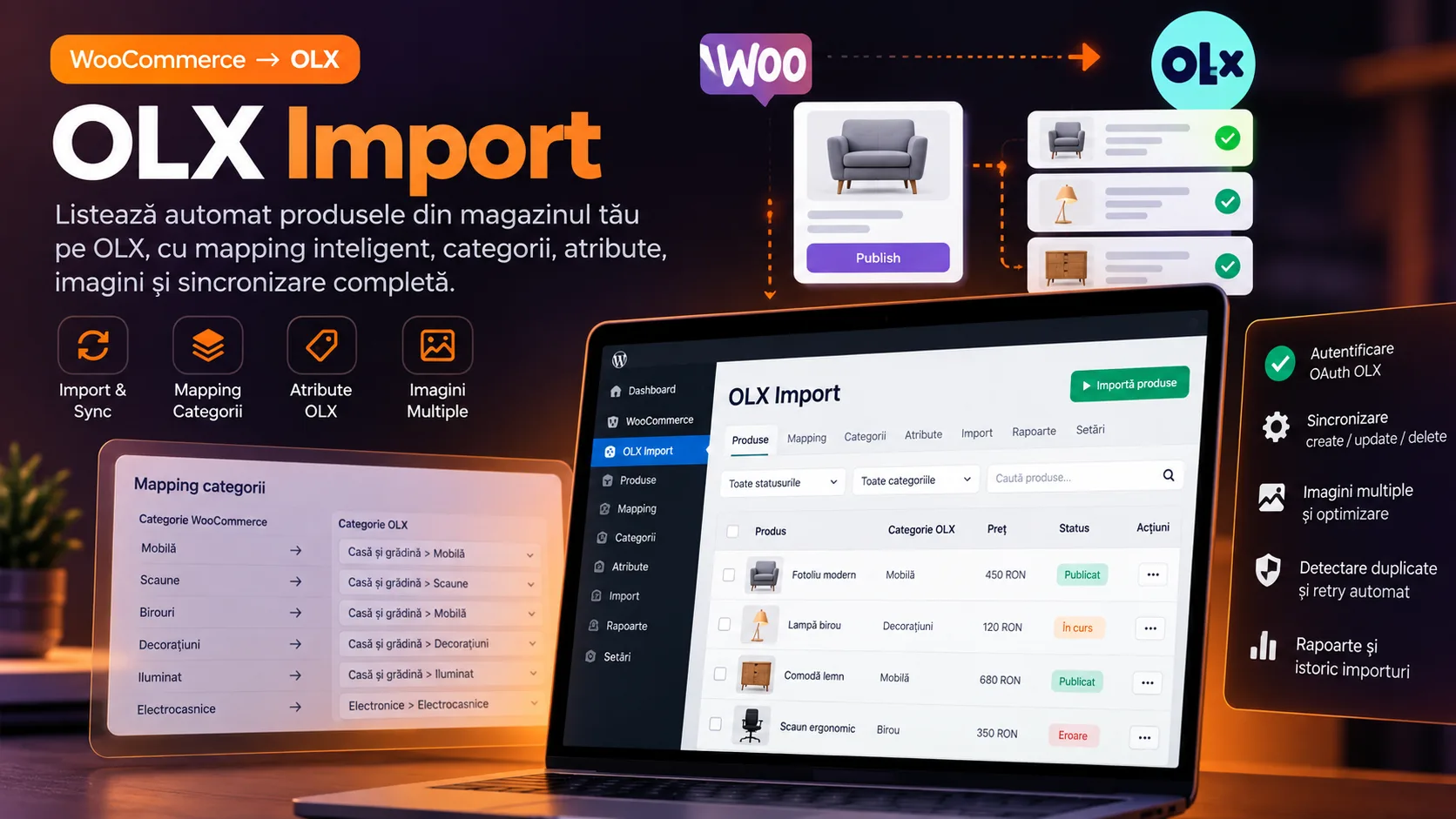
WordPress plugin for synchronizing WooCommerce products with OLX: category and attribute mapping, images and locations, OAuth authentication, ad creation/update, and cleanup of the link on deletion or duplication.
Core stack
The challenge
The challenge was keeping a product coherent between WooCommerce and OLX without duplicate manual work: different categories and attributes between platforms, agency-specific locations and contacts, commercial images and descriptions, distinct OAuth tokens, and the need to correctly update or remove the listing across the product's entire lifecycle.
The solution
The solution uses WooCommerce/WordPress hooks and post meta as the link between product and listing. On save, product data is normalized and mapped to the OLX taxonomy, the catalog endpoints provide the necessary categories, attributes, and locations, and the OLX Partner API receives POST or PUT operations depending on the existence of _advert_id. Unchecking, trash/delete, and duplication have dedicated rules for deactivation, deletion, or resetting metadata.
Notable complexity
OLX Import is a WordPress/WooCommerce integration built for a real client, aimed at turning the product managed in WooCommerce into the operational source for the OLX listing. The flow does not import OLX listings into the store; the direction demonstrated by the code is WooCommerce → OLX Partner API.
On the product edit page, the administrator gets an 'Import to olx' meta box. Checking it and saving the product prepares the payload from the WooCommerce data and creates the listing if the product does not yet have an _advert_id. On subsequent saves, the same ID is used for updating. The plugin persists the listing ID, the OLX URL, and the _imported_to_olx flag in post meta, and the link to the listing is displayed directly in the meta box.
Data transformation includes title, description, price, SKU, images, categories, WooCommerce attributes, and client-specific metadata for the store and contact. The code explicitly maps Jewelry and Electronics categories to the OLX taxonomy, selects subcategories for phones, tablets, and photo equipment, and translates required attributes such as product condition or target audience into the codes expected by OLX.
The listing location is built from an agency code stored on the product. For configured locations, operational data such as address, schedule, phone number, sector, and store name are defined. The city and sector are then resolved through the OLX endpoints for cities and districts, and the listing payload includes city_id, district_id, and the coordinates returned by the API.
The integration uses two types of tokens: client credentials for catalog endpoints such as categories, attributes, and locations, and authorization code/refresh token for operations on listings. Tokens and configuration are kept in WordPress Options. The dedicated 'OLX Import' page allows configuring credentials and shows the connection status.
The product lifecycle is also synchronized in terms of removal. Unchecking the import, moving the product to trash, or deleting it first attempts to deactivate the listing when the OLX status requires it, then performs a DELETE and cleans up local metadata. When a WooCommerce product is duplicated, _advert_id and _advert_url are removed and the import flag is reset, so the copy does not intentionally reuse the original listing's link.
The admin interface adds an 'Imported to OLX' column to the product list, with sorting and a Yes/No filter. OLX errors are kept temporarily via WordPress Transients and shown as admin notices after redirect. There is no test suite, CI/CD, job queue, batching, or caching for OLX metadata in the analyzed snapshot.
The plugin's base retains much of the WordPress Plugin Boilerplate: loader, i18n, public/admin classes, and demonstrative files. The substantial customization lies in the admin class, where the OLX integration, business mapping, and WooCommerce synchronization are implemented. The repository contains a single backup commit, so the history does not allow chronological separation of each contribution.
There is also a daily refresh mechanism based on WP-Cron in the code, but placing the registration hooks in the admin class file and re-instantiating the class in the callback make its operation unconfirmed and fragile. In addition, the connection check is executed in the admin constructor and can produce synchronous external calls when the plugin loads, which is a clear area for optimization before a hardened version.
Key results
- WordPress/WooCommerce plugin dedicated to publishing products to the OLX Partner API
- Listing creation and update based on the existence of the OLX ID persisted in post meta
- Listing deactivation and deletion when the product is unchecked, trashed, or deleted
- Resetting OLX metadata when a WooCommerce product is duplicated
- Explicit WooCommerce → OLX mapping for the Jewelry and Electronics categories
- Subcategory mapping for phones, tablets, and photo equipment, and mandatory OLX attributes
- Transmitting title, description, price, images, contact, and location to the listing
- Resolving city and sector through the OLX location endpoints
- OAuth 2.0 with client credentials, authorization code, and refresh token for the API flows
- OLX column, sorting, and filter in the WordPress Admin product list
- Product meta box with a sync toggle and a link to the OLX listing
- Displaying validation/API errors via transient and admin notice
Related projects
- Farmadati ImportWordPress module that pulls Farmadati datasets via SOAP, normalizes the XML schema, and enriches WooCommerce products with prices, descriptions, manufacturer, pharmaceutical metadata, and images.
- Feed2WooAIWordPress plugin for batch-importing products from JSON feeds into WooCommerce, updating by SKU, images, and categories, OpenAI rewriting, admin progress tracking, and automation through REST endpoints and cron scripts.
- Page Content ExtractorOperational WordPress tool for finding and bulk-updating localized pages, with Elementor/Gutenberg/Classic support, AI rewriting via Gemini, and image generation via Vertex AI Imagen.
Want something similar?
Start with the estimate wizard — answer a few questions and get a realistic price range and timeline.