QR Generator
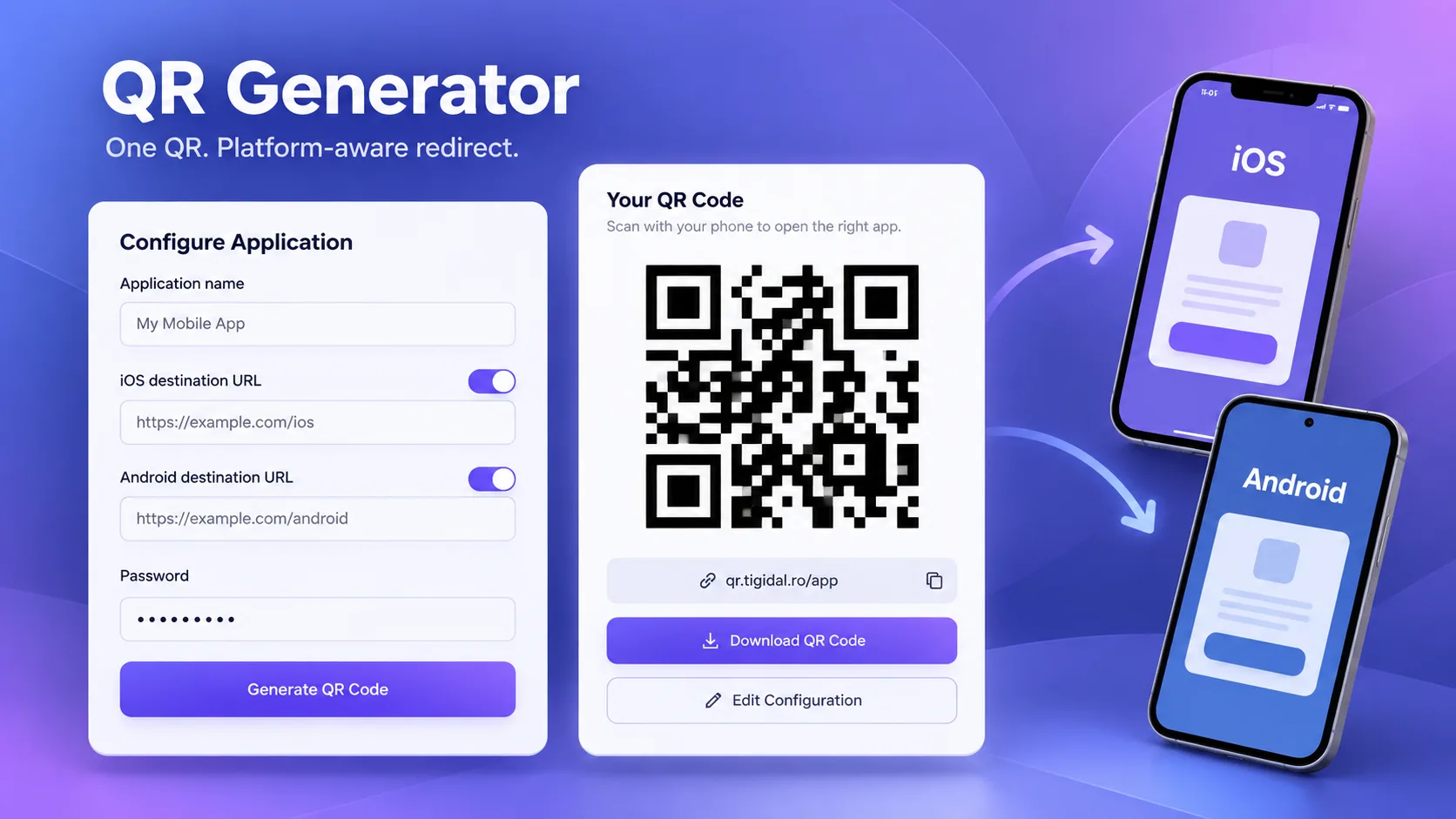
Simple full-stack tool for app distribution through a single QR code: define the iOS/Android links, generate a QR code pointing to a stable address, and redirect the mobile user to the appropriate store.
Core stack
The challenge
The challenge was providing a single reusable QR code for an app that can exist on two mobile ecosystems, without directly encoding into the QR an App Store or Google Play link that would only work for a portion of users. The intermediary address had to remain stable while the destinations could be changed later.
The solution
The solution uses a stable per-app endpoint, a QR code generated dynamically pointing to that endpoint, and simple routing based on User-Agent. The iOS/Android configuration is managed through a web form and persisted in JSON, and the desktop page offers a preview and PNG download. The architecture is intentionally small — Express, vanilla JavaScript, and qrcode — but the analyzed version needs hardening before broad public use, particularly server-side authentication, validation, and secure password storage.
Notable complexity
QR Generator is a personal project built for a concrete app-distribution use case: instead of printed materials or messages containing different QR codes for iOS and Android, each app gets a single stable address in the form qr.tigidal.ro/<app-name>. The QR code encodes this address, and the server decides the final destination based on the User-Agent.
The admin surface is a framework-free HTML/CSS/JavaScript page. The form allows entering the app name, separately enabling the App Store and Google Play links, and setting a password for editing. The URL fields are enabled or disabled in the UI based on checkboxes, and submission sends the data via the Fetch API to the POST /api/apps endpoint.
The backend is an Express server that serves static files and persists the app configuration in an apps.json file. For each entry, the available links and the password are kept. There is no ORM or database; the file is read and rewritten synchronously on create and update, a choice that is sufficient for a low-volume prototype but is vulnerable to blocking the event loop and to lost updates under concurrent access.
The GET /api/qr/:appName endpoint generates a QR code server-side via the qrcode package. The code explicitly sets the width to 512 px and the margin to 2, and returns the image as a data URL, which allows immediate display in the browser and download as PNG from the app page. Error correction level, colors, logo, and module styling are not explicitly configured in the code, and the repository contains no automated scannability tests.
The public /:appName route loads the app mapping and inspects the User-Agent. For iPhone/iPad it tries the iOS link, for Android the Android link, and if the relevant destination exists it responds with an HTTP redirect. If the platform has no configured link, it shows an explicit message; for desktop it shows a dedicated page with the QR code and a download button.
The desktop page also includes editing the configuration. The current implementation checks the password only in the browser: it downloads the entire object via GET /api/apps and compares the password locally, after which PUT /api/apps/:name updates the data without a server-side password check. As a result, the mechanism is only a UI barrier, not real authentication. Furthermore, the GET /api/apps endpoint exposes passwords in plain text, and the apps.json in the snapshot contains a demonstrative password in plain text. These are the main security concerns of the analyzed version.
Backend validation is minimal: the server accepts name, the links, and the password without a validation schema, does not restrict redirect domains, and does not check uniqueness before overwriting. The UI uses input type=url and required for certain fields, but this is browser-level validation, not an API-level guarantee. The app name is interpolated directly into the HTML and JavaScript of the dynamic page, so before public exposure, contextual escaping and strict slug validation should be added.
The repository contains a single commit named 'Initial commit — portfolio backup', which simultaneously adds the active sources, the data file, and a ZIP archive. For this reason, the current state of the product can be demonstrated, but not a development timeline, refactors, or bugfixes. There is no Docker, PM2 config, GitHub Actions workflows, health checks, or deploy scripts in the snapshot.
Key results
- A single stable URL per app, used as the QR destination
- Automatic redirect to the iOS link for iPhone and iPad
- Automatic redirect to the Android link for Android devices
- Explicit fallback when the app has no configured link for the detected platform
- Server-side QR generation at 512 px with a margin of 2 via the qrcode library
- Displaying the QR code on desktop and downloading it as PNG
- Web form for separately configuring App Store and Google Play destinations
- Persisting app mappings in a JSON file
- Updating existing configuration via a PUT endpoint
- Responsive interface with no frontend framework, with layout adapted below 600 px
Related projects
- Real Estate ScraperPython tool for collecting and normalizing Storia listings, with parallel scraping, deduplication by listing ID, relational storage, a filterable REST API, and walking, driving, and public-transit distance calculations.
- Time TrackerReact + Express application that centralizes imported time-tracking data, adds manual hours, applies reporting rules, and generates filters, charts, hour reports, and billing calculations for project groups.
- PDF Auto-PrintPython desktop utility that periodically polls an endpoint, downloads PDF documents, keeps a local history and status for them, and sends them automatically or manually to Windows printers via SumatraPDF.
Want something similar?
Start with the estimate wizard — answer a few questions and get a realistic price range and timeline.